Speechify Introduction
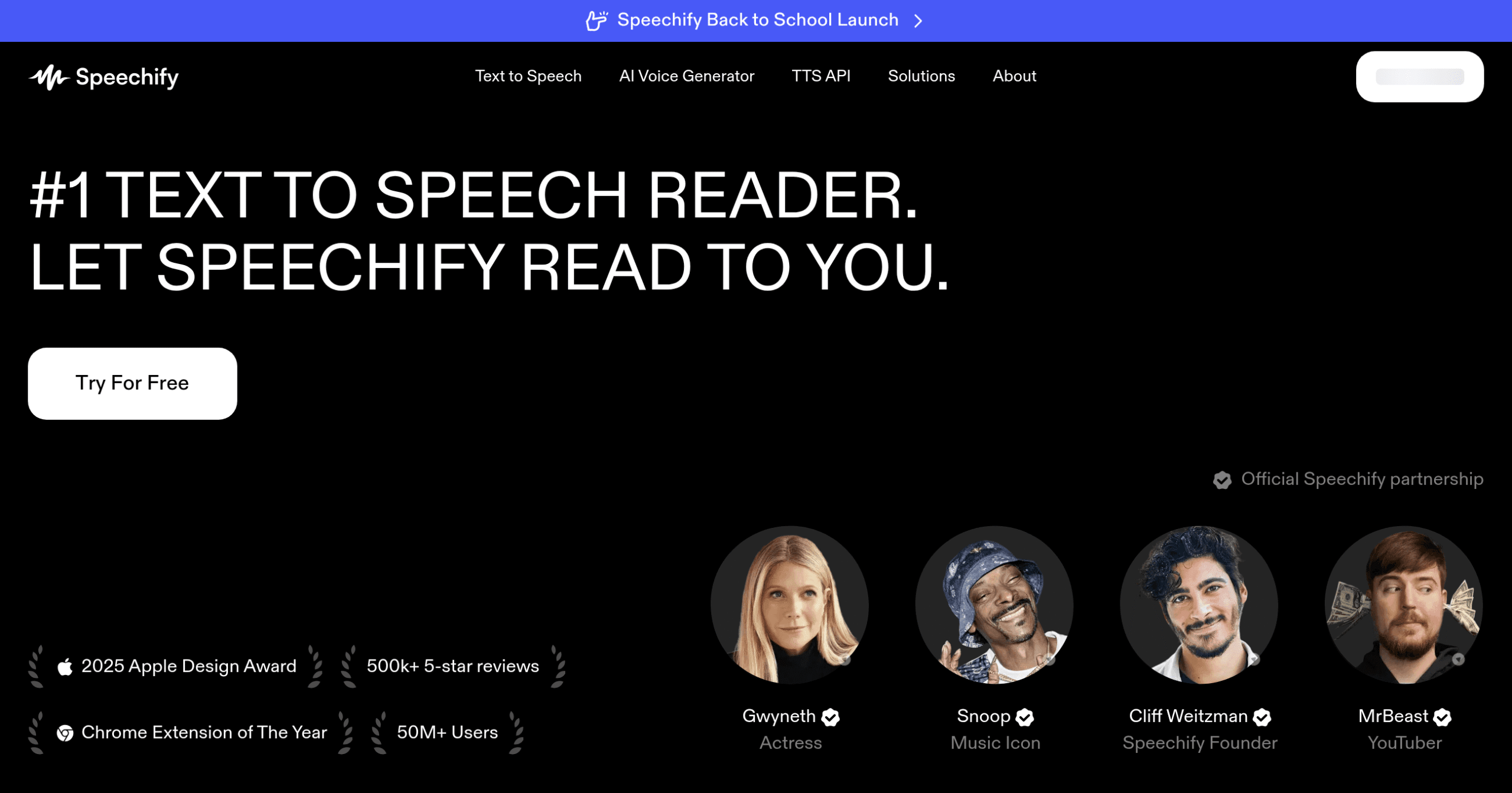
You're reading through important documents but can't focus because the words keep jumping around on the page. Or maybe you're trying to get through work emails while commuting but can't look at your phone. These everyday struggles with reading and consuming content can really slow you down. That's where Speechify comes in – it's a text-to-speech app that turns any written content into spoken words, so you can listen instead of read.
Whether you're dealing with reading challenges like dyslexia, want to multitask better, or just prefer listening to reading, Speechify might be the solution you've been looking for. Created by a dyslexic college student who needed help with his coursework, this tool has grown into a full-featured platform that works on your phone, computer, and web browser. You can snap a photo of a book page, upload a PDF, or paste in any text, and Speechify will read it out loud in a natural-sounding voice.
For business owners juggling multiple tasks, professionals catching up on industry reports, or anyone who wants to consume more content in less time, text-to-speech technology can be a real productivity booster. But with so many options out there, you need to know if Speechify is worth your money and time. Let's take a close look at what this tool offers, where it shines, and where it might fall short for your specific needs.
Speechify Key Features
Multi-Platform Access: Use Speechify on your phone, computer, or tablet without missing a beat. Your content syncs across all devices so you can start listening on your morning commute and pick up right where you left off at your desk.
Photo to Speech (OCR): Take a picture of any printed text and hear it read aloud instantly. Great for reading physical documents, book pages, or even street signs when you’re on the go.
30+ Language Support: Listen to content in English, Spanish, French, German and dozens more languages with natural-sounding voices. Perfect if you work with international clients or want to practice a new language.
100+ Voice Options: Choose from over 100 different voices including celebrity options to find one that’s easy on your ears. Switch between voices anytime to keep long listening sessions interesting.
Smart Text Summaries: Get the main points from long documents in seconds with AI-powered summaries. Saves you hours when you need to review multiple reports or articles quickly.
Chrome Extension: Convert any webpage into audio with one click while you browse. Listen to online articles, emails, or research while you work on other tasks.
Speed Control: Adjust playback speed from 0.5x to 4.5x to match your listening preference. Slow down for complex topics or speed up to get through content faster without losing comprehension.
Our Take of Speechify
Speechify could be a solid pick for business owners looking to boost productivity by turning text into speech. You’re able to use it on pretty much any device you own, and the voices sound pretty natural compared to older text-to-speech tools. The OCR feature is handy if you need to scan printed documents and have them read out loud.
The price might give you pause though. After the free trial ends, you’re looking at a subscription that adds up, especially if you need it for your whole team. Some users have had trouble with customer service when trying to cancel or get refunds, which is worth knowing before you commit.
For productivity gains, it works well. You can listen to reports, emails, or research while doing other tasks. The Chrome extension makes it easy to use with your existing tools. But if you’re comparing it to other options, some competitors offer similar features for less money.
The bottom line is that Speechify does what it promises – converts text to speech effectively across multiple platforms. Whether it’s worth the cost depends on how much you’d use it and if the specific features like OCR and language variety matter for your business. Testing it during the free trial period would be smart to see if it fits your workflow before paying for a subscription.
Speechify's Pricing
Speechify offers a free plan and premium subscription options. The free plan includes basic text-to-speech features with 10 robotic-sounding voices, listening speeds up to 1.5x, and a 5-file storage limit.
Premium plans are available at $29 per month or $11.58 per month when billed annually ($138.96 total). Premium subscribers get access to over 200 high-quality, natural-sounding voices in 60+ languages, offline MP3 downloads, listening speeds up to 5x, advanced skipping and importing features, AI summaries and chats, unlimited file storage, and 24/7 priority support.
The company also offers separate pricing for Speechify Studio (for voiceovers and dubbing) and Speechify API (for integrating AI voices into apps), though specific pricing details for these products are not provided on this page.
Final Thoughts about Speechify
Text-to-speech tools like Speechify can change how you work and consume information. Before jumping in, think about your specific needs. Do you process tons of written content daily? Are you constantly multitasking? Do reading challenges slow you down? If you answered yes to any of these, this tool might help you work smarter.
Consider starting with the free trial to test it with your actual workload. Try scanning some printed documents with the OCR feature. Listen to a few reports while doing other tasks. See if the voices work for you and if the speed controls help you absorb information better. Pay attention to how much time you save and whether it fits smoothly into your existing workflow.
The real question isn’t whether Speechify works – it does. The question is whether it’s worth the ongoing cost for your specific situation. If you find yourself consuming more content, retaining information better, or simply getting through your reading list faster, then it could pay for itself through productivity gains.
Ready to see if Speechify can help you get more done? Click the button below to start your free trial and experience text-to-speech for yourself.
Speechify FAQs