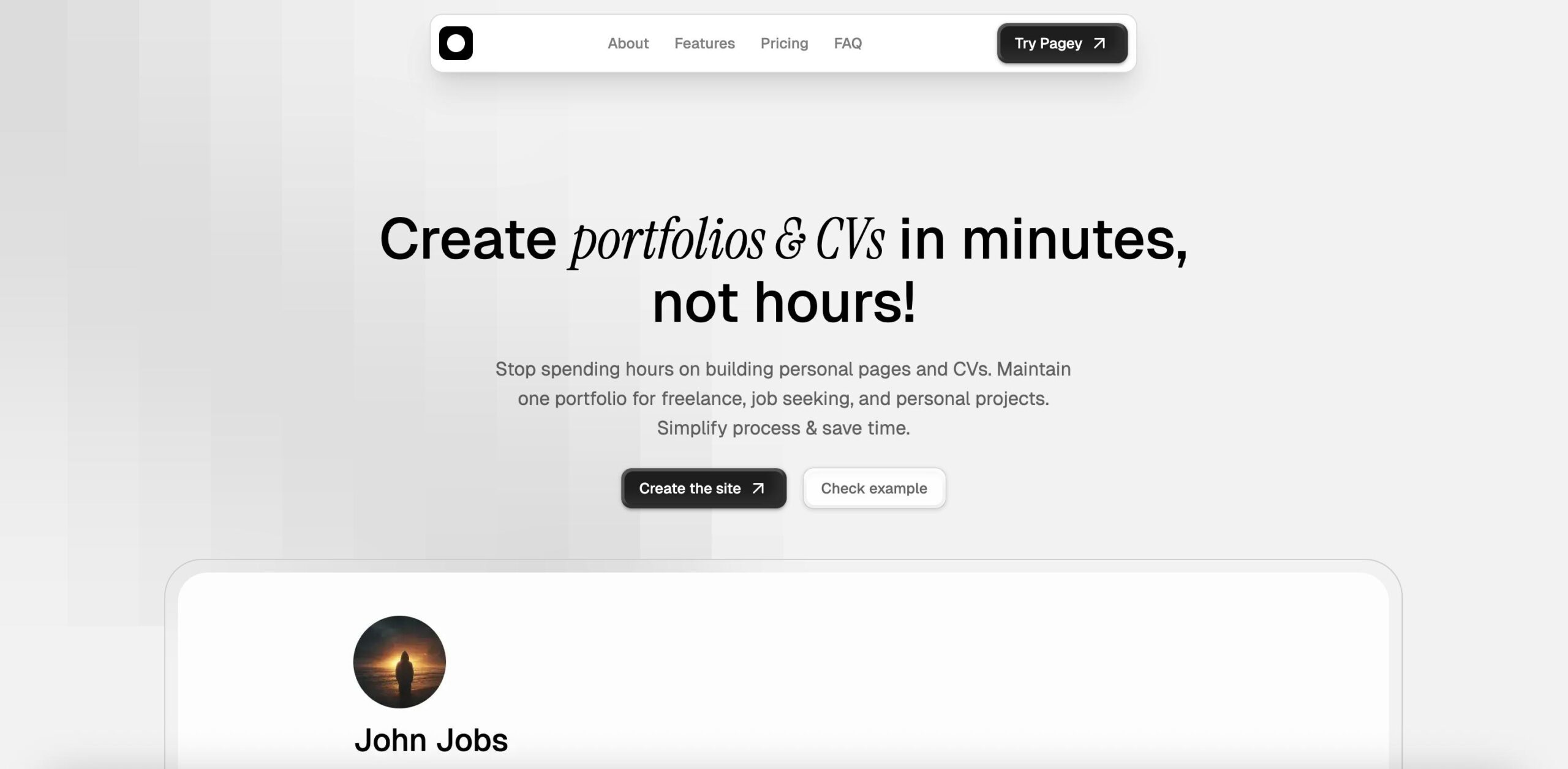
Pagey Introduction
Building a professional portfolio or resume feels like it takes forever, especially when you're trying to make it look good without any design skills.
You know you need something that shows off your work and experience, but every time you sit down to create one, hours slip away, and you're still not happy with how it looks.
That's where Pagey comes in – it's a tool that lets you build a polished portfolio or resume in just minutes, no coding or design experience needed.
With ready-made sections, you can customize and utilize AI features that help with content, allowing you to finally achieve the professional online presence you've been putting off.
Whether you're job hunting, freelancing, or just want a clean way to showcase your skills, this might be the simple solution you've been looking for.
Pagey Key Features
No-Code Portfolio Builder: Create professional portfolios and resumes without writing a single line of code. You’ll save hours of development time and still get a polished, professional result.
Pre-Made Sections: Choose from ready-to-use sections designed for different skills and experiences. Simply pick what fits your needs and customize the content – no design work required.
AI Content Generation: Let AI help write your portfolio content and job descriptions. You’ll get professional-sounding text that highlights your strengths without staring at a blank page.
Custom Subdomain: Get your own personalized web address like yourname.pagey.xyz. This gives you a professional online presence that’s easy to share and remember.
One-Click Export: Download your portfolio as a PDF or text file instantly. Perfect for sending to recruiters or keeping offline copies without any complicated export process.
Our Take of Pagey
For business owners and professionals who need an online presence fast, Pagey hits the sweet spot between simplicity and functionality. You can build a professional portfolio or resume in minutes without touching a single line of code. The pre-made sections save you from staring at a blank canvas, and the AI features help you write better content when you’re stuck.
What sets Pagey apart is how quickly you can go from zero to having a polished personal page. The custom subdomain feature gives you a professional web address without the hassle of buying and setting up your own domain. Plus, being able to export everything as a PDF with one click makes it easy to share your portfolio offline or attach it to job applications.
The platform works best if you’re okay with working within its design framework. If you’re someone who likes to tinker with every pixel or wants something totally unique, you might feel boxed in. Some of the AI features they’ve promised aren’t live yet either, which could be disappointing if those were a main selling point for you.
For the price point and what it delivers, Pagey makes sense for freelancers, job seekers, or small business owners who want to look professional online without spending days learning web design. It’s particularly useful if you’re updating your career materials regularly since you can make changes and export new versions instantly. Just keep in mind that you’re trading some creative freedom for that convenience.
Pagey's Pricing
Pagey.xyz offers a free plan that includes up to 10 forms per month, basic form fields, email notifications, and standard support.
The Pro plan at $9 per month provides unlimited forms, advanced field types, custom branding, integrations with popular tools, priority support, and form analytics.
For larger organizations, the Business plan, at $29 per month, includes everything in Pro, plus team collaboration features, advanced security options, API access, a dedicated account manager, and custom integrations.
Annual billing provides a 20% discount on all paid plans. All plans include SSL encryption, spam protection, and mobile-responsive forms.
A 14-day free trial is available for the Pro and Business plans with no credit card required. Enterprise pricing is available for organizations with specific requirements and high-volume needs.
Final Thoughts about Pagey
Building a professional online presence doesn’t have to eat up your whole weekend. If you’ve been putting off creating that portfolio or updating your resume because it feels like too much work, Pagey might be the push you need to finally get it done. The real question is whether having a polished page that took 10 minutes to create is better than the perfect one you never finish. For most of us juggling busy schedules, the answer is pretty clear.
Consider what you could accomplish with the time you’d save. Instead of wrestling with design tools or learning to code, you could be reaching out to potential clients, applying to jobs, or working on projects that actually make you money. Sometimes the best tool is the one that gets you from point A to point B without the detours.
Ready to see if Pagey fits your needs?
Give it a try and build your first portfolio in minutes. Click the button below to get started.
Pagey FAQs