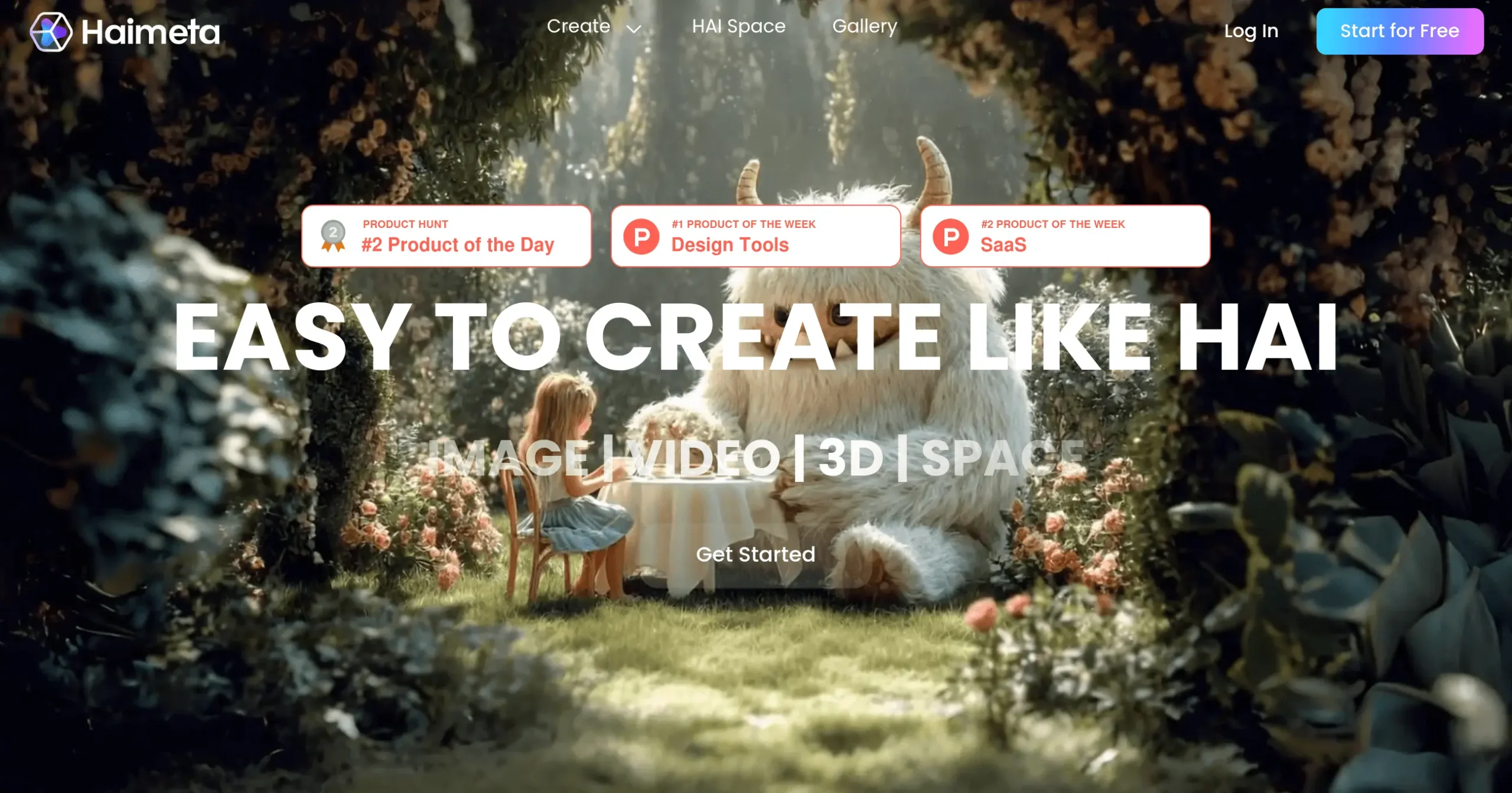
Haimeta Introduction
Picture this: you're staring at a blank screen, knowing you need fresh content for your business, but you're stuck. Maybe you need eye-catching images for your next campaign, or a video that actually grabs attention, or even 3D models to show off your products. The clock's ticking, your budget's tight, and hiring a whole creative team just isn't in the cards right now.
This is where Haimeta steps in. It's an AI platform that turns your ideas into actual content – images, videos, 3D models, even interactive spaces – all from simple text prompts. No design degree required. No expensive software to master. Just type what you want, and watch it come to life.
For entrepreneurs and creators who are already juggling a million tasks, Haimeta promises to be that extra set of creative hands you've been looking for. Whether you're crafting social media posts, building product demos, or creating marketing materials, this tool aims to cut your content creation time from hours to minutes.
But here's the real question: does it actually deliver on these promises? Can an AI tool really replace the creative processes that typically cost thousands of dollars and weeks of time? Let's dig into what Haimeta can and can't do for your business.
Haimeta Key Features
Text-to-Image Generation: Create professional marketing images and concept art from simple text descriptions. Skip expensive photo shoots and design fees while getting unique visuals for your campaigns in minutes.
Image-to-Image Transformation: Turn your existing photos and graphics into fresh content with AI editing. Update old product images or transform basic sketches into polished designs without hiring a designer.
Text-to-Video Generation: Build engaging videos and animations just by typing what you want to see. Create social media ads and explainer videos that grab attention without learning complex video software.
Image-to-3D Conversion: Convert flat logos and product images into 3D models ready for presentations. Show clients interactive product views and create eye-catching displays that stand out from competitors.
Interactive Space Creation (HAI Space): Build virtual showrooms where customers can explore your products and content. Create immersive brand experiences that keep visitors engaged longer than traditional websites.
Multi-Model Access: Choose from over 20 different AI models to match your exact creative needs. Get consistent quality across all your content while having the flexibility to try different styles and approaches.
Our Take of Haimeta
If you’re running a business and need to create visual content fast, Haimeta could save you serious time. Think about it – you can make images, videos, 3D models, and interactive presentations all in one place. That’s pretty handy when you’re juggling a million other tasks.
The best part? You don’t need to be a tech wizard to use it. The interface is simple enough that you can jump right in and start creating. With over 20 AI models to choose from, you’ve got plenty of options to get the style you want. Whether you’re making social media posts, product demos, or client presentations, this tool covers a lot of ground.
But here’s what might slow you down – they’re not clear about pricing for the premium features. That makes it tough to plan your budget. And while most features are easy to use, the 3D creation tools have a bit of a learning curve. If you’re not familiar with 3D design, expect to spend some time figuring things out.
The lack of batch exporting for interactive spaces is another issue. If you need to share multiple projects offline or send them to clients, you’ll have to export them one by one. That could eat up time if you’re working on several projects.
For entrepreneurs and creators who want an all-in-one creative platform, Haimeta offers good value. You’re getting multiple tools in one subscription, which could be cheaper than paying for separate image, video, and 3D software. The free version lets you test things out before committing any money, which is always nice.
Bottom line – if you need to create different types of visual content regularly and want to keep things simple, Haimeta is worth checking out. Just be prepared for some limitations and make sure to test the free version thoroughly before upgrading.
Haimeta's Pricing
The Free Plan costs $0 per month and includes a daily login reward of 100 HAIBITs, 1 basic image model, 1 basic video model, 1 basic 3D model, 1 concurrent creation, and 1 GB of storage, but it does not provide access to HAI Space.
The Standard Plan, at $12 per month, offers 3,000 HAIBITs monthly (enough for ~1,990 images, 15 videos, or 85 3D objects), plus a daily login reward of 100 HAIBITs. It includes 10+ selected image models, 10+ selected video models, and 3+ selected 3D models, along with 6 concurrent creations and 2 GB of storage. Subscribers also gain HAI Space access with 5+ space styles, display options for 8 images/videos and 4 3D objects, custom space layouts, 20+ avatars, content creation in space, chat features, and up to 10 space visitors. Downloads are watermark-free, and upcoming additions include a premium template library, portrait/pet/style training, custom watermarks, agents, custom avatars, and more.
The Premium Plan, at $25 per month, provides 10,000 HAIBITs monthly (~4,323 images, 51 videos, or 215 3D objects), plus the daily login reward of 100 HAIBITs. It offers 10+ selected image models, 10+ selected video models, and 3+ selected 3D models, with 10 concurrent creations and 10 GB of storage. HAI Space access includes 5+ space styles, 8 images/videos display, 4 3D objects display, custom space layouts, 20+ avatars, content creation in space, chat features, and up to 20 space visitors. Downloads are watermark-free, with future enhancements like the premium template library, portrait/pet/style training, custom watermarks, agents, custom avatars, and much more.
Finally, the Super Plan, at $50 per month, gives 23,000 HAIBITs monthly (~8,656 images, 300 videos, or 520 3D objects), along with the daily login reward of 100 HAIBITs. It includes 10+ selected image models, 10+ selected video models, and 3+ selected 3D models, with 20 concurrent creations and 20 GB of storage. Subscribers enjoy full HAI Space access with 5+ space styles, 8 images/videos display, 4 3D objects display, custom layouts, 20+ avatars, content creation in space, chat, and up to 30 space visitors. Downloads are watermark-free, and upcoming benefits include early access to new features, premium template libraries, portrait/pet/style training, custom watermarks, agents, custom avatars, and more.
Final Thoughts about Haimeta
So here’s the deal – if you’re tired of spending hours on content creation or burning through your budget on designers and video editors, Haimeta might be exactly what you need. Take a few minutes to think about how much time you spent last week just trying to get the right images for your social media or website. Now imagine cutting that time by 75% or more.
The free version gives you plenty of room to experiment. Try creating a few images for your next campaign. Test out the video generator with a simple product demo. See if the 3D conversion actually works with your logo. You’ve got nothing to lose except maybe an hour of playing around with new tech.
Here’s what I’d suggest – pick one project you’re working on right now that needs visual content. Maybe it’s a new product launch, a social media campaign, or even just updating your website. Use Haimeta’s free tools to create what you need. If it saves you time and the results look good, then you’ll know if it’s worth investing in the premium features.
Remember, every hour you save on content creation is an hour you can spend growing your business, talking to customers, or actually taking that lunch break you’ve been skipping. And if you can create professional-looking content without hiring a whole creative team? That’s money straight back in your pocket.
Ready to see if AI can actually make your content creation easier? Click the button below to try Haimeta free and start creating in minutes. Your future self will thank you for taking the leap.
Haimeta FAQs