Splash Introduction
Ever feel like you're drowning in spreadsheets and data files, wishing you could just ask your computer what it all means? You're not alone.
Most of us spend hours trying to make sense of sales numbers, customer data, or marketing results, only to end up more confused than when we started.
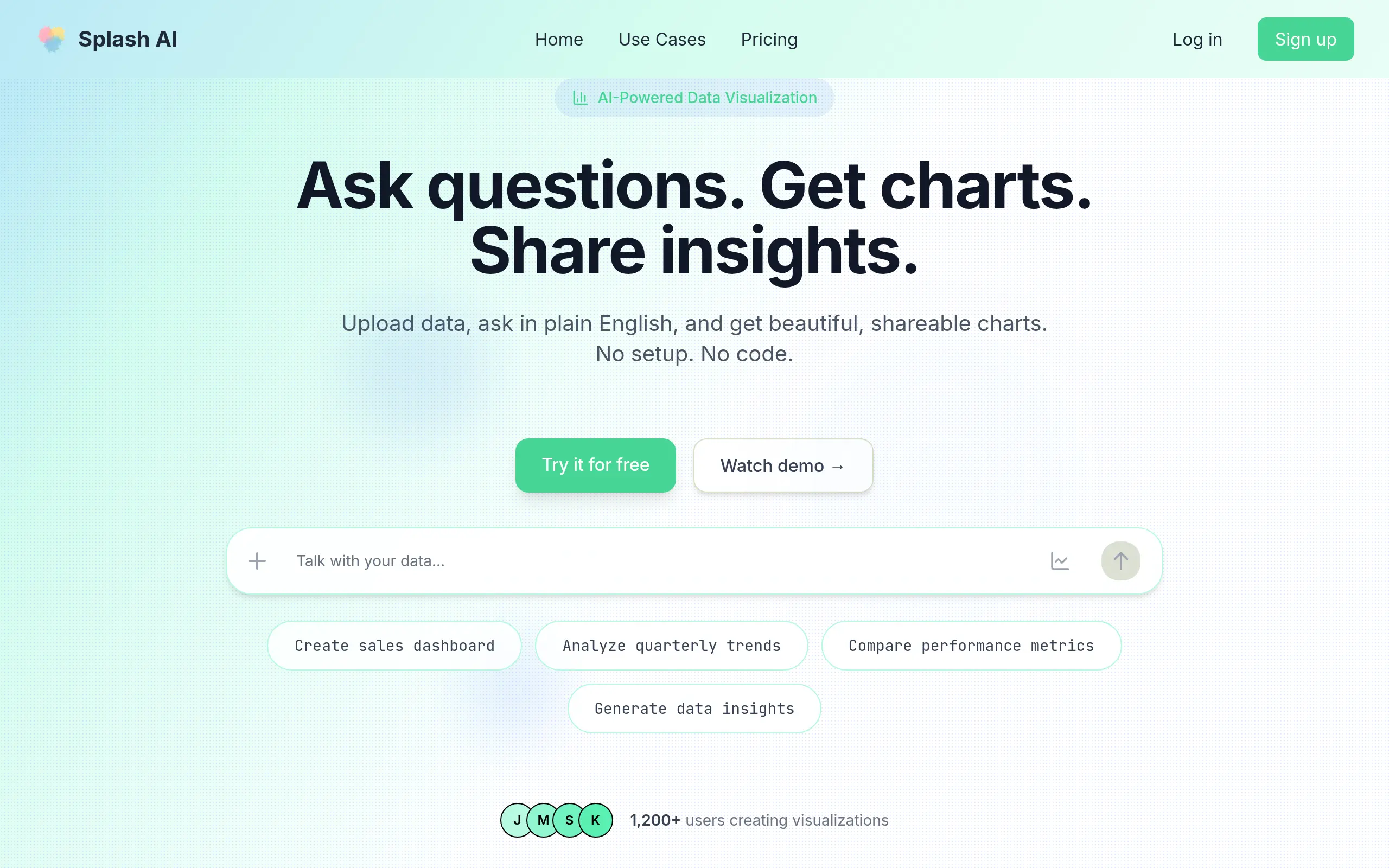
That's where Splash AI comes in – it's like having a data analyst who speaks your language, literally. Instead of learning complicated software or hiring expensive consultants, you can upload your data and ask questions in plain English. Want to know which products sold best last month? Just ask. Need to see your customer trends over time? Type it out like you're texting a friend. In minutes, you get clear charts and insights that actually make sense. No coding, no complex formulas, no headaches. Just upload, ask, and understand.
Let's take a closer look at how this tool works and whether it's right for your business.
Splash Key Features
Natural Language Data Analysis: Ask questions about your data in plain English and get instant visualizations. No need to learn complex query languages or hire expensive analysts – just type what you want to know and see the results.
Multi-Format Data Upload: Upload data from spreadsheets, CSV files, JSON, and even images. This flexibility means you can analyze information from virtually any source without converting files or dealing with compatibility issues.
Automated Data Cleaning: Let the platform handle messy data automatically. It fixes common errors, fills gaps, and organizes your information so you get accurate insights without spending hours preparing spreadsheets.
Interactive Charts and Reports: Get dynamic visualizations that you can click, filter, and explore. These aren’t static images – they’re live dashboards that help you dig deeper into trends and patterns with just a few clicks.
Pre-Built Business Dashboards: Access ready-made templates for sales tracking, marketing ROI, financial reporting, and customer analytics. Start analyzing your business performance immediately without building everything from scratch.
Quick Data-to-Insight Workflow: Go from raw data to actionable insights in minutes, not hours. Upload your file, ask your question, and get professional-looking reports that help you make better business decisions fast.
Our Take of Splash
Splash AI hits the sweet spot for business owners who need quick data insights without hiring a data scientist. The natural language feature means you can literally type “show me last month’s top selling products” and get a visual chart in seconds. That’s pretty powerful when you’re trying to make fast decisions.
The platform works best if you’re already collecting data in spreadsheets or basic formats. You upload your files, ask questions in plain English, and get charts and reports back. No coding required, which saves tons of time and money compared to traditional analytics tools.
Where Splash AI really shines is speed. What used to take hours of Excel work now happens in minutes. Sales teams can track performance, marketing folks can measure campaign results, and finance teams can build reports without waiting for IT help. The automated data cleaning feature alone saves headaches since it fixes common issues like formatting errors automatically.
The downsides become clear if you need super specific or complex analysis. You can’t tweak every little detail like you could in more advanced tools. Some businesses might outgrow it as their data needs get more sophisticated. And while it handles most common file types, you might run into issues with unusual data sources.
For the price point, most small to medium businesses will find good value here. You’re essentially getting a junior analyst that works 24/7 and never takes vacation. The time savings alone often justify the cost within the first month. Just make sure your data is reasonably clean to start with, since garbage in still means garbage out, even with AI helping.
Bottom line: if you’re drowning in data but don’t have technical skills or budget for expensive solutions, Splash AI offers a practical middle ground that actually delivers results.
Splash's Pricing
AISplash offers a tiered pricing structure designed for data analysts, researchers, and teams.
The Free plan provides 5 credits monthly with basic AI models, community support, and basic visualizations.
The Basic plan at $20/month includes 50 credits and access to all AI models including GPT-4, Claude, and Gemini, along with standard support and export capabilities.
The Pro plan at $45/month offers 150 credits, all premium AI models, priority support, advanced visualizations, and team collaboration features with API access.
For larger organizations, the Enterprise plan provides unlimited credits, 24/7 priority support, advanced security features, 99.99% uptime guarantee, and compliance with HIPAA, SOC2, and GDPR standards. Annual billing is available with a 17% discount. All plans include secure storage, quick CSV uploads, and modern charts. Custom deployments, SSO, and SLAs are available for enterprise customers.
Final Thoughts about Splash
So here’s the thing – data doesn’t have to be scary anymore. Splash AI proves that you can get real insights from your business numbers without becoming a spreadsheet wizard. Whether you’re tracking sales, measuring marketing campaigns, or just trying to understand your customers better, this tool puts that power in your hands. The best part? You can start seeing results today, not weeks from now after learning complicated software. Your competitors are already using data to make smarter decisions – isn’t it time you joined them? Stop guessing and start knowing what’s really happening in your business. Ready to turn your data into your superpower? Click the button below to try Splash AI and see what your numbers have been trying to tell you all along.
Splash FAQs