Xavier Introduction
Let's face it – creating a killer presentation takes forever. You're stuck staring at a blank slide deck, trying to make your ideas look professional while hunting down the right data to back up your points. By the time you're done, you've burned through hours that could've been spent actually growing your business.
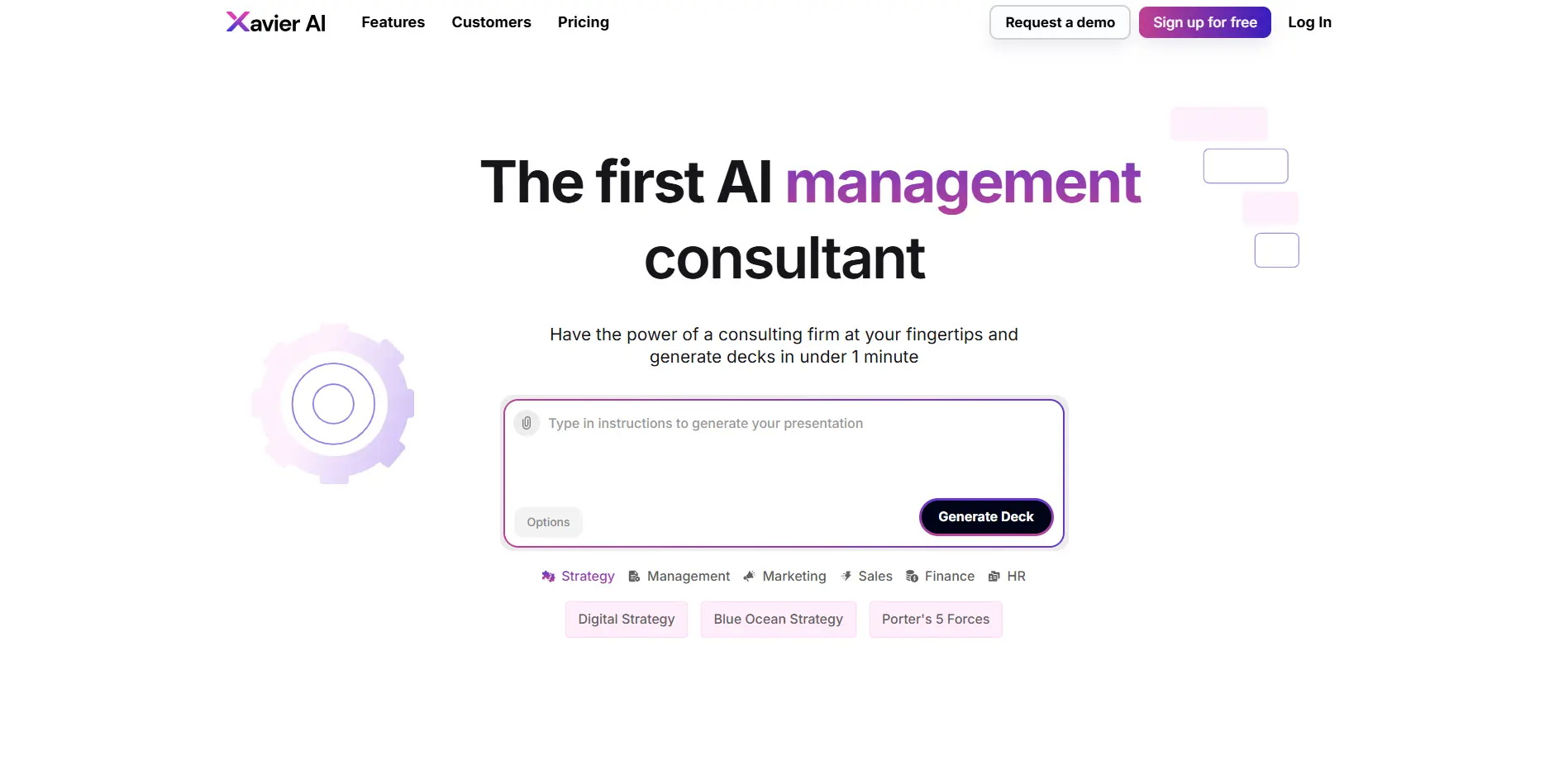
What if you could create strategy-level presentations in under a minute? That's exactly what Xavier AI promises. This AI-powered platform turns your rough ideas into polished business presentations, complete with real market data and professional layouts. Think of it as having a high-end strategy consultant on speed dial, minus the hefty price tag.
For entrepreneurs and creators trying to make big moves (pun intended), Xavier AI tackles the exact problems that eat up your day. No more wrestling with PowerPoint templates. No more second-guessing if your data is current. And definitely no more presentations that look like they were thrown together at the last minute.
Xavier Key Features
AI-Generated Strategy Decks: Transform your ideas and data into professional presentations in under 60 seconds. Skip the hours of slide creation and get straight to presenting your vision to clients or investors.
Dynamic Multi-Method Generation (DMG) Engine: Get presentations that actually make sense, not just random AI fluff. This smart system combines AI with real business logic to create content that’s accurate and ready to use.
Real-World Data Integration: Pull in current market data, news, and your own company documents automatically. Your presentations stay fresh and relevant without you hunting down the latest stats.
Enterprise Integrations: Connect Xavier with your existing tools like Slack, SAP, and Salesforce through the Actions engine. Keep your workflow smooth without jumping between different platforms.
Custom Branding: Apply your company’s colors, fonts, and logos to every presentation automatically. Your decks look like they came from your design team, not a generic template.
Our Take of Xavier
Xavier AI caught our attention as a real time-saver for entrepreneurs who need professional presentations but don’t have hours to spare. If you’re like most business owners, creating pitch decks and strategy presentations probably isn’t your favorite task. This tool promises to handle that heavy lifting in about a minute.
What sets Xavier apart from other AI presentation tools is how it pulls in real market data and current news to back up its points. You’re not getting fluff or made-up statistics. Everything comes with actual sources you can verify. That’s huge when you’re trying to win over investors or clients who will fact-check your claims.
The platform works best if you already use tools like Slack, SAP, or Salesforce since it connects directly with them. This means less copying and pasting between different apps. For small businesses already using these platforms, the workflow becomes pretty smooth.
Here’s where it gets tricky though. The basic plans limit some features that many entrepreneurs would consider essential. Want to export to PowerPoint? You’ll need to upgrade. Need advanced customization beyond their templates? Same story. This pricing structure might frustrate business owners on tight budgets who expect full functionality from the start.
The automatic design quality is solid. You won’t need a graphic designer to make your presentations look professional. But if you’re someone who likes to tinker with every detail, you might find the customization options limiting unless you export and edit elsewhere.
For entrepreneurs who regularly create business plans, pitch decks, or client presentations, Xavier AI could save significant time. The question is whether the time saved justifies the cost, especially if you need those premium features. If you’re presenting to investors or high-value clients where credibility matters, having verified data sources built right in could make this investment worthwhile.
Xavier's Pricing
The Free plan costs $0 per month and includes 50 AI slides per month, real verified sources with one-click Provenance, PowerPoint export, premium AI decks, Pro Data, Xavier Actions, and a custom company template.
The Starter plan, priced at $19 per month per user, offers 200 AI slides monthly along with the same features: real verified sources with one-click Provenance, PowerPoint export, premium AI decks, Pro Data, Xavier Actions, and a custom company template.
The Pro plan, at $79 per month, provides 2,000 AI slides per month and includes all the same features.
Finally, the Enterprise plan offers a custom pricing option with unlimited AI slides, all the core features—real verified sources with one-click Provenance, PowerPoint export, premium AI decks, Pro Data, Xavier Actions, and a custom company template—plus additional benefits such as custom integration and on-premise solutions.
Final Thoughts about Xavier
Bottom line – if you’re tired of spending hours on presentations that should take minutes, Xavier AI might be worth checking out. Think about how much time you waste every week building decks from scratch. Now imagine cutting that down to just a few minutes while actually improving the quality of your presentations.
The real question isn’t whether Xavier AI works – it clearly does what it promises. The question is whether saving those hours each week is worth the investment for your business. If you’re regularly pitching to clients, seeking funding, or creating training materials, those saved hours add up fast. Plus, having verified data sources built right in means you’re presenting facts, not guesses.
Before you decide, consider what features you actually need. If basic presentations work for you, the starter plan might be enough. But if you need PowerPoint exports and advanced customization, factor in the higher tier pricing. Either way, you’re looking at a tool that turns a painful process into something quick and painless.
Want to see if Xavier AI fits your workflow? The best way to know is to try it yourself and create your first presentation in under a minute. If you’re ready to stop wasting time on slide decks and start focusing on growing your business, click the button below to get started with Xavier AI.
Xavier FAQs