Transor Introduction
Ever tried to translate an entire website and ended up with something that reads like a robot wrote it? You're not alone. Whether you're trying to connect with international customers or just figure out what that foreign competitor is up to, getting quality translations can feel like pulling teeth.
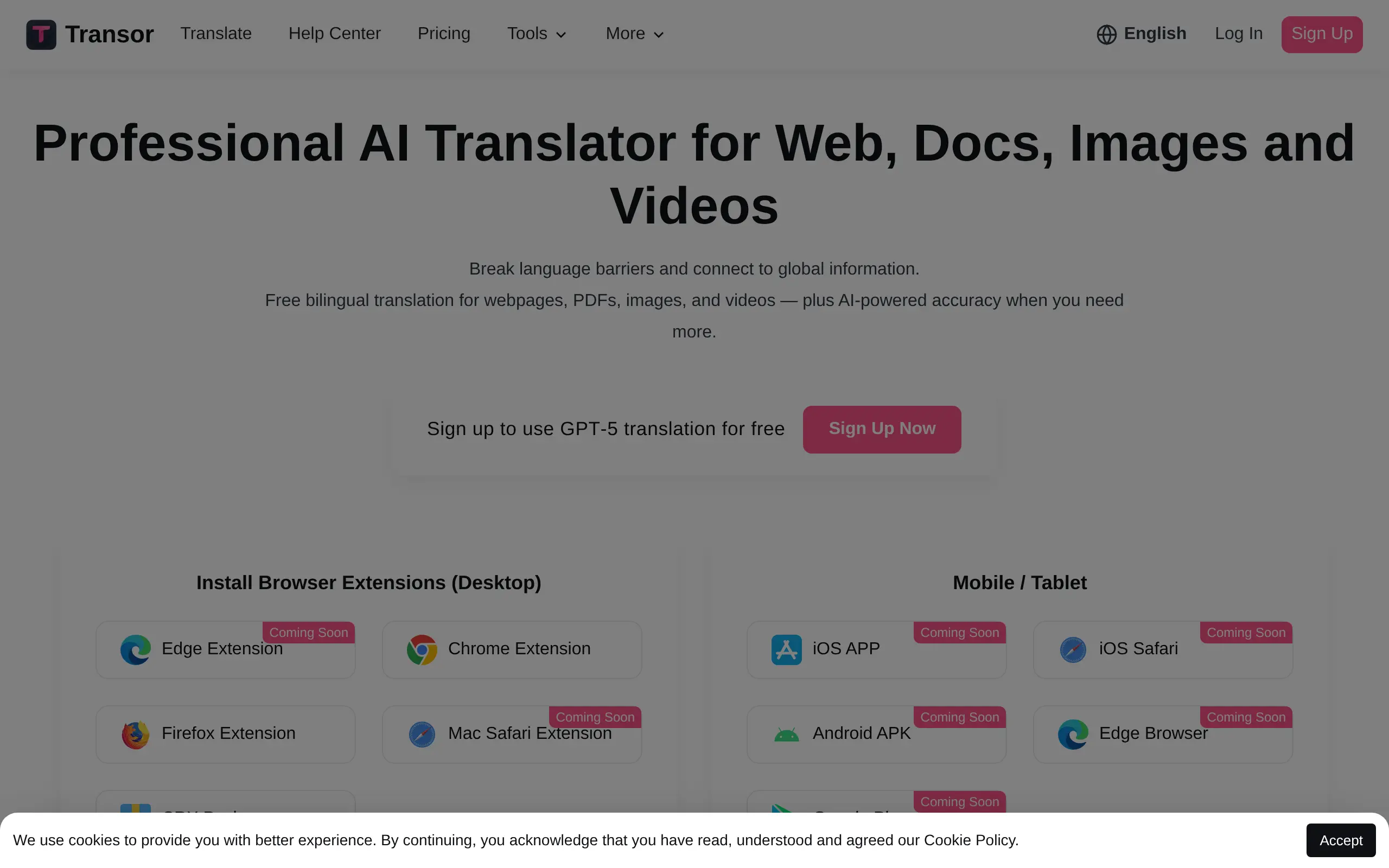
That's where Transor comes in. This AI-powered translation tool tackles websites, documents, images, and even videos – all in one place. No more copying and pasting text into different apps or hiring expensive translators for simple tasks.
For business owners looking to expand globally, language barriers can stop growth in its tracks. You might have the perfect product, but if your customers can't understand your website or product descriptions, you're leaving money on the table. Transor promises to fix that problem by making professional translations accessible and affordable.
But does it actually deliver? Let's dig into what Transor can really do, where it shines, and where it might fall short. Because when it comes to translation tools, the difference between good and great can make or break your international business plans.
Transor Key Features
Website Translation: Transform any foreign website into your native language instantly. Browse international supplier sites, competitor pages, or customer reviews without language getting in your way.
Document Translation: Convert contracts, emails, and business documents from one language to another while keeping the formatting intact. Save hours of manual translation work and communicate clearly with international partners.
Image Translation: Extract and translate text from photos, screenshots, or scanned documents automatically. Great for translating product labels, street signs, or handwritten notes your international clients send you.
Video Translation: Add translated subtitles to any video content in seconds. Make your marketing videos accessible to global audiences or understand foreign training materials without hiring expensive translators.
Our Take of Transor
Transor positions itself as an all-in-one translation solution that handles pretty much everything you’d need – from websites to videos. For business owners trying to reach customers who speak different languages, this flexibility is a big plus. You won’t need separate tools for different content types, which saves both time and money.
The interface gets straight to the point without unnecessary complications. You upload your content, pick your target language, and get your translation. This simplicity matters when you’re juggling multiple business tasks and don’t have time to learn complex software.
Where Transor shines is accuracy. Based on user feedback, the translations maintain context well rather than producing word-for-word nonsense. This is especially important for business communications where misunderstandings can cost you customers or partnerships.
The downsides are worth considering though. The language selection is more limited than competitors like Google Translate or DeepL. If your customers speak languages outside the supported list, you’ll need to look elsewhere. Processing speed becomes an issue with larger files too – translating a lengthy product manual or training video might test your patience.
Since Transor runs entirely online, a spotty internet connection will bring your translation work to a halt. For businesses in areas with unreliable internet, this could be a deal breaker.
The lack of clear integration information is another concern. Most businesses already use specific tools for content creation and management. Without knowing how well Transor plays with these existing systems, you might face extra steps copying content back and forth.
For small businesses just starting to expand internationally, Transor offers enough features to get you going. But growing companies with diverse language needs or large content volumes might find themselves bumping against its limitations fairly quickly.
Transor's Pricing
The platform offers a Free plan and two paid subscription options — Pro and Max — designed to meet different translation needs.
The Free plan provides access to basic translation services using GPT-5 Nano, Google Translate, and Microsoft Translator, with no registration required for Google and Microsoft engines. It includes unlimited web page translation, 100 PDF pages per month, unlimited bilingual subtitles, input box translation, translation center access, and text selection translation.
The Pro plan, ideal for professional users and teams, costs $5/month (or $6/month when billed monthly, saving 17%). It offers advanced translation services with 10,000,000 Pro Tokens per month, powered by DeepSeek V3, GPT-5 Mini, Claude 3.5 Haiku, and Gemini 2.5 Flash. Users also enjoy PDF translation (1,000 pages/month), basic image translation (1,000 images/month), 5,000 favorites/month, bilingual subtitles, and priority support. No payment is required to install and start using the plan.
The Max plan, built for high-volume users and advanced translation needs, costs $10/month (or $12/month when billed monthly, saving 17%). It includes top-tier translation services with 1,000,000 Max Tokens/month and advanced translation capacity of 20,000,000 Pro Tokens/month. Supported AI engines include Claude 4 Sonnet, GPT-5, Gemini 2.5 Pro, DeepSeek V3, GPT-5 Mini, Claude 3.5 Haiku, and Gemini 2.5 Flash. Additional features include PDF translation (5,000 pages/month), basic image translation (5,000 images/month), 20,000 favorites/month, bilingual subtitles, and priority support.
All paid plans provide access to enhanced AI translation models, faster performance, and advanced file handling capabilities to meet both individual and professional requirements.
Final Thoughts about Transor
Translation tools can make the difference between watching opportunities pass by and actually connecting with customers around the world. Transor gets the basics right – it’s simple to use, handles different content types, and produces translations you can actually trust. That’s more than many tools can claim.
Sure, it has limitations. The language selection needs work, and if you’re dealing with massive files, you might want to grab a coffee while you wait. But for most small business needs – translating product pages, understanding customer emails, or making your videos accessible to new markets – it’ll do the job without breaking the bank or your brain.
The real question isn’t whether Transor is perfect. It’s whether it’s good enough to help you start selling to customers who speak different languages. Based on what users are saying, the answer is yes. You could spend months comparing every translation tool out there, or you could start reaching new customers today.
Ready to see if Transor fits your business needs? Click the button below to give it a try.
Transor FAQs