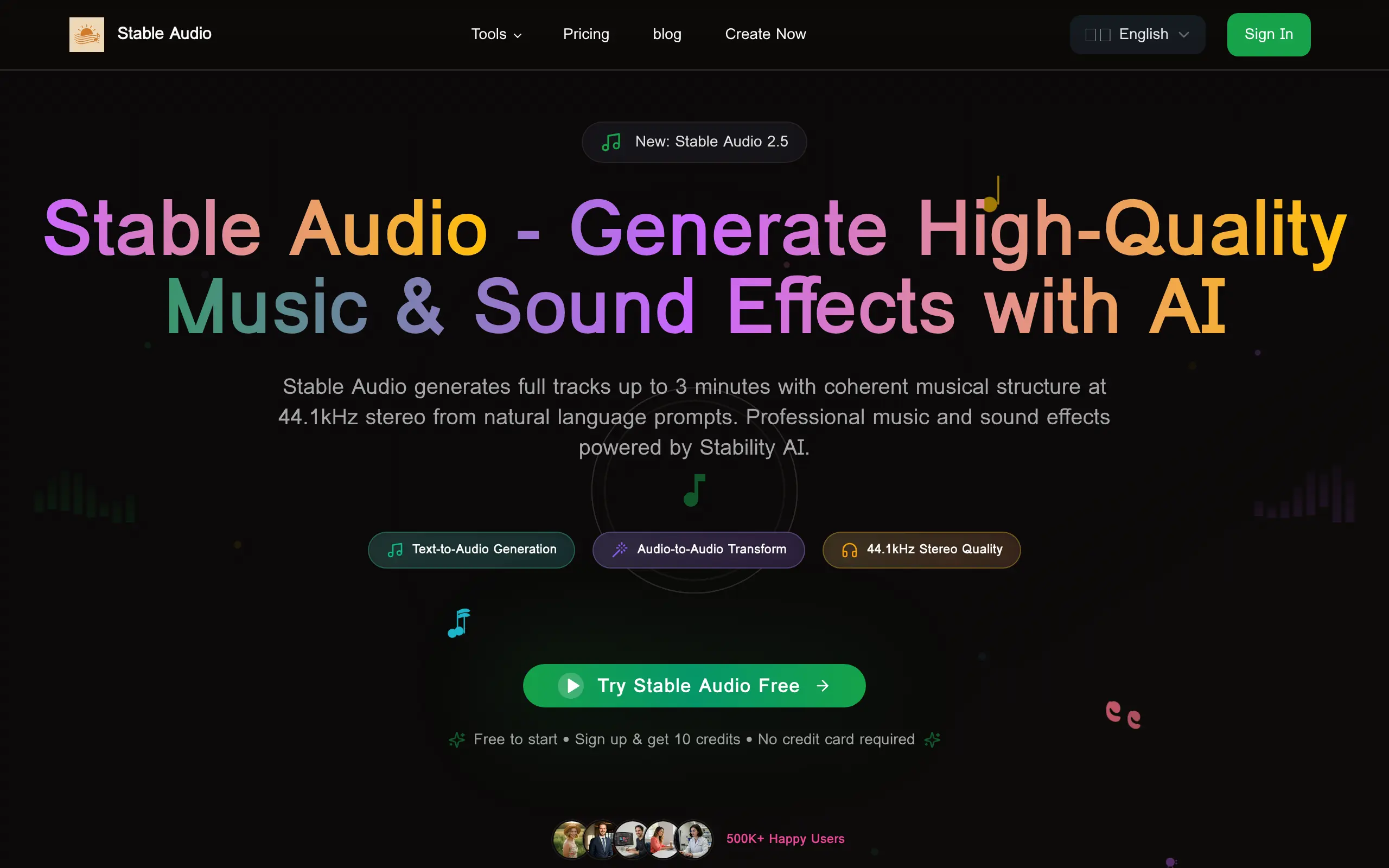
Stable Audio Introduction
Creating custom music for your business videos or podcasts can feel like a huge hassle. You either spend hours searching for the perfect royalty-free track that never quite fits, or you're stuck paying musicians to create something original. And if you're like most business owners, you don't have time to learn music production software or the budget to hire a composer for every project.
That's where Stable Audio comes in. This AI-powered tool lets you create professional-quality music and sound effects just by typing what you want. Need upbeat background music for a product demo? Type it in. Want a calm instrumental for your meditation app? Done in seconds. It's like having a music producer on your team, minus the hefty price tag.
What makes this tool stand out is how simple it is to use. You don't need any musical background or technical knowledge. Just describe the sound you're looking for, and the AI does the rest. Plus, since it's built by Stability AI, you're getting technology from a company that knows what they're doing in the AI space.
Stable Audio Key Features
Text-to-Audio Generation: Type what you want to hear and get professional music in seconds. Create full songs up to 3 minutes long just by describing the style, mood, and instruments you need.
Audio-to-Audio Transformation: Take your existing audio files and transform them into something new. Change the style, adjust the mood, or add instruments to match your vision without starting from scratch.
High-Quality Output: Get studio-quality audio at 44.1kHz stereo that’s ready for professional use. Your generated music sounds crisp and clear, perfect for podcasts, videos, or presentations.
Diverse Genre Support: Choose from over 50 music styles to match any project. Whether you need upbeat pop for ads or calm jazz for background music, you’ll find the right sound.
User-Friendly Interface: Start creating music right away with simple controls anyone can use. No music theory knowledge needed – if you can describe what you want, you can make it.
Our Take of Stable Audio
Stable Audio gives you a straightforward way to create custom music and sound effects without needing any musical background. You type what you want, and it creates the audio for you. This makes it useful if you’re creating videos, podcasts, or presentations and need background music fast.
The 3-minute track limit might frustrate you if you need longer pieces, but for most business uses like social media videos or product demos, it’s enough. The platform processes audio quickly, so you won’t wait around when deadlines are tight.
What stands out is the ethical approach to training data. They used properly licensed content from Freesound and Free Music Archive, which means you’re less likely to run into copyright problems down the road. This matters when you’re using generated content for commercial purposes.
The open-source nature cuts both ways. Tech-savvy users can modify and integrate it into their existing workflows, but if you’re not technical, you might face some bumps along the way. Support can be hit or miss with open-source tools.
At 44.1kHz stereo quality, the output works for professional projects. You won’t need to worry about audio quality holding back your content. The 50+ music styles give you flexibility to match different moods and purposes.
For businesses watching their budgets, Stable Audio removes the cost of hiring composers or buying expensive music licenses. Just know that getting exactly what you want takes practice. You’ll spend time learning which text prompts produce the results you need.
If you regularly need custom audio and have patience to learn the system, Stable Audio provides solid value. But if you only need music occasionally, stock music libraries might serve you better.
Stable Audio's Pricing
The Basic plan, ideal for individual creators, is available for $9.99 per month (regularly $19.99/month) and includes 5000 credits monthly, equivalent to about 833 songs per month. Credits reset every month, and users gain access to advanced AI models, high-quality MP3 audio, permanent cloud storage, priority generation, and email technical support, along with a full commercial license.
The Standard plan, the most popular option and perfect for content creators, costs $19.99 per month (regularly $39.99/month). It offers 1200 monthly credits, or roughly 200 songs per month, with credits resetting monthly. Subscribers receive access to advanced AI models, high-quality MP3 audio, permanent cloud storage, priority generation, email technical support, all AI models, and a full rights license.
The Pro plan, designed for professional musicians, is priced at $49.99 per month (regularly $99.99/month). It provides 3000 monthly credits, equivalent to approximately 500 songs per month, with monthly credit resets. The plan includes advanced AI models, high-quality MP3 audio, permanent cloud storage, priority generation, email and priority technical support, access to all AI models, and a full rights license.
Final Thoughts about Stable Audio
Creating custom music for your business shouldn’t drain your time or budget. Stable Audio puts professional audio creation in your hands without the steep learning curve or monthly fees. While you’ll need to practice writing good prompts and work within the 3-minute limit, the payoff is clear – you get unique music that fits your exact needs.
Think about how much time you currently spend searching for the right background track or how much you’d pay a composer for custom work. Now compare that to typing a few words and getting exactly what you need in seconds. That’s the real value here.
If you’re ready to stop settling for generic stock music and start creating audio that actually matches your vision, give Stable Audio a try. Click the button below to get started and see what AI-powered music creation can do for your business.
Stable Audio FAQs