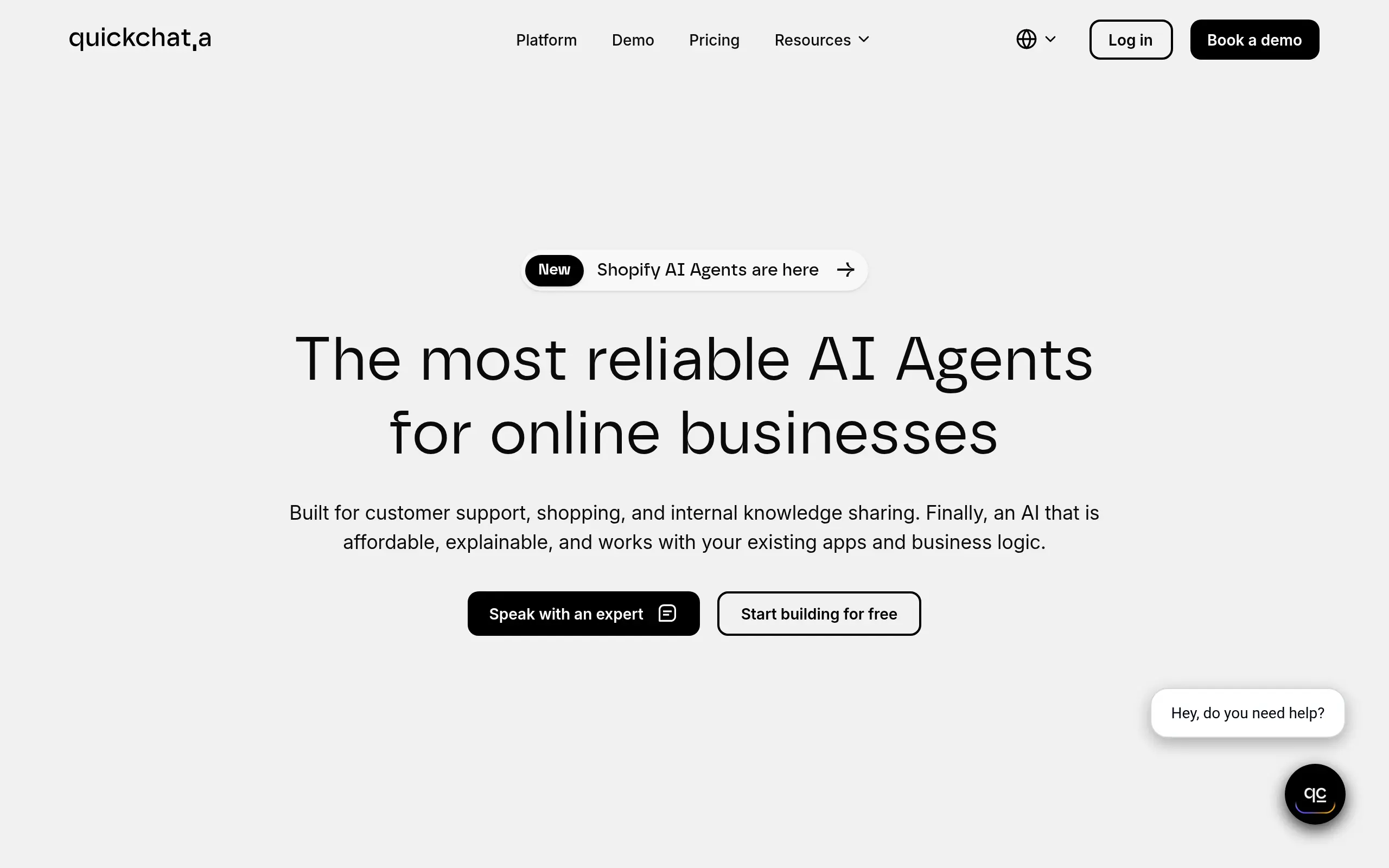
Quickchat Introduction
If you're tired of answering the same customer questions over and over, or if your support team is drowning in repetitive tickets, you're not alone. Most business owners spend way too much time on basic customer service when they could be focusing on growing their business. That's where AI assistants come in – and Quickchat might just be the solution you've been looking for.
Unlike those generic chatbots that sound like robots and frustrate your customers, Quickchat lets you create AI assistants that actually sound like your brand. You can teach it about your products, services, and company policies so it gives accurate answers every time. Plus, it works in over 100 languages, so you can help customers around the globe without hiring a massive support team.
The best part? When things get complicated or a customer needs that human touch, Quickchat automatically hands off the conversation to your real team members. It's like having a super-smart assistant who knows exactly when to step back and let the humans take over. Let's take a closer look at what makes this tool different from the dozens of other AI chatbots out there.
Quickchat Key Features
Customizable AI Agents: Build AI assistants that match your brand’s personality and voice. You can adjust the tone, style, and responses so customers feel like they’re talking to your team, not a robot.
Knowledge Base Integration: Upload your documents or connect your website to teach the AI everything about your business. Your assistant gives accurate answers based on your actual content, not generic responses.
Multilingual Support: Talk to customers in over 100 languages automatically. You can serve international customers without hiring multilingual staff or using expensive translation services.
Automated Human Handoff: Complex questions get sent to your human team automatically. Your AI handles the simple stuff while real people tackle the tricky conversations that need a personal touch.
Detailed Analytics and Insights: See exactly how your AI performs with real-time reports. Track what questions people ask most, spot areas for improvement, and make your assistant smarter over time.
Security and Privacy Controls: Keep customer data safe with built-in privacy features. You control what information the AI can access and it automatically removes sensitive details from conversations.
Our Take of Quickchat
Quickchat AI offers a solid solution for small-to-medium business owners who want to automate customer interactions without losing that personal touch. The platform lets you build AI assistants that actually sound like your brand, which is huge if you’re trying to maintain consistency across all customer touchpoints.
The multilingual support across 100+ languages is particularly useful if you’re selling internationally or have a diverse customer base. You won’t need separate systems for different markets, which can save both time and money. The automated handoff feature is smart too – when the AI hits its limits, it smoothly passes the conversation to a human agent instead of frustrating your customers.
Setup seems straightforward enough, though you’ll probably need some tech-savvy team members to get the most out of it. The knowledge base integration means you can feed it your existing FAQs, product docs, and website content to get it up to speed quickly. This cuts down on the training time compared to building responses from scratch.
The analytics dashboard gives you real visibility into how the AI is performing. You can see which questions it handles well and where it struggles, letting you fine-tune responses over time. For businesses watching their budgets, the reported reduction in support tickets could translate to real cost savings, especially if you’re currently paying for 24/7 human support.
One thing to consider is the lack of widespread user reviews. While the features look good on paper, it’s harder to verify real-world performance without more customer feedback. If you’re considering Quickchat AI, it might be worth starting with their trial period to test it with your specific use cases before committing to a paid plan.
Quickchat's Pricing
Quickchat AI offers a tiered pricing structure with six plans to accommodate different business needs.
The Free plan includes 200 AI messages per month, 25 knowledge base articles, and basic features like website embedding and multilingual support.
The Basic plan at $35/month (billed annually) increases limits to 3,000 messages and 75 articles while adding AI personality customization and sentiment analysis.
The Essential plan at $99/month provides 15,000 messages, 150 articles, and introduces AI creativity controls with support for 2 users.
The Professional plan at $379/month jumps to 35,000 messages, 500 articles, and includes human handoff capabilities, social channel connections, and white-labeling options with support for 10 users.
The Business tier at $679/month offers 100,000 messages, 1,000 articles, smart data gathering for lead generation, helpdesk integrations, and API access for up to 25 users.
For Enterprise needs, the Custom plan provides unlimited messages and knowledge base capacity with dedicated support and custom reporting at $0.70 per resolution with an annual commitment.
All paid plans include a 7-day free trial, and annual billing provides 2 months free compared to monthly pricing. Additional features scale with each tier, including more AI actions, advanced analytics, and integration options with platforms like WhatsApp, Slack, and various CRM systems.
Final Thoughts about Quickchat
Quickchat AI could be exactly what your business needs to handle customer questions without burning through your budget or your team’s time. If you’re ready to stop answering the same questions repeatedly and want to give your customers instant help in their own language, this tool is worth checking out. The real question is whether you want to keep doing things the old way or start working smarter with AI that actually understands your business.
Want to see if Quickchat AI is right for you? Click the button below to try it out.
Quickchat FAQs