Documentation Introduction
If you've ever spent hours updating product docs only to find them outdated again next week, you're not alone. Writing documentation feels like painting the Golden Gate Bridge – by the time you finish, it's time to start over. Your team keeps asking the same questions because they can't find answers in your docs. Support tickets pile up. New features launch without proper documentation. And let's be honest, nobody really wants to write documentation in the first place.
This constant documentation struggle costs real money. Your developers waste time answering questions instead of building. Your support team handles issues that good docs could prevent. New team members take forever to get up to speed. Meanwhile, your competitors with better documentation are winning customers who value clear, helpful resources.
Documentation.AI promises to fix this mess with AI that actually maintains your docs for you. Instead of the usual “set it and forget it” approach that leaves docs gathering dust, this platform uses AI to suggest updates, rewrite confusing sections, and even draft new content when your product changes. But does it actually work, or is it just another tool that sounds great in theory but falls short in practice?
Documentation Key Features
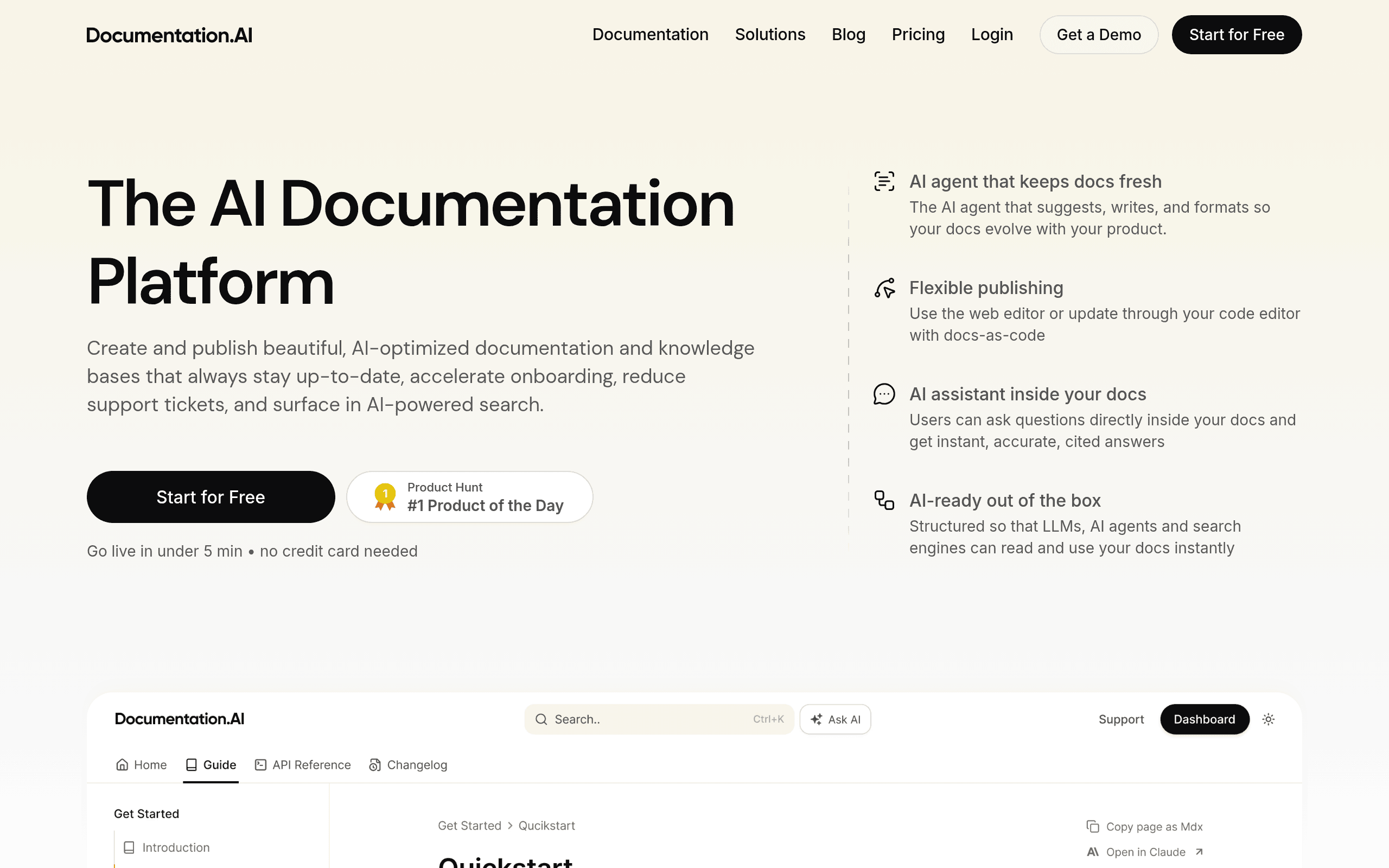
AI Documentation Agent: Your docs stay fresh without the hassle. This smart assistant spots outdated sections, rewrites confusing parts, and creates draft updates for you. It’s like having a technical writer on standby 24/7.
Flexible Publishing Options: Work the way you want. Use the web editor for quick changes or connect with Git to update docs right from your code editor. No need to change how your team already works.
AI Assistant Inside Documentation: Your users get instant answers without leaving the docs. They can ask questions and get accurate, cited responses right there on the page. This means fewer support tickets landing in your inbox.
AI-Ready Structure: Your content gets found by search engines and AI tools. The platform organizes everything so ChatGPT, Google, and other AI services can read and understand your docs perfectly.
Customizable Design: Make it yours with custom colors, fonts, and layouts. You can even add your own CSS and JavaScript to match your brand exactly. No cookie-cutter docs here.
Templates and Components: Over 100 ready-to-use blocks speed up your writing. From callouts to code tabs, you’ve got building blocks for any type of content you need to create.
Interactive API Playground: Let developers test your API without leaving the docs. They can try different parameters and copy working code snippets instantly. It’s hands-on learning that actually works.
Our Take of Documentation
Documentation.AI brings something fresh to the documentation space that’s worth paying attention to. If you’re running a small or medium business and your documentation feels like a constant headache, this tool might change how you think about keeping your docs current.
The biggest win here is the AI agent that actually maintains your documentation for you. Instead of letting your docs get stale while your team focuses on building products, the AI spots outdated sections and suggests fixes. For smaller teams without dedicated technical writers, that’s a real problem solver.
What sets this apart from typical documentation platforms is how it works with both technical and non-technical team members. Your developers can update docs through their code editor with Git, while your product managers can use the web interface. Everyone gets to work how they prefer.
The built-in AI assistant that answers customer questions right inside your docs could seriously cut down on support tickets. When customers get instant answers with citations pointing to the exact section they need, they don’t need to email your support team. That alone might justify the investment for businesses drowning in repetitive support questions.
The platform does have some features still marked as coming soon, which means you won’t get everything advertised right away. And like any AI tool, you’ll need to spend time training it to understand your specific documentation style and technical language.
For businesses already using tools like GitBook or ReadMe, Documentation.AI offers more automation but at what we assume is a higher price point. Whether that trade-off makes sense depends on how much time your team currently spends on documentation updates versus other priorities.
If your documentation is a key part of your customer experience and you’re tired of it falling behind your product updates, Documentation.AI deserves a serious look. Just go in with realistic expectations about setup time and the fact that some features are still in development.
Documentation's Pricing
Documentation.AI offers four pricing tiers designed to scale with your documentation needs.
The free Starter plan includes 1 editor seat, 50 AI credits per month, visual web editor with live Markdown preview, global search, analytics, API Playground, custom domain, MCP Server, and SEO/LLM optimizations.
The Standard plan at $29/month provides everything in Starter plus 2 editor seats and 200 AI credits monthly, ideal for solo builders and small teams.
The Professional plan at $79/month includes 5 editor seats, 500 AI credits, preview deployments for safe reviews, role-based permissions, private password-protected docs, and a dedicated customer success channel.
For larger organizations, the Enterprise plan offers unlimited editor seats, custom AI assistant query limits, SSO with SAML/OIDC and SCIM provisioning, advanced role-based access control, IP allow-lists, end-user authentication, Dashboard SSO, advanced security reviews, custom SLA agreements, and implementation support. Enterprise pricing is available by contacting their sales team.
Annual billing provides up to 20% savings across paid plans. Additional features vary by tier including custom branding, CSS/JS customization, Git sync, Slack bot integration, third-party integrations, and on-premises Docker deployment options for Enterprise customers.
Final Thoughts about Documentation
Documentation.AI tackles a problem every growing business knows too well – keeping docs updated while your product keeps changing. If you’re tired of hearing “where can I find info about X?” from both customers and team members, this tool might save you from documentation headaches.
The real question is whether AI-powered documentation fits your team’s workflow and budget. Think about how much time you currently spend updating docs, answering repetitive questions, and onboarding new team members. If those hours add up to serious money, Documentation.AI could pay for itself pretty quickly.
Before jumping in, consider reaching out to their team to understand pricing and which features are actually available now versus coming soon. Ask about security measures if you’re dealing with sensitive information. And maybe request a demo to see how the AI handles your specific type of content.
Documentation doesn’t have to be the task everyone avoids. With the right tools, it can actually become a competitive advantage that helps your customers succeed and reduces your support burden. Ready to see if Documentation.AI can transform your documentation process? Click the button below to check it out.
Documentation FAQs