StockImg AI Introduction
Creating eye-catching visuals for your business can feel like a full-time job. You need logos, social media graphics, product photos, and stock images. And if you're not a designer, you're probably spending way too much time (and money) trying to get things looking right.
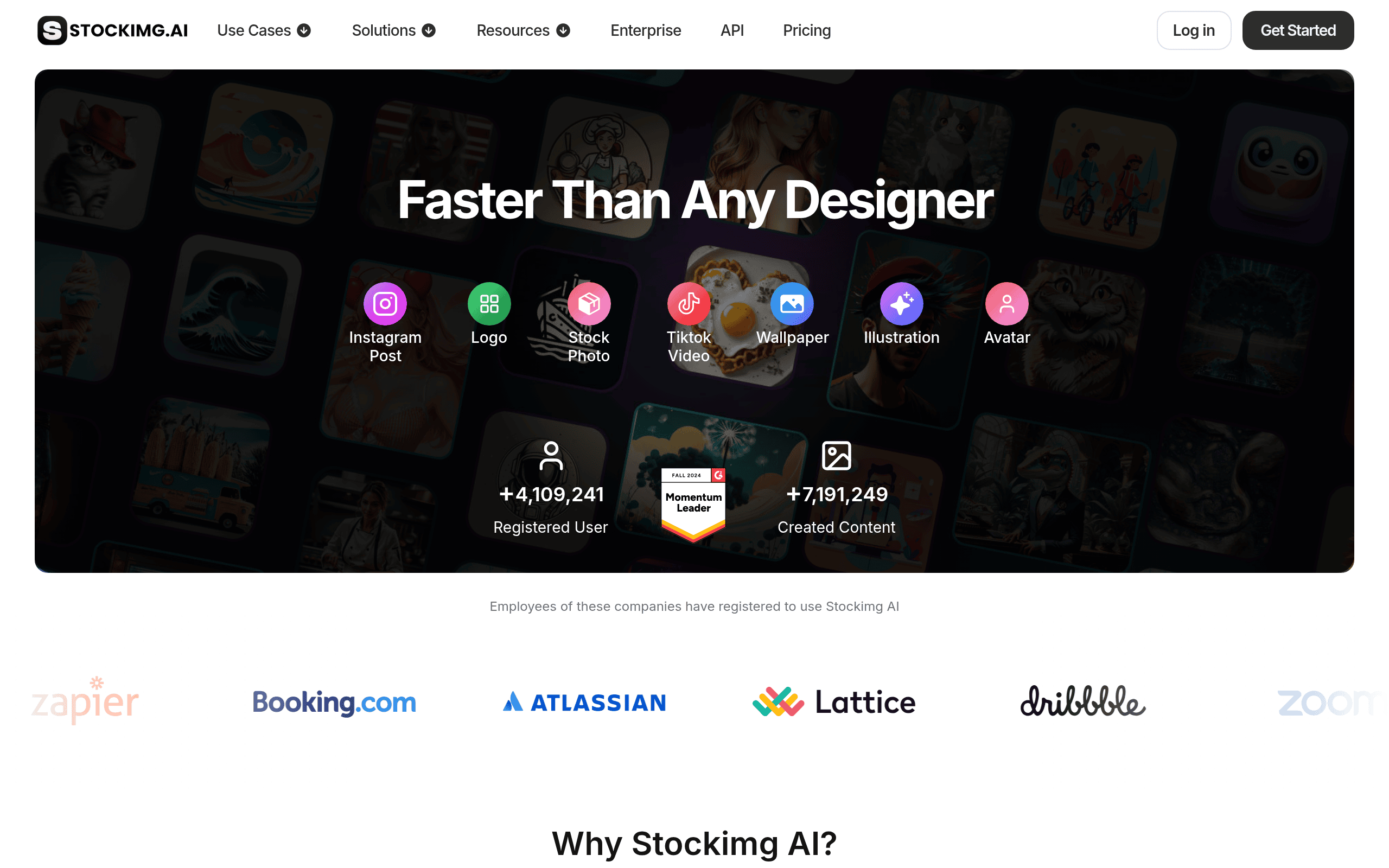
That's where StockImg AI comes in. It's an AI-powered platform that promises to help you whip up professional-looking graphics in minutes, not hours. From logos to posters to social media content, this tool says it can handle it all with just a few text prompts.
But does it actually deliver? We put StockImg AI to the test to see if it lives up to the hype. We'll break down what works, what doesn't, and whether it's worth your time and money. If you've been struggling to keep up with your visual content needs, this review will help you figure out if StockImg AI is the right fit for your business.
StockImg AI Key Features
AI Image Generation: Turn simple text descriptions into professional logos, illustrations, posters, and stock photos. You’ll get quality visuals for your projects without needing design skills or expensive software.
Social Media Automation: Schedule and post content across Facebook, Instagram, LinkedIn, Pinterest, and X from one place. Each post gets automatically adjusted to fit what works best on each platform.
Product Post Generator: Transform basic product photos into studio-quality images with better lighting and colors. Great for making your online store or marketing materials look polished and professional.
Custom Editing Tools: Fine-tune your AI-created images using simple word commands. You can adjust details to match your brand style without learning complicated editing software.
Multi-Platform Integration: Connect with over 10 social media platforms at once. This means you can manage all your visual content from a single dashboard instead of jumping between different apps.
Our Take of StockImg AI
Stockimg AI brings a lot to the table for business owners who need visuals fast without hiring a designer. The platform lets you create logos, stock photos, illustrations, and social media content all in one place. That’s pretty handy if you’re juggling multiple marketing channels. The social media scheduling feature is a nice bonus since it means you can handle creation and posting without switching between different tools.
That said, there are some real concerns worth knowing about. User reviews mention problems with image quality, especially when it comes to generating faces that look natural. Some folks also found that the images didn’t match what they asked for in their prompts. And if you need transparent backgrounds for illustrations, you might run into limitations there.
The bigger red flag comes from reports about the company canceling lifetime access plans without giving refunds. That’s something to think about before committing to a paid plan.
If you’re looking for quick, basic visuals and don’t need pixel-perfect results every time, Stockimg AI could work for you. But if your business relies heavily on high-quality imagery or you want peace of mind about your subscription, you might want to test it out first or compare it with other options before going all in.
StockImg AI's Pricing
The Starter Plan is priced at $12 per month with monthly billing and includes 100 AI image credits and 20 AI video credits per month. It offers AI background removal, 4× upscaling, commercial usage rights, edit canvas features, fast GPU-powered generation, access to the free ChatGPT app, priority support, private generation, and the ability to connect up to 5 social accounts.
The Premium Plan, our most popular option, costs $24 per month with monthly billing and provides 1,000 AI image credits and 100 AI video credits per month. It includes all Starter features, along with private generation and the ability to connect up to 15 social accounts, making it ideal for growing creators and teams.
The Ultra Plan is available for $48 per month with monthly billing and offers unlimited AI image credits and 200 AI video credits per month. In addition to all Premium features, it supports private generation and allows connection of up to 50 social accounts, making it suitable for power users and large-scale content production.
The Enterprise Plan is a custom solution that includes all Ultra Plan features plus tailored services for businesses and brands. It offers customized solutions, 24/7 video meeting requests, a consistent visual character model, high AI video credit allocations, social media consultancy, a trained language model using corporate language, and on-demand visual model training. Interested users can book a demo or contact the team for more details.
Final Thoughts about StockImg AI
So is Stockimg AI right for you? That really depends on what you need. If you’re a small business owner or startup looking for a quick way to create basic visuals without breaking the bank, it could be worth a shot. The ability to handle logos, social posts, and stock photos all in one spot is pretty convenient when you’re wearing multiple hats.
But go in with your eyes open. The image quality can be inconsistent, and those reports about canceled lifetime deals are worth keeping in mind. Your best bet is to start small and test it out before committing to anything long term.
Think about what visuals you need most for your business right now. Are you spending hours trying to make graphics that still don’t look quite right? Or maybe you’re paying too much for stock photos you only use once? If either of those sounds familiar, giving Stockimg AI a try might save you some headaches.
Want to see if it works for you? Click the button below to check out Stockimg AI and decide for yourself.
StockImg AI FAQs