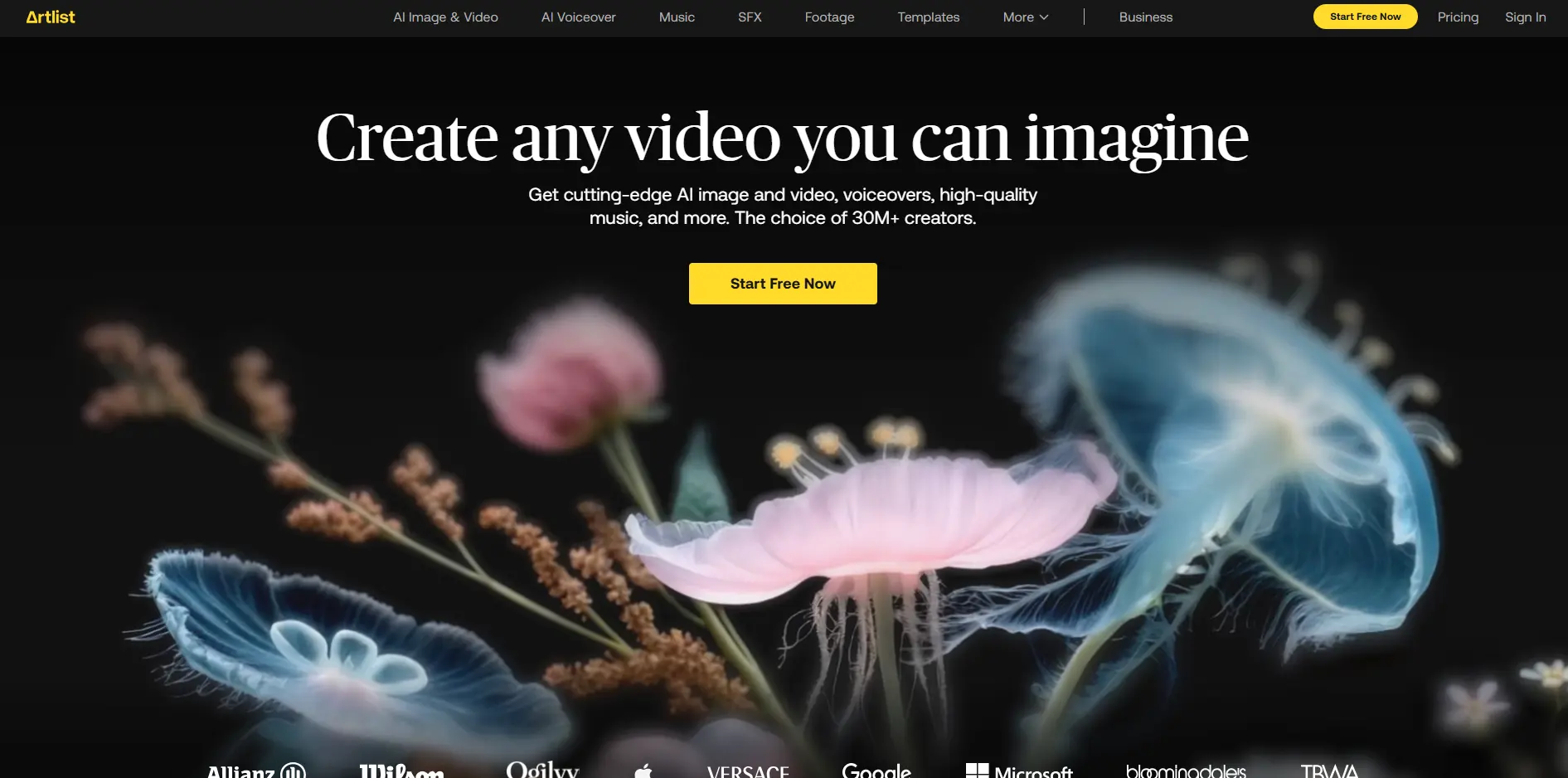
Artlist Introduction
If you're spending hours searching for the perfect background music, dealing with copyright strikes, or juggling multiple subscriptions just to get your content created, you're not alone.
Content creation can feel like you're constantly switching between different tools and platforms, burning through both time and money. What if you could get professional music, sound effects, AI-generated images, videos, and voiceovers all in one place?
That's exactly what Artlist promises to deliver.
Since 2016, they've been building a platform that brings together everything creators need under one roof. But here's the big question: does having everything in one place actually make your life easier, or does it create new headaches? Let's dig into what Artlist really offers and whether it's worth your investment.
Artlist Key Features
AI Image Generator: Create professional images from simple text descriptions in over 15 visual styles. Whether you need product photos, social media graphics, or marketing materials, you’ll get high-quality visuals in seconds without hiring a designer.
AI Video Generator: Turn your static images into eye-catching 5 or 10-second video clips. Perfect for creating dynamic social media content, product showcases, or website headers that grab attention and keep viewers engaged.
AI Voiceover: Convert your scripts into natural-sounding voiceovers with over 50 AI voices to choose from. You can adjust the tone, speed, and emotion to match your brand, saving thousands on voice actor fees.
Royalty-Free Music and Sound Effects: Access a massive library of professional music tracks and sound effects for your videos. You’ll never worry about copyright strikes or licensing issues, and everything is cleared for commercial use.
Footage and Templates: Browse high-quality stock footage and ready-made video templates created by professional artists. These assets help you produce polished content quickly, even if you’re not a video editing pro.
Premiere Pro Extension: Edit faster by accessing Artlist’s entire music and sound library directly inside Adobe Premiere Pro. No more switching between apps or downloading files separately – everything syncs automatically to your timeline.
Our Take of Artlist
If you’re running a small business and creating content regularly, Artlist brings together a lot of what you need in one place. Instead of juggling five different subscriptions for music, stock footage, AI tools, and sound effects, you get everything under one roof. That’s pretty convenient when you’re trying to keep costs down and workflows simple.
The credit system is where things get tricky. You’ll need to keep an eye on how many AI images and videos you’re generating each month. If you’re just creating occasional social media posts, the basic plans should work fine. But if you’re pumping out content daily, those credits can disappear fast, and you might find yourself paying more than expected.
What sets Artlist apart from competitors is how they’ve connected everything together. The Adobe Premiere Pro integration is especially useful if that’s your editing software of choice. You can grab music and sound effects without leaving your project, which saves time when you’re on a deadline.
The AI tools are solid but not perfect. You’ll get professional-looking results most of the time, but expect some hiccups with complex scenes or when generating people. The video generator only animates still images right now, so if you need AI to create videos from scratch, you’ll need to look elsewhere.
For businesses that create a moderate amount of content and want to simplify their creative stack, Artlist makes sense. The lifetime licensing on published projects gives you peace of mind legally, and the quality of the music and footage library is consistently high. Just make sure to calculate whether the credit system works for your content volume before committing to a higher-tier plan.
Artlist's Pricing
The Music & SFX plan starts at $9.99 per month and allows users to customize their subscription with options such as music, stems, sound effects, an extension for Premiere Pro, and access to the AI Suite.
The AI Suite, the most popular option, starts at $11.99 per month and offers flexible credit usage to generate AI videos, including Veo 3.1 and Sora 2, as well as AI images (powered by Nano Banana) and AI voiceovers.
The Footage & Templates plan starts at $31.99 per month and includes footage, video templates, LUTs, and an extension for Premiere Pro.
The Artlist Max plan, labeled as the best value, starts at $39.99 per month and provides the most comprehensive package. It includes access to AI videos (Veo 3.1 and Sora 2), AI images (Nano Banana), AI voiceovers, music and stems, sound effects, footage, video templates, LUTs, plugins, and extensions for Premiere Pro.
Final Thoughts about Artlist
So, what’s the bottom line here? If you’re tired of juggling multiple tools and subscriptions, Artlist could be exactly what you need to streamline your creative workflow. Take a moment to think about how much time you spend switching between different apps, dealing with licensing headaches, or searching for the right music track. Now imagine having all those resources in one place, ready when you need them.
Before you jump in, consider your content creation habits. How many images and videos do you create each month? Will the credit system work for your budget? These are the questions that’ll help you pick the right plan and avoid surprises down the road.
The best part is, you don’t have to wonder if Artlist will work for your business. Most plans come with trial periods or money-back guarantees, so you can test it out risk-free. See if the AI tools deliver the quality you need. Check if the music library has the vibe you’re after. Try the Premiere Pro integration if that’s your editing software.
Ready to simplify your content creation and see if Artlist fits your workflow? Click the button below to get started and discover whether this all-in-one platform can transform how you create content for your business.
Artlist FAQs