DesignLumo Introduction
Creating professional designs used to mean hours of tweaking templates or hiring expensive designers. If you're running a business and need fresh visuals for social media, ads, or marketing materials, you know how frustrating it gets when you're stuck adjusting the same old templates over and over.
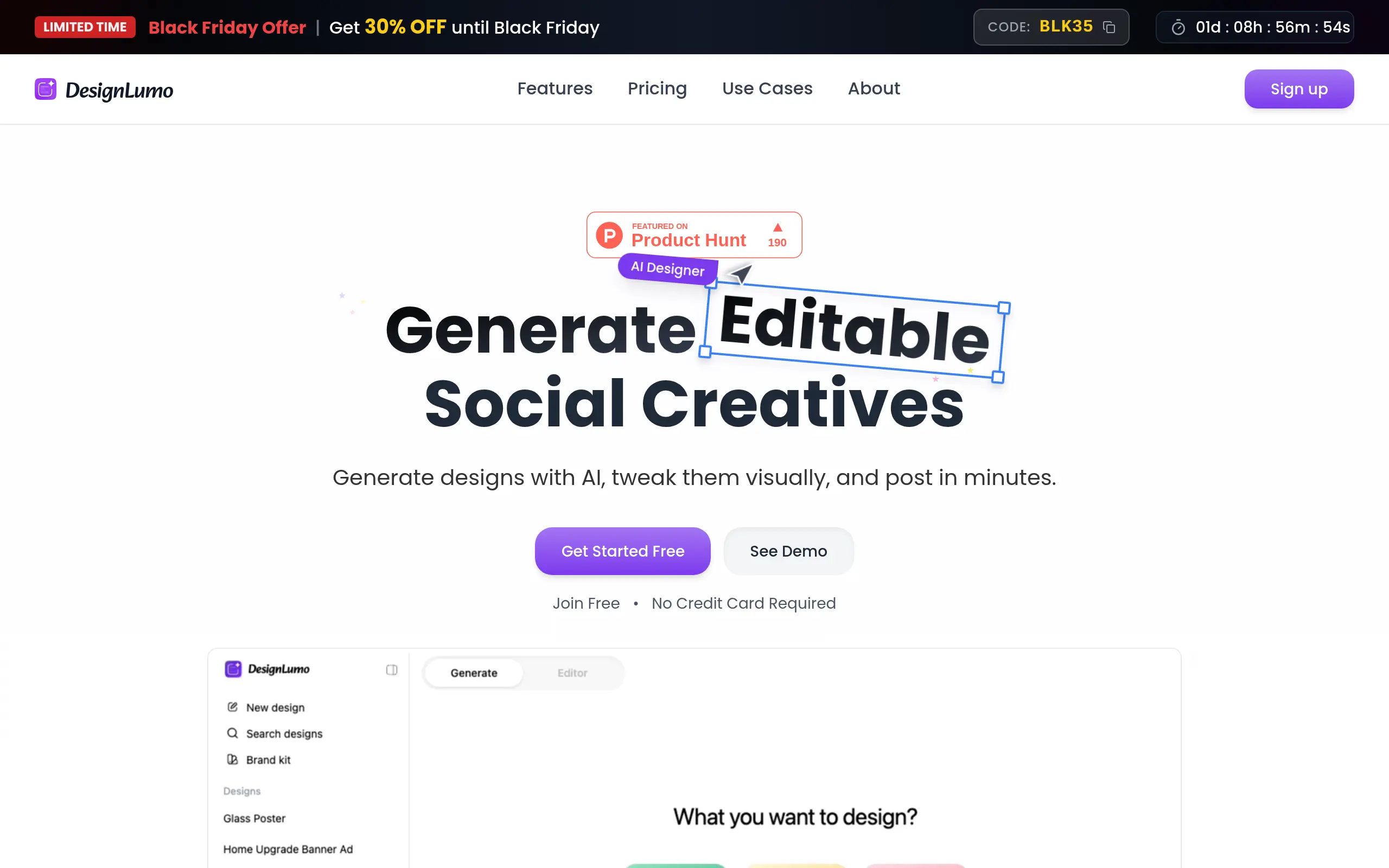
DesignLumo changes that by letting you type what you want and getting a fully customizable design in seconds. No more settling for static images that you can't edit or spending your afternoon trying to make a template work for your brand.
This AI-powered design tool gives you complete control over every layer, font, and color – just like professional design software, but without the steep learning curve.
Whether you're creating Instagram ads, banners, or flyers, you get designs that actually match your vision and can be tweaked until they're perfect.
DesignLumo Key Features
Prompt-to-Editable Design: Transform simple text descriptions into professional designs with real layers you can edit. Just type what you need, like “Instagram ad for a coffee shop,” and get a complete design ready to customize.
Layer-by-Layer Editing: Edit every part of your design just like in professional software. Change text, swap colors, adjust layouts, and replace images to make each design perfectly yours.
Brand Kit Integration: Upload your logo and brand colors once, and they’ll automatically appear in every new design. Keep your marketing materials consistent without extra work or manual updates.
Real-Time AI Collaboration: Chat with AI to make instant design changes. Say “make the title bold” or “add a product image,” and watch your design update right away—no design skills needed.
Multiple Export Formats: Download your designs in high-resolution formats up to 4K quality with no watermarks. Get print-ready files and web-optimized images for every platform you use.
Our Take of DesignLumo
If you’re running a small business and need marketing visuals fast, DesignLumo could save you serious time. The platform takes your text description and creates designs you can actually edit – not just static images you’re stuck with. This means you can tweak colors, swap fonts, and adjust layouts without starting from scratch.
The Brand Kit feature is particularly useful for keeping your marketing consistent. Upload your logo and brand colors once, and they’ll automatically apply to new designs. For businesses creating content across different platforms, this helps maintain a professional look without constant manual adjustments.
The learning curve seems minimal since the interface works similarly to Canva. If you’ve used basic design tools before, you’ll likely feel comfortable right away. The real-time AI collaboration lets you request changes through chat, which speeds up the revision process compared to manually hunting for the right button or feature.
Cost becomes a consideration after the free trial credits run out. The basic plans have restrictions on features like 4K exports, so you’ll need to evaluate whether the higher-tier pricing makes sense for your needs. For businesses producing regular marketing content, the time savings could justify the subscription cost. But if you only need occasional designs, the limited free usage might not be enough.
DesignLumo fills an interesting gap between AI image generators that produce non-editable pictures and template platforms that require more manual work. For small-to-medium businesses needing quick, customizable designs without hiring a designer, it offers a practical middle ground. Just be sure to test it during the free trial to see if the output quality and editing capabilities match your specific requirements.
DesignLumo's Pricing
DesignLumo offers three pricing tiers with both monthly and annual billing options.
The Starter plan costs $7/month (or $84 annually), providing 50 AI images with 35 final designs, commercial use rights, canvas editing, chat-based editing, background removal, and no watermarks.
The Pro plan, marked as best value, is $14.99/month (or $180 annually) and includes 250 AI images with 70 final designs, brand kits, unlimited exports, 4K export capability, access to all models, and credit rollover, plus everything from Starter.
The Growth plan at $29.99/month (or $360 annually) offers 240 AI images with 150 final designs, multiple brand kits, access to latest features, unlimited exports, and all Pro features.
Annual billing provides savings of up to $120 per year depending on the plan. All plans come with a 30-day money-back guarantee and can be canceled anytime.
Free credits are available to try the service before subscribing.
Final Thoughts about DesignLumo
DesignLumo hits a sweet spot for business owners who need professional designs but don’t have time to become design experts. If you’re tired of wrestling with templates or paying designers for every little update, this tool could change how you handle your marketing visuals. The ability to start with a simple text prompt and end up with something you can actually edit gives you flexibility that most AI tools can’t match.
Before committing to a subscription, take advantage of the free trial credits to test it with your real projects. Create a few social media posts, try making a banner for your website, and see how well the Brand Kit works with your existing materials. Pay attention to how much time you save compared to your current design process.
The platform works best for businesses that need regular visual content but can’t justify hiring a full-time designer. If that sounds like your situation, give it a shot and see if it fits your workflow. You might find it solves problems you didn’t even know you had with your current design process.
Ready to see what DesignLumo can do for your business? Click the button below to start creating your first AI-powered, fully editable design today.
DesignLumo FAQs