FastLipSync Introduction
Ever tried making a video in another language and it looks like a bad kung fu movie dub? You're not alone. Creating videos where the lip movements actually match what's being said has been a real headache for content creators trying to reach audiences who speak different languages.
Think about it – you've got great video content that could work perfectly for your Spanish-speaking customers, but when you add a Spanish voiceover, the mouth movements are completely off. It looks unprofessional and can turn viewers away in seconds. Or maybe you need to update an old product video with new information, but reshooting the whole thing would cost a fortune.
This is where FastLipSync comes in. It's an AI tool that automatically syncs mouth movements to match any audio you throw at it. No more awkward mismatched lips, no more expensive reshoots, and definitely no more limiting your content to just one language.
The best part? You don't need to be a video editing wizard to use it. FastLipSync was built for regular people who just want their videos to look professional without spending hours learning complicated software or hiring expensive editors.
FastLipSync Key Features
Natural Lip Movements: Get smooth and realistic mouth motions that match your audio perfectly. Your videos look professional without spending hours on manual editing.
Expression & Style Preservation: Keep the speaker’s unique facial expressions and personality intact. Your videos feel authentic and genuine, not like robotic dubbing.
Multilingual Support: Create content in multiple languages for global audiences. You can reach new markets without reshooting entire videos.
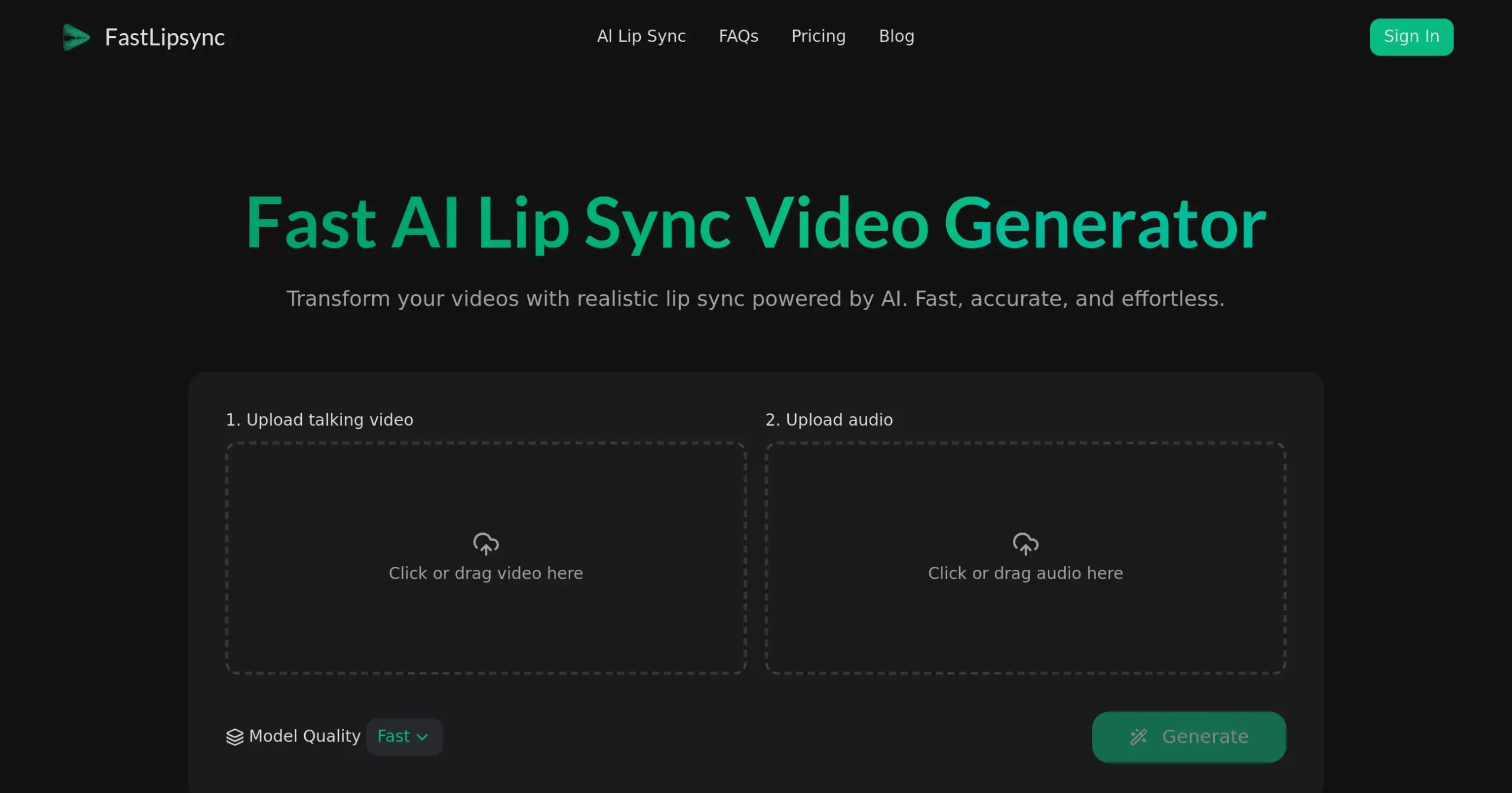
User-Friendly Interface: Drop your files and let the AI do the work. You don’t need editing skills or animation experience to create polished videos.
Quick Processing: Get professional lip-sync results in minutes, not hours. You can produce more content and meet tight deadlines without stress.
Our Take of FastLipSync
For small business owners who create video content, FastLipsync could save you tons of time when you need to update audio or translate your videos. The tool’s simple drag-and-drop setup means you won’t need to hire an editor or spend hours learning complicated software. You just upload your video, add your new audio, and let the AI handle the lip-syncing.
What makes this tool stand out is how it keeps the speaker’s natural expressions intact. Your videos won’t look robotic or fake like some other lip-sync tools produce. This matters when you’re trying to build trust with your audience through authentic content.
The multilingual support opens doors for businesses wanting to reach customers in different languages without reshooting everything. You could take your English product demo and create Spanish, French, or Mandarin versions in minutes rather than days.
However, there’s a catch. Since there aren’t many user reviews available yet, you’re taking a bit of a leap of faith. The quality might vary depending on your original video and audio clarity, so results could be hit or miss. Without clear pricing information readily available, it’s hard to judge if this fits your budget compared to hiring a video editor.
For businesses already creating video content regularly, this tool could streamline your workflow. But if you only make occasional videos, the cost might not justify the convenience. We’d suggest trying it with a single project first to see if the quality meets your standards before committing to regular use.
FastLipSync's Pricing
FastLipSync offers a credit-based pricing system with four subscription tiers.
The Free plan includes 30 monthly credits for videos up to 10 seconds.
The Starter plan costs $7/month (or $10 monthly) with 500 credits for videos up to 30 seconds.
The Pro plan, their most popular option, is $14/month (or $20 monthly) with 1,200 credits for videos up to 5 minutes.
The Premium plan costs $42/month (or $60 monthly) with 4,000 credits for the same 5-minute video length.
All paid plans include high-quality generation, commercial use license, private generation, priority support, and the ability to top-up credits. Annual subscriptions receive a 30% discount. Credits are consumed based on the model used: Fast Model uses 3 credits per second, Pro Model uses 6 credits per second, and Pro 4K Model uses 10 credits per second. For example, a 10-second video using the Pro model would cost 60 credits.
Plans can be changed or cancelled anytime, with changes taking effect immediately and cancellations remaining active until the end of the billing cycle.
Final Thoughts about FastLipSync
Creating videos that look professional across different languages doesn’t have to drain your budget or eat up your time. FastLipsync tackles a real problem that many businesses face when trying to expand their reach. While the tool shows promise with its natural lip-syncing and easy interface, the lack of user reviews means you’ll want to test it carefully with your own content first.
Consider starting with a single project to see if the quality meets your needs. If you’re regularly creating video content or planning to expand into new markets, this could become a valuable part of your toolkit. Just make sure the investment makes sense for your video production volume.
Ready to see if FastLipsync can transform your video content? Click the button below to give it a try and discover how easy professional lip-syncing can be.
FastLipSync FAQs