Hotpot.ai Introduction
Creating images and graphics can eat up hours of your day.
You've got a business to run, and spending half your afternoon trying to figure out design software isn't exactly a great use of your time.
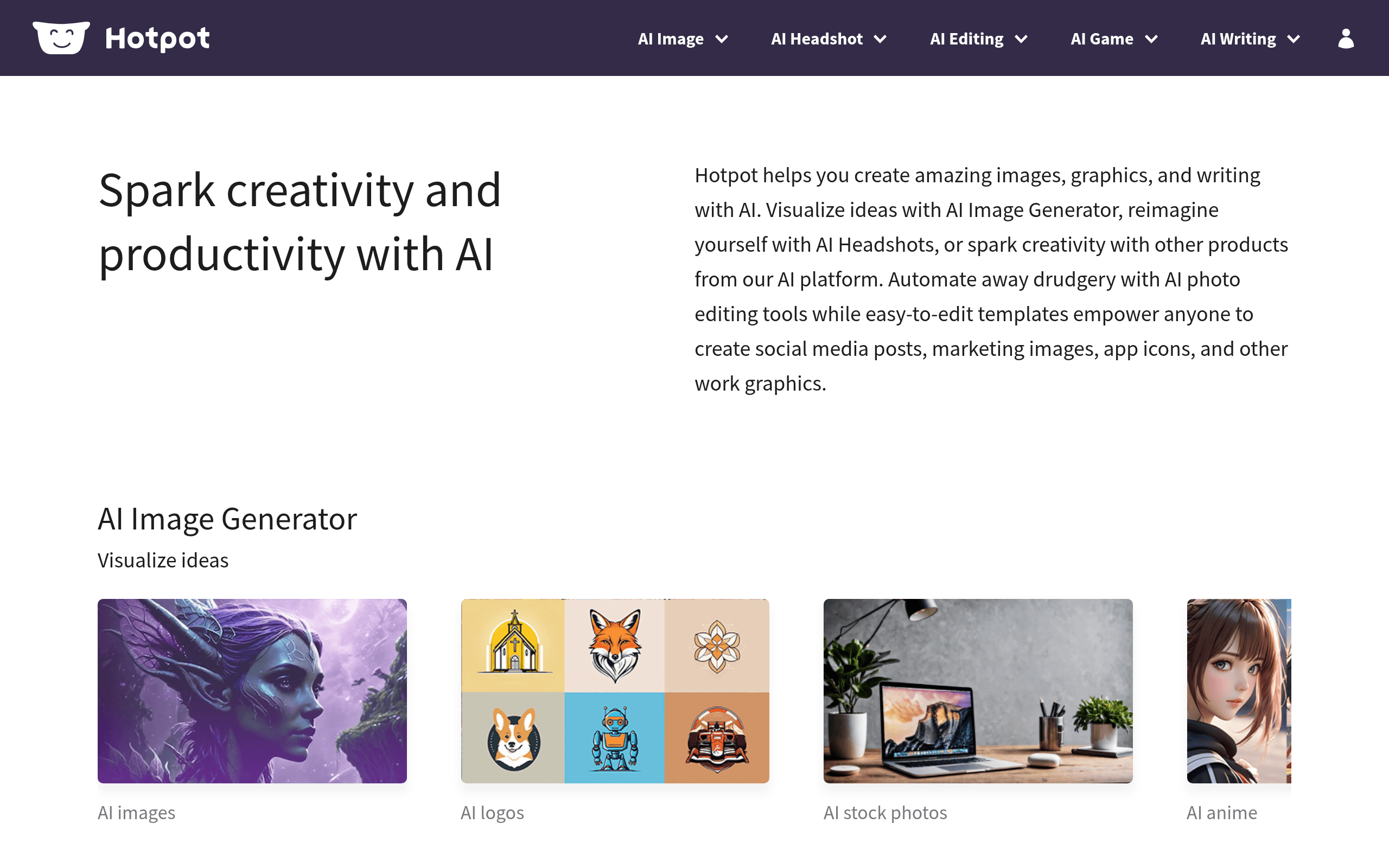
That's where AI tools come in, promising to do the heavy lifting for you. Hotpot.ai is one of those tools that says it can turn your ideas into images, give you professional headshots, and handle all sorts of photo editing tasks.
Sounds pretty great, right? But here's the thing. Not every AI tool lives up to the hype.
Some are clunky, others produce results that look like they were made by a robot having a bad day. So we put Hotpot.ai through its paces to see if it's actually worth your time and money.
Let's break down what this platform really offers and whether it can actually help you get more done.
Hotpot.ai Key Features
AI Image Generator: Turn your words into pictures in seconds. Just type what you want to see, and the tool creates it for you—great for social media posts or quick mockups when you don’t have time to hire a designer.
AI Headshots: Get professional-looking headshots without booking a photographer. Upload a few photos of yourself, and you’ll get polished images perfect for LinkedIn profiles or company websites.
AI Photo Editing: Fix up old photos or remove unwanted objects from your images with just a few clicks. You can upscale blurry pictures, colorize black-and-white shots, or erase backgrounds without learning complicated software.
Social Media Templates: Create eye-catching posts for Facebook, Instagram, LinkedIn, and YouTube using ready-made designs. Just swap in your own text and images, and you’ve got content that looks like a pro made it.
App Content Creation: Design graphics for your mobile apps, including mockups and icons for both iOS and Android. Save hours of design work when you’re launching a new app or updating your existing one.
Our Take of Hotpot.ai
Hotpot.ai brings a lot to the table for small business owners who need to create images and graphics without hiring a designer. The platform is pretty easy to pick up, and you don’t need any design background to start making content. That’s a big win if you’re running a business and wearing multiple hats.
The AI tools cover a wide range of needs. You can generate images from text descriptions, create professional headshots, edit photos, and design social media posts. This variety means you might be able to handle several creative tasks in one place instead of bouncing between different apps.
But there are some things to keep in mind. Users have reported that the quality of generated images can be hit or miss. Sometimes you’ll get great results right away, and other times you might need to try a few times before you’re happy with what you see. The headshot feature in particular seems to have this issue based on user feedback.
The credit system can also be tricky to figure out at first. It’s not always clear how much each task will cost you, which makes budgeting a bit harder than it should be.
There are also some concerns worth noting. Some users have had trouble with customer support when they needed help or wanted refunds. And if you plan to use your images for commercial purposes, make sure you understand the ownership terms before you pay.
For businesses looking for a budget-friendly way to create content faster, Hotpot.ai could be worth a look. Just go in with realistic expectations about quality and take time to understand the pricing structure before committing.
Hotpot.ai's Pricing
Hotpot.ai operates on a credit-based pricing system where costs vary depending on the specific product and settings selected. Most tools offer free access for basic exploration and experimentation.
Credits are required for commercial usage and access to advanced settings. Specific pricing details are displayed within each individual tool as you adjust your settings.
For teams, high-volume users, or enterprises seeking self-hosted solutions with enhanced control and security, custom pricing is available by contacting the company directly. Educators and influencers may also request discounted or free credits through collaboration programs.
Final Thoughts about Hotpot.ai
So is Hotpot.ai right for your business? That depends on what you need and how much flexibility you have with quality. If you’re looking for a quick way to create social media graphics, edit photos, or generate images without spending hours learning design software, this tool could save you a lot of time. The variety of features packed into one platform is pretty impressive for the price.
But you’ll want to go in with your eyes open. The quality can vary, and you might need a few tries to get results you’re happy with. Make sure you understand the credit system before you start so there are no surprises on your bill. And if commercial use matters to you, read the fine print on image ownership.
The best way to know if it works for you is to try it yourself. Every business has different needs, and what works for one person might not work for another. Give it a test run and see if it fits into your workflow.
Ready to see what Hotpot.ai can do for you? Click the button below to check it out and start creating.
Hotpot.ai FAQs