Huxe Introduction
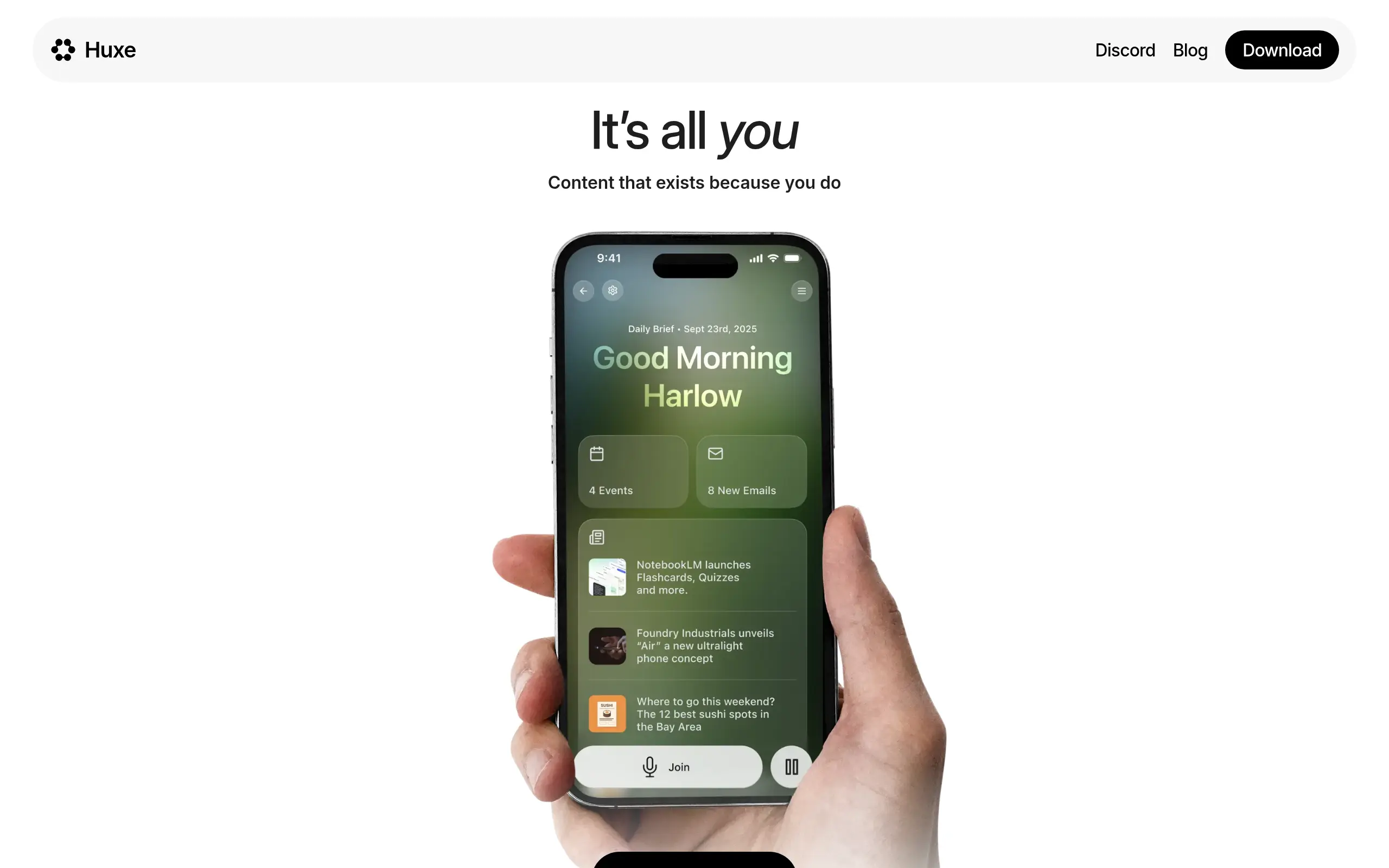
Picture this: You wake up, grab your phone, and spend the next 20 minutes jumping between Gmail, your calendar, and news apps just to figure out what your day looks like. Sound familiar? That's exactly what Huxe wants to fix. This AI-powered app creates personalized daily podcasts that give you everything you need to know about your day in one simple audio briefing.
Instead of scrolling through endless emails or trying to remember what meetings you have while rushing out the door, you can just hit play and listen. Huxe connects to your Gmail and Calendar, then creates a custom audio summary that includes your schedule, important emails, and news that actually matters to you. It's like having a personal assistant who briefs you every morning, except this one fits in your pocket and never needs a coffee break.
For busy business owners who feel like they're constantly playing catch-up with their inbox and calendar, this could be a real time-saver. You can listen during your commute, while making breakfast, or even during your morning workout. No more squinting at tiny text or getting sucked into email rabbit holes before you've even had your first cup of coffee.
Huxe Key Features
Personalized Daily AI Podcasts: Start your morning with a custom audio briefing that pulls from your Gmail and Calendar. You’ll know exactly what’s on your schedule and catch up on news that matters to you – all while getting ready or commuting.
Interactive Audio Content: Pause your podcast anytime to ask questions or get more details about what you’re hearing. It’s like having a personal assistant who can explain things on the spot when you need clarification.
Customized News Updates: Get news that actually relates to your business and interests instead of generic headlines. The AI learns what’s important to you and serves up relevant stories that help you stay informed without wasting time on stuff that doesn’t matter.
Our Take of Huxe
Huxe brings something fresh to the table for busy business owners who want to stay on top of their day without staring at screens. The idea is simple – it turns your emails and calendar into a daily podcast you can listen to while driving, working out, or doing other tasks. This could be a real time-saver if you’re constantly checking multiple apps throughout the day.
The audio quality gets high marks from users, which matters when you’re listening to something every morning. And setting it up seems pretty straightforward, so you won’t waste hours figuring out how to make it work. That said, there are some rough edges that might frustrate you. The chat feature that’s supposed to let you pause and ask questions doesn’t always work smoothly, which defeats part of the purpose of having an interactive podcast.
The news summaries raise some concerns too. A few users have noticed the content doesn’t always feel balanced, and for business decisions, you need reliable, unbiased information. The email summaries can also be hit or miss – sometimes they’re too basic and leave out important details you’d need to know.
For small and medium business owners, the big question is whether this saves enough time to be worth it. If you only use Gmail and Google Calendar, you might find it helpful. But if your business runs on other tools, you could feel left out since Huxe doesn’t connect with much else right now. The audio-first approach is definitely different from other productivity tools, but whether it fits your workflow depends on how you like to consume information. At this point, it’s more of a “nice to have” than a must-have tool for most businesses.
Huxe's Pricing
Huxe appears to be a free mobile app available for download on the App Store.
The service provides personalized audio content including live stations based on your interests, daily briefings, interactive audio experiences, and on-demand podcast-style explanations.
No pricing information or subscription tiers are mentioned on the page, suggesting the app is currently free to use with all features included at no cost.
Final Thoughts about Huxe
So here’s the bottom line – Huxe could change how you start your mornings, but it’s not quite there yet. If you’re tired of the morning app shuffle and want to try something different, it might be worth a shot. Just keep your expectations in check about those interactive features and email summaries.
Think about your typical morning routine. How much time do you spend jumping between apps? If it’s more than 10 minutes, Huxe could give you that time back. But if you need detailed email info or use tools beyond Gmail and Calendar, you might want to wait for future updates.
The audio-first approach is definitely interesting, especially if you’re always on the go. Some people will love getting their daily briefing while making breakfast or sitting in traffic. Others might prefer sticking with their current setup. Only you know which camp you fall into.
Want to see if Huxe fits your workflow? Give it a try and decide for yourself. Click the button below to get started.
Huxe FAQs