Instories Introduction
Creating social media content that actually catches people's attention feels like a full-time job these days.
You're juggling your business, trying to stay active online, and watching competitors post stunning visuals that make you wonder if they have a secret design team. If you're tired of spending hours trying to make your posts look professional only to end up with something that looks… well, homemade, you're not alone.
That's where Instories comes in – it's an app that promises to turn your social media content from basic to brilliant in just a few taps. But does it actually deliver on that promise, or is it just another app that'll sit unused on your phone? Let's take a close look at what Instories really offers and whether it's worth your time and money.
Instories Key Features
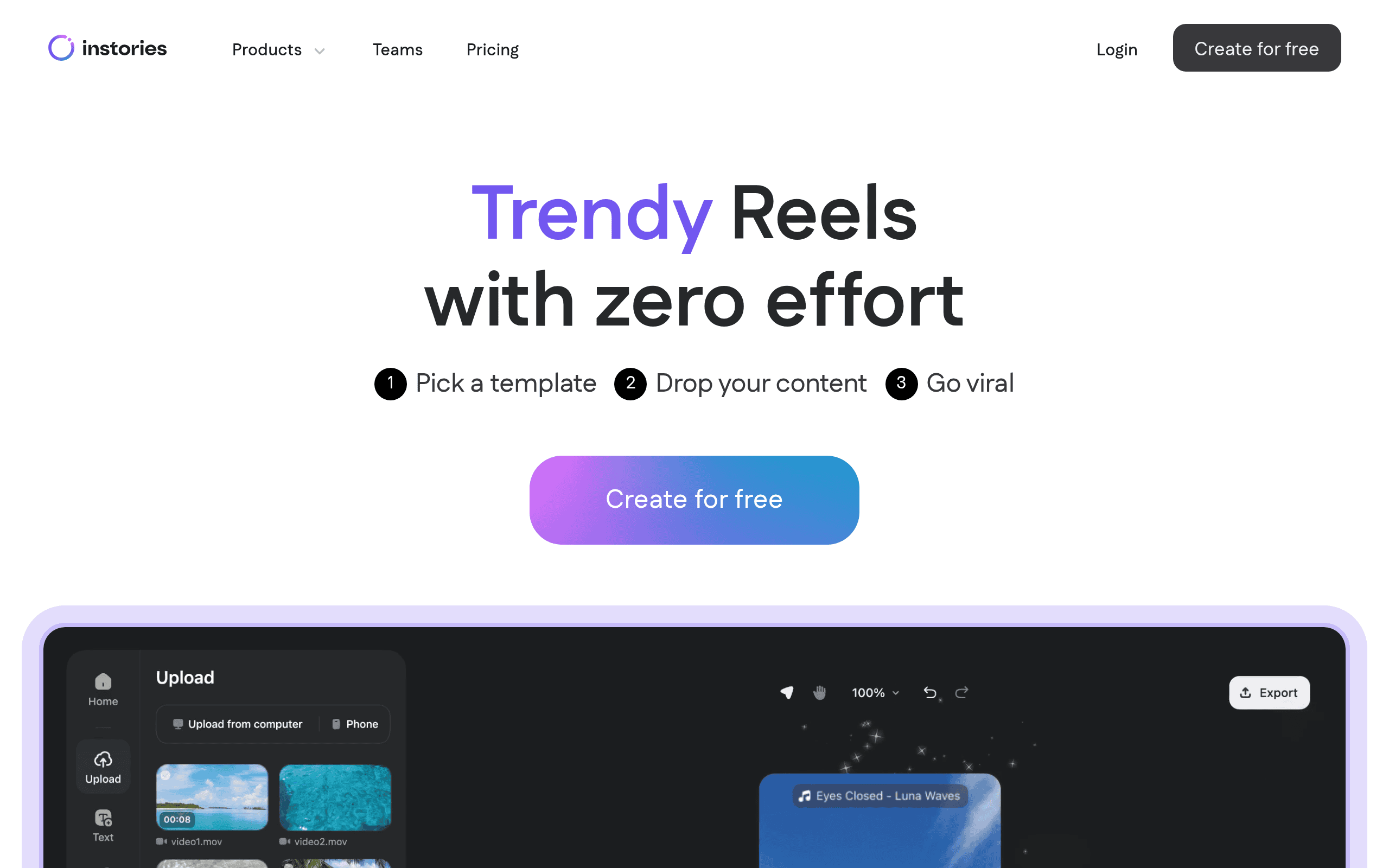
Template Library: Get access to over 500 ready-made designs for holidays, business promotions, and lifestyle posts. You’ll save hours of design time and still create content that looks like a pro made it.
AI Ads Maker: Let AI create optimized ad designs that actually convert. You won’t need to guess what works – the AI handles the heavy lifting so your ads perform better.
Text-to-Speech: Add natural-sounding voiceovers to your videos without recording anything yourself. Your content gets that professional touch without hiring voice talent or buying expensive equipment.
Smart Background Removal: Remove backgrounds from images with just one tap. You can place your products or people anywhere you want, making your visuals look clean and focused.
Text Animations: Bring your words to life with smooth animations that grab attention. Your messages won’t get scrolled past when they move and pop on screen.
AI Design Suggestions: Get smart layout recommendations that improve your content automatically. You’ll create better-looking posts even if you’ve never studied design.
Direct Publishing: Share your creations straight to Instagram, TikTok, Facebook, and Snapchat without leaving the app. You’ll post faster and keep your content schedule on track.
Font Library: Choose from hundreds of fonts to match your brand’s style perfectly. Your posts will stand out with typography that fits your message every time.
Music Integration: Add background tracks that set the right mood for your content. Your videos become more engaging when they have the perfect soundtrack.
Our Take of Instories
If you’re a small business owner or content creator looking to step up your social media game, Instories catches attention with its promise of professional-looking posts without needing design skills. The app packs in over 500 templates and AI features that sound pretty useful – like automatic background removal and text-to-speech for voiceovers.
The good news is you can get started fast. The interface looks simple enough that you won’t waste hours learning how to use it. For busy business owners who need to pump out Instagram stories or TikTok videos regularly, this could save serious time compared to hiring a designer or struggling with more complex software.
But here’s where things get tricky. User reviews paint a concerning picture about surprise charges after the free trial ends. Some folks report getting charged unexpectedly and having a tough time getting refunds. That’s not something any business owner wants to deal with. The app apparently crashes often too, which could leave you scrambling when you need to post time-sensitive content.
The templates work great if you want something quick and polished, but if you’re the type who likes to tweak every little detail, you might feel boxed in. The customization options seem basic compared to more advanced tools. And when problems pop up, customer support reportedly isn’t very helpful – another red flag for businesses relying on this for their marketing.
For the price point and what it offers, Instories sits somewhere in the middle. It’s not the cheapest option out there, but it’s not the most expensive either. Whether it’s worth it really depends on your specific needs. If you want fast, template-based content and don’t mind the risk of billing issues, it could work. But if reliability and customer service matter more to you, you might want to explore other options first. Try the free trial if you’re curious, but read those terms carefully and set a reminder before it ends.
Instories's Pricing
Instories offers a freemium model with multiple subscription tiers. The Free plan includes basic AI-powered story creation features with limited usage. The Starter plan provides expanded AI capabilities and higher usage limits for individual creators. The Professional plan unlocks advanced features including priority processing, custom templates, and team collaboration tools. Enterprise solutions are available with custom pricing, offering dedicated support, API access, and unlimited usage for large organizations.
All paid plans include access to the full template library, multiple export formats, and regular feature updates. Monthly and annual billing options are available, with annual subscriptions offering a discount. Additional plans and pricing details are available on their website for users with specific needs or higher volume requirements.
Final Thoughts about Instories
Creating social media content that looks professional shouldn’t feel like pulling teeth. Instories offers some real potential with its AI features and huge template library, but those billing concerns and crash reports are hard to ignore. Before you commit, think about what matters most for your business – is it speed and simplicity, or rock-solid reliability? If you’re curious whether Instories could work for you, the free trial lets you test drive it risk-free. Just set that reminder to cancel if it’s not your thing. Ready to see if Instories can transform your social media game? Click the button below to get started.
Instories FAQs