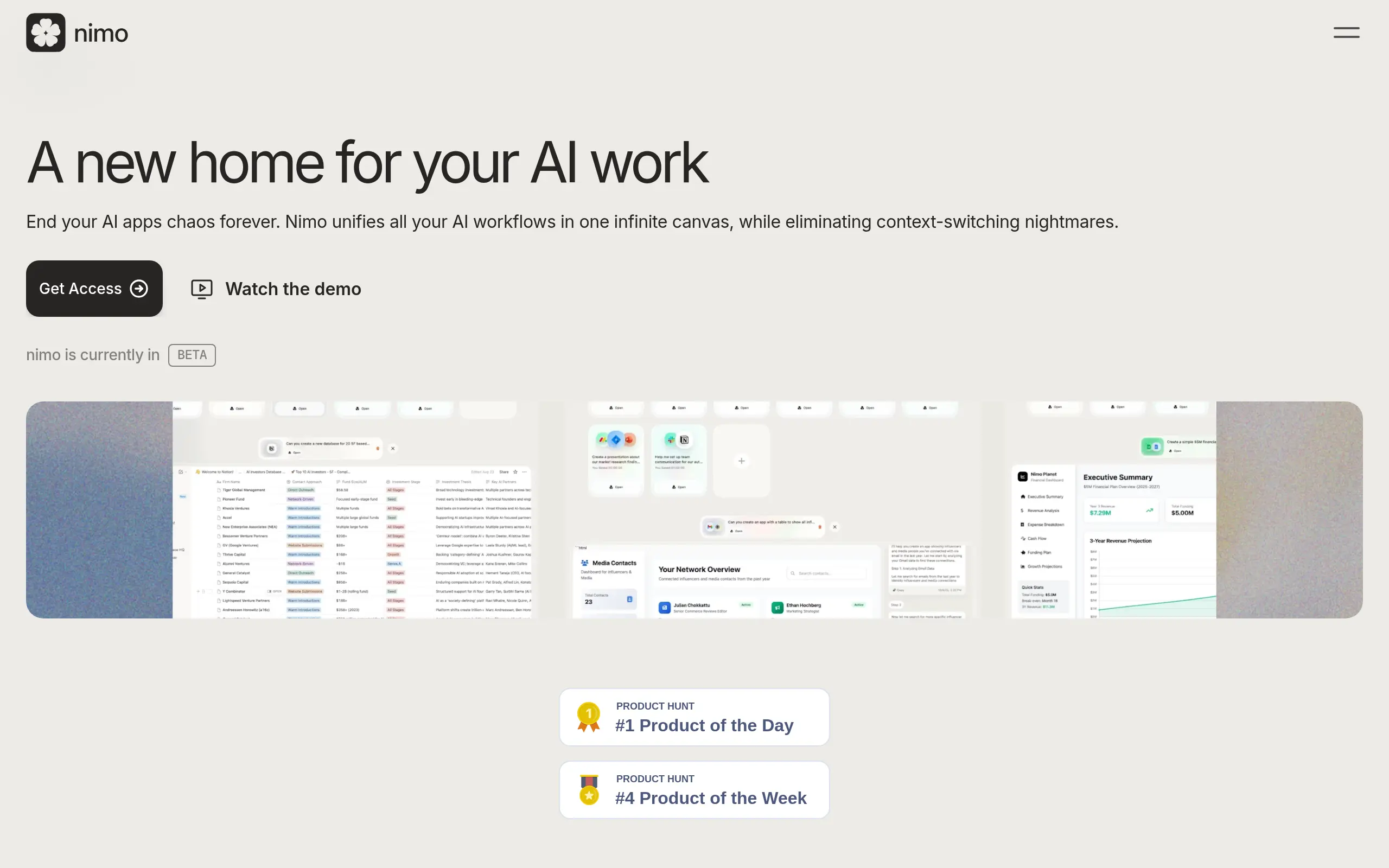
Nimo Introduction
Ever feel like you're playing whiplash with your browser tabs? One second you're in ChatGPT, the next you're jumping to Gmail, then bouncing over to Notion, and before you know it, you've got 47 tabs open and can't remember what you were doing in the first place. If this sounds like your daily grind, you're not alone. Most of us waste hours every week just switching between different AI tools and apps, losing track of conversations, and starting from scratch way too often.
What if all your AI tools could live in one place? Like, actually work together instead of existing in their own little silos? That's exactly what Nimo is trying to solve. Think of it as mission control for all your AI apps – a single workspace where ChatGPT, your email, spreadsheets, and pretty much any tool you use can talk to each other and actually get stuff done together.
For business owners who are tired of the constant app-hopping and want their tools to work smarter (not harder), Nimo might just be the sanity-saver you've been looking for. Let's dig into what this AI orchestrator can actually do for your workflow.
Nimo Key Features
Infinite Canvas: Organize all your AI tools, conversations, and projects in one visual workspace. No more jumping between tabs or losing track of important work – everything stays right where you put it.
100+ App Connections: Link your favorite tools like Gmail, Slack, Notion, and Google Sheets in one place. Build custom workflows that actually match how you work, not how someone else thinks you should.
Chat with Your Apps: Talk directly to your tools and documents to get things done faster. Update spreadsheets, send emails, or edit documents just by typing what you need – no clicking through menus required.
Custom AI Apps: Create your own mini AI assistants that work with your existing tools. Replace those dozens of browser tabs with smart cards that handle specific tasks exactly how you want them.
Built-in Web Browser: Research, browse, and work on the web without leaving your workspace. Keep everything connected and visible while you work instead of switching between windows.
Local Data Storage: Your information stays on your Mac or iCloud, never on someone else’s servers. Work with confidence knowing your business data is completely private and under your control.
Our Take of Nimo
For small business owners looking to wrangle their AI tools into one place, Nimo offers an interesting approach. Instead of jumping between ChatGPT, Claude, and a dozen other apps throughout your day, you get everything on one screen. This could save you real time if you’re currently drowning in browser tabs.
The integration list is solid – Gmail, Slack, Notion, and Google Sheets are the workhorses for most businesses, and having them all connected through AI could speed up repetitive tasks. The privacy angle is refreshing too. Your data stays on your computer or iCloud, not on their servers. That’s a big deal if you’re handling sensitive client info.
But here’s the catch – it’s Mac only right now. If your team uses Windows or you’re thinking about scaling up with remote workers who might not have Macs, you’re out of luck. And since it’s still in beta, expect some hiccups. You might lose an hour here and there dealing with bugs or features that don’t work quite right yet.
The real question is whether consolidating your AI tools is worth the switch. If you’re already comfortable with your current setup and it’s working fine, Nimo might not move the needle much. But if you’re spending too much time copying and pasting between apps or losing track of which AI conversation had that important client insight, this could help organize your workflow.
At this stage, Nimo feels like it’s for early adopters who don’t mind working through some growing pains. The concept is solid, but until it’s out of beta and available on more platforms, it’s hard to recommend it as a must-have tool for every business.
Nimo's Pricing
Free – $0/month
For those who want to experience browsing on a canvas. Get started for free and enjoy 100 credits per month, free canvas access, unlimited web browsing, and unlimited categories.
Pro – $20/month (Most Popular)
Designed for those who want to experience a new way of working with AI. Join the waitlist to unlock everything in Free, plus 2,000 credits per month, Dynamic Apps, chat with 3rd party apps (MCPs), and Memory & Context features.
Infinite – $200/month
For those who want an infinite experience, now and in the future. Join the waitlist to access everything in Pro, plus 50,000 credits per month, Dynamic Apps, chat with 3rd party apps (MCPs), Memory & Context, and early access to new features.
Final Thoughts about Nimo
So here’s the bottom line – if you’re spending more than an hour a week jumping between AI tools, Nimo might be worth a test drive. Sure, it’s Mac-only and still working out some kinks, but the idea of having all your AI conversations and tools in one spot could be a real time-saver. The best part? Your data stays on your computer, not floating around on someone else’s servers.
Before you commit, think about your current setup. Are you constantly losing ChatGPT conversations? Forgetting which AI gave you that brilliant marketing idea? Copying and pasting between apps like it’s your full-time job? If you’re nodding along, Nimo could help you get more organized and actually get work done instead of just managing your tools.
Ready to see if Nimo can tame your AI chaos? Click the button below to give it a try and see if it fits your workflow. Just remember – it’s still in beta, so bring your patience along with your curiosity.
Nimo FAQs