Pitchgrade Introduction
Let's be real – creating presentations takes forever. You're sitting there, staring at a blank slide deck, wondering how you're going to turn your brilliant ideas into something that actually looks professional. Maybe you've got a big pitch coming up, or you need to wow a client with a sales presentation.
Either way, you know that hours (or days) of work are ahead of you. That's where PitchGrade comes in. This AI tool promises to turn your presentation nightmares into a quick, painless process. But does it actually deliver?
I spent time testing PitchGrade to see if it lives up to the hype. From creating pitch decks to getting instant feedback on my slides, I put this tool through its paces.
Here's what I found out about whether PitchGrade can really save you time and help you create presentations that get results.
Pitchgrade Key Features
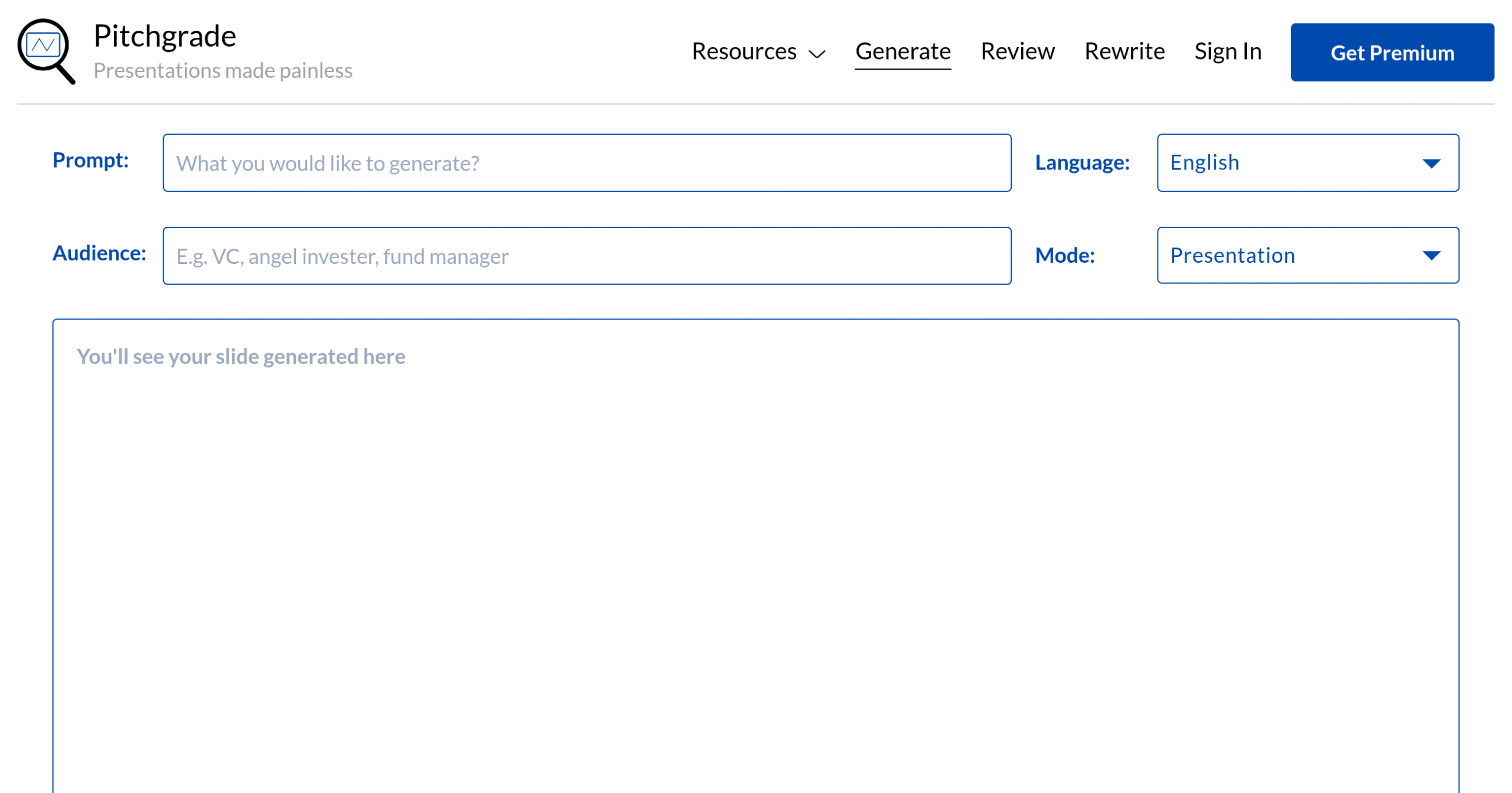
AI Presentation Generator: Create professional presentations in minutes with just a simple prompt. You’ll save hours of design work while getting polished slides that look like they took days to build.
Instant Review Tool: Get immediate feedback on your presentations before you share them. You’ll catch mistakes and improve your message without waiting for colleague reviews or second-guessing yourself.
Multilingual Support: Build and review presentations in 182 different languages. You can connect with global clients and partners without hiring translators or struggling with language barriers.
Customizable Templates: Choose from a wide variety of pre-built templates for any business need. You’ll start with a professional foundation that matches your style instead of staring at blank slides.
Multiple Generation Modes: Access 317 different presentation styles for every situation. Whether you’re pitching investors or training employees, you’ll have the right format ready to go.
Our Take of Pitchgrade
PitchGrade sits in a sweet spot for busy entrepreneurs who need professional presentations fast. If you’re running a business and hate spending hours on PowerPoint, this AI tool creates pitch decks and sales presentations in minutes instead of days.
The biggest win here is speed. You can pump out a complete presentation 10 times faster than doing it yourself. That matters when you’re juggling client meetings, product launches, and everything else on your plate. The 182 language support also opens doors if you’re working with international clients or expanding into new markets.
But let’s be real about the limitations. You won’t get the same creative control as hiring a designer or building from scratch. The AI does a solid job, but if your brand needs super specific design elements or you want pixel-perfect customization, you might feel boxed in. Plus, you need a stable internet connection to use it, which could be annoying if you’re working on the go.
The learning curve is pretty mild, though you’ll still need to spend time figuring out which of the 317 generation modes works best for your needs. That’s actually a lot of options to sort through when you’re just trying to get a presentation done.
For most small business owners who value time over perfect customization, PitchGrade makes sense. It’s especially useful if you’re creating multiple presentations each month or need to quickly adapt content for different audiences. Just don’t expect it to replace a professional designer for high-stakes presentations where every detail counts.
Pitchgrade's Pricing
The Monthly Plan is $7.99 per month and gives you unlimited slide generation in 300+ modes, unlimited reviews in 8 modes, unlimited ppt/pdf uploads, and generation plus reviews in 100+ languages.
The Yearly Plan is $4.99 per month when billed annually at $59.88. This plan includes the same features as the monthly option but saves you money if you commit for a full year.
Both plans let you switch or cancel anytime. There’s no free tier mentioned, so you’ll need to pick one of these paid options to access PitchGrade’s features.
Final Thoughts about Pitchgrade
So here’s the bottom line – if you’re tired of spending entire weekends building presentations, PitchGrade could be your new best friend. Think about all the things you could do with those extra hours. Maybe finally launch that new product line, or actually have dinner with your family instead of staring at PowerPoint until midnight.
The real question isn’t whether AI can help you create presentations faster. It’s whether you’re ready to stop doing things the hard way. Every hour you spend formatting slides is an hour you’re not spending on growing your business. And in today’s fast-paced world, that time matters more than ever.
Give yourself permission to work smarter, not harder. Your ideas deserve to shine, and you shouldn’t have to become a design expert to make that happen. PitchGrade handles the heavy lifting so you can focus on what you do best – running your business and closing deals.
Ready to see what AI-powered presentations can do for your business? Click the button below to try PitchGrade and start creating professional presentations in minutes instead of hours.
Pitchgrade FAQs