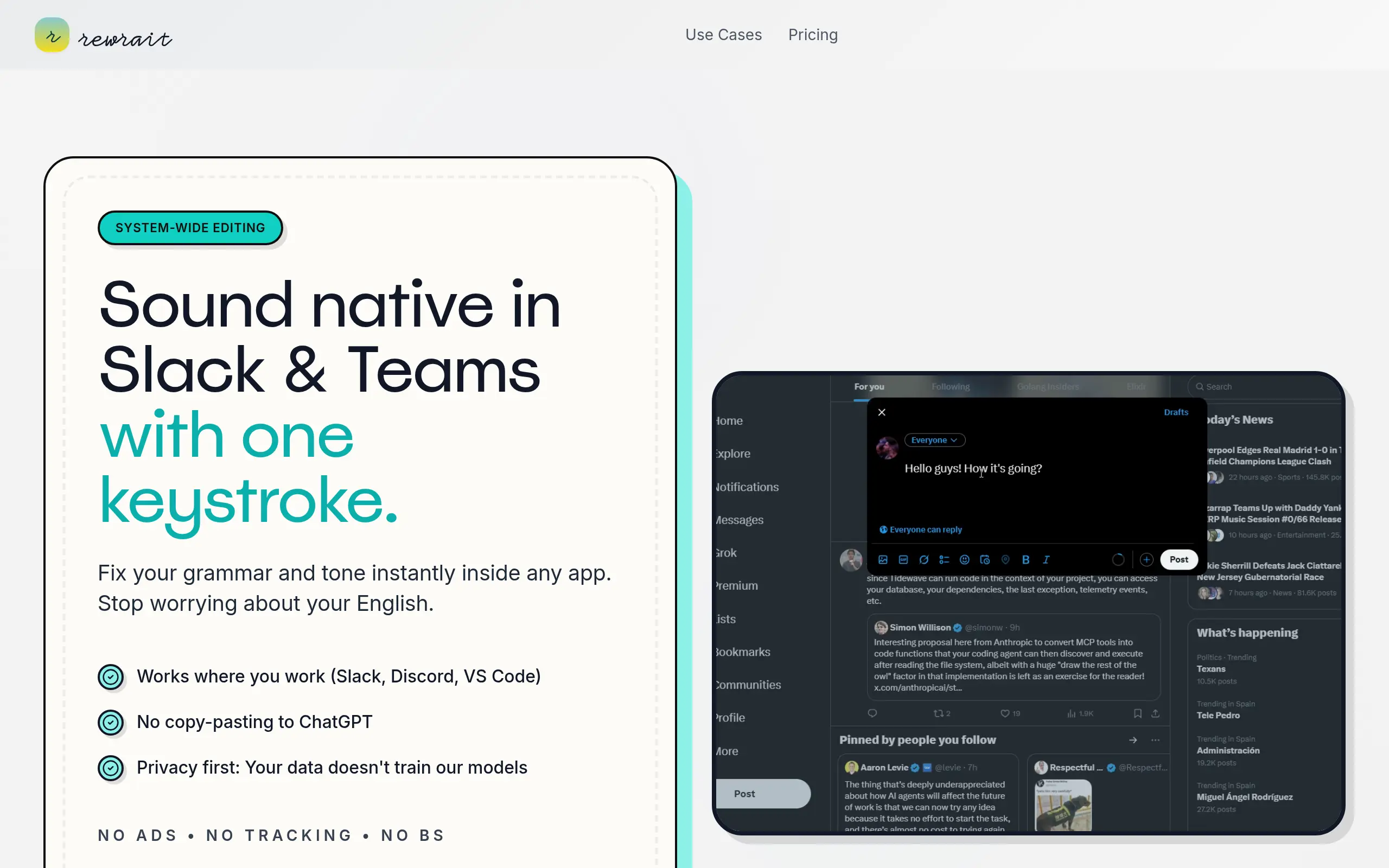
Rewrait Introduction
Ever spent 20 minutes rewriting the same email just to get the tone right? Or maybe you've stared at a blank screen, knowing what you want to say but struggling to find the words? You're not alone. Writing can eat up hours of your day, especially when you're trying to sound professional, clear, and confident all at the same time.
What if you could fix any piece of writing in seconds, right where you're already working? No copying and pasting into another app. No waiting for feedback. Just highlight your text, hit a button, and watch it transform into exactly what you meant to say.
That's what Rewrait promises to do. It's an AI writing assistant that lives on your computer and works inside every app you use – from Gmail to Slack to Word. Think of it as having a professional editor sitting on your shoulder, ready to help whenever you need it. Whether you're writing customer emails, social media posts, or important proposals, Rewrait claims to save you 10-20 hours every month by instantly improving your writing.
But does it actually work? And is it worth adding another tool to your already packed workflow? Let's find out.
Rewrait Key Features
Instant Text Polish: Fix grammar, spelling, and clarity issues with just a keyboard shortcut. Your emails, reports, and messages sound professional without spending extra time editing.
Works Everywhere: Use it in Gmail, Slack, Microsoft Word, or any app on your computer. No more copying and pasting between different tools – just highlight and improve.
Custom Writing Styles: Create your own prompts for specific tasks like client emails or social media posts. Keep your brand voice consistent across all your team’s writing.
Private and Secure: Your text gets processed only when you need it, and nothing gets stored or used to train AI. Your business information stays completely confidential.
Multiple Language Support: Write better in English, Spanish, French, or other languages. Perfect for international clients or improving translations that sound more natural.
Smart Keyboard Shortcuts: Set up your own hotkeys to access different writing improvements instantly. Speed up your workflow without interrupting your thought process.
Our Take of Rewrait
If you’re constantly switching between emails, documents, and chat apps while trying to keep your writing sharp, Rewrait could be a real time-saver. What sets it apart is how it works right inside whatever program you’re using – no copying and pasting into a separate tool.
For small business owners, this means you can fix that important client email without leaving your inbox, or polish up a proposal without jumping between windows. The time savings are legitimate – users report saving 10 to 20 hours monthly, which translates to actual productivity gains for your team.
The privacy approach is solid too. Your business data stays yours since Rewrait processes everything on demand without storing or training on your content. That’s reassuring when you’re working with sensitive client information or proprietary business documents.
The custom prompts feature is particularly useful if you have specific writing standards or frequently create similar types of content. You can set up prompts for things like customer service responses or social media posts and maintain consistency across your team’s communications.
There are some limitations to consider. You’ll need an internet connection for it to work, which might be frustrating if you travel or work from locations with spotty wifi. Linux users are out of luck entirely since it’s only available for Mac and Windows. And while the custom prompts are powerful, getting them set up just right takes some trial and error.
Compared to browser-based writing tools or traditional grammar checkers, Rewrait’s desktop integration gives it an edge for people who work across multiple applications. The price point makes sense if you or your team spend significant time writing and editing. For occasional writers or those who mainly work in one application, simpler alternatives might suffice.
Rewrait's Pricing
Rewrait offers two pricing options for their AI writing tool.
The Pro Monthly plan costs $9.99 per month and provides flexibility for those who prefer month-to-month billing.
The Pro Yearly plan is priced at $79.99 per year, offering a 33% savings compared to monthly billing.
Both plans include the same comprehensive features: the tool works across all applications without copy-pasting, allows users to build a personal Prompt Library with custom rules and voice settings, provides unlimited rewrites and fixes, enables one-shortcut tone changes for different writing styles, offers instant grammar and clarity correction, and includes custom text recipes for repeated tasks.
No credit card is required to get started, and users can cancel anytime. First-time annual purchases come with a 7-day refund window, while monthly subscribers can cancel before their next renewal. Team licenses are available with centralized billing and individual seats that can be adjusted as needed. Students and nonprofit organizations can contact support for special discount codes.
Final Thoughts about Rewrait
So, is Rewrait worth adding to your toolkit? If you spend more than a few hours each week writing emails, proposals, or client communications, the math works out pretty favorably. Even saving just 10 hours a month means you’re getting back over two full work days to focus on growing your business instead of wordsmithing.
The real test is how it fits into your specific workflow. If you’re constantly jumping between Gmail, Slack, Word, and other apps while trying to maintain professional communication, Rewrait could be exactly what you need. It’s particularly valuable if you have team members who aren’t confident writers but still need to communicate with clients regularly.
Before deciding, think about where writing bottlenecks slow down your business. Is it customer service emails that take forever to get just right? Social media posts that need multiple edits? Client proposals that go through endless revisions? If any of these sound familiar, Rewrait might help you reclaim those lost hours.
The privacy features and custom prompts make it a solid choice for businesses handling sensitive information or needing consistent brand messaging. And since it works right inside your existing apps, there’s minimal learning curve for your team.
Want to see if Rewrait can actually save you those 10-20 hours per month? Give it a try and test it with your actual daily writing tasks. Click the button below to get started and see how much time you could be saving on your business communications.
Rewrait FAQs