TopView Introduction
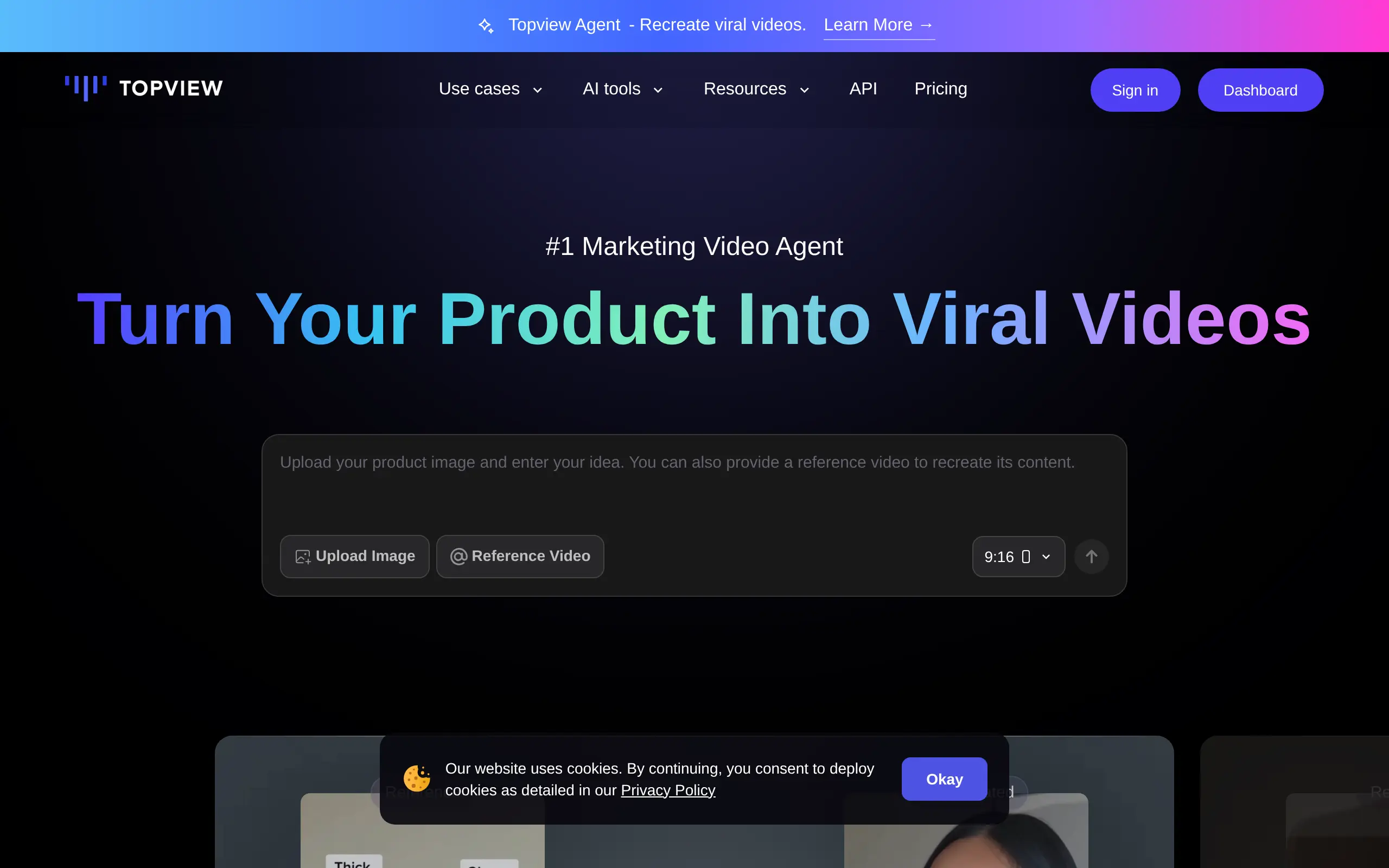
Creating videos for your business used to mean hiring a production team, renting equipment, and spending weeks just to get one piece of content. Now, you can turn your product photos into professional marketing videos in minutes. TopView uses AI to analyze what's working on TikTok and YouTube right now, then helps you create similar content without filming anything yourself.
If you're running an online store or trying to grow your brand on social media, you know how much video content matters. But who has time to learn video editing or budget for a film crew? TopView promises to solve this by letting you upload a product image or paste a URL, pick an AI avatar to present your product, and get a finished video ready to post.
The platform caught my attention because it's built specifically for business owners who need to create lots of content fast. Instead of spending hours figuring out what kind of videos to make, TopView studies millions of trending videos and shows you what's actually getting views and sales right now. Plus, it supports over 20 languages, so you can reach customers anywhere.
But does it really work as smoothly as promised? I spent weeks testing TopView to see if it lives up to the hype. From the AI avatars to the automatic scene generation, I'll break down exactly what this tool can and can't do for your business.
TopView Key Features
AI Avatar Generation: Turn simple photos into realistic, talking avatars that represent your products or brand. No need to hire actors or set up expensive video shoots – just upload a photo and let AI create professional spokespersons for your videos.
Automated Video Creation: Transform any product URL or image into a complete marketing video in minutes. Simply paste a link or upload your product photos, and TopView handles all the editing, transitions, and effects automatically.
Product Anyshoot: Place your products in any setting or scene without expensive photoshoots. Whether you want your product on a beach, in a modern kitchen, or floating in space, AI generates realistic backgrounds that make your items shine.
Character Swap: Replace people in existing photos or videos with your custom avatars instantly. Great for creating consistent brand representatives across all your marketing materials without reshooting content.
Multi-Language Support: Reach customers worldwide with automatic voiceovers in over 20 languages. Your videos can speak directly to international audiences without hiring translators or voice actors for each market.
Our Take of TopView
For small business owners looking to create marketing videos without breaking the bank, TopView offers an interesting solution. The platform’s ability to turn product images into professional videos with AI avatars could save you both time and money on content creation.
What makes TopView stand out is its trend analysis feature. By studying what works on TikTok and YouTube, it helps you create videos that match what’s popular right now. This could be particularly useful if you’re selling products online and need fresh content regularly.
The multi-language support is another practical feature. If you’re selling to customers who speak different languages, being able to create videos with voiceovers in over 20 languages could help you reach more people without hiring translators or voice actors.
However, there are some things to consider. Several users have reported technical glitches, which could slow down your workflow. The subscription management issues mentioned in reviews are concerning too, especially if you’re trying to manage your business expenses carefully.
The platform seems best suited for businesses that need to produce lots of simple product videos quickly. If you need highly customized or complex videos, you might find the options limiting. For basic e-commerce product showcases or social media content, it could work well.
Before committing to a paid plan, it’s worth testing the platform thoroughly to see if it fits your specific needs. Make sure the video quality meets your standards and that the technical issues others have mentioned won’t affect your work. The cost savings could be significant compared to traditional video production, but only if the tool works reliably for your business.
TopView's Pricing
Topview.ai offers a tiered pricing structure with four subscription levels.
The Free plan costs $0/month and includes 10 one-time credits, access to basic features, 15-second video duration limits, and watermarked outputs.
The Pro plan is $18/month (or $216 annually with 40% savings) and provides 960 credits per year, unlimited custom avatar creation with up to 200 saved avatars, 5 free voice clones, 50GB storage, 1080p exports without watermarks, and extended features.
The Business plan costs $45/month (or $540 annually) and includes 3000 credits per year, up to 1000 saved avatars, 30 free voice clones, 300GB storage, 25-second video duration, priority processing, and additional collaboration tools.
An Enterprise plan is available with custom pricing, offering tailored credit amounts, custom seats, and dedicated support. All paid plans include access to over 2000 AI avatars, unlimited video previews, batch processing capabilities, and advanced video editing features. Credits reset at the beginning of each billing cycle and do not roll over.
Final Thoughts about TopView
TopView could be the shortcut you’ve been looking for if creating videos feels like too much work. Instead of spending hours learning editing software or paying for expensive production, you can test whether AI-generated videos work for your business in just a few minutes.
Think about how much time you currently spend on content creation. Now picture turning a single product photo into multiple videos for different platforms and languages. That’s the kind of efficiency that could free you up to focus on other parts of your business.
Before diving in with a paid plan, take some time to experiment with the platform. Upload a few product images, try different AI avatars, and see if the video quality matches what you want your customers to see. Pay attention to any technical hiccups and make sure the subscription terms work for your budget.
The real question is whether TopView fits into your current workflow. If you’re already posting on TikTok or YouTube but struggling to keep up with content demands, this tool might fill that gap. If you’re just starting with video marketing, it could help you test what works without a huge investment.
Ready to see if AI can handle your video marketing? Click the button below to try TopView and start turning your product photos into videos that sell.
TopView FAQs