Touchpoint Introduction
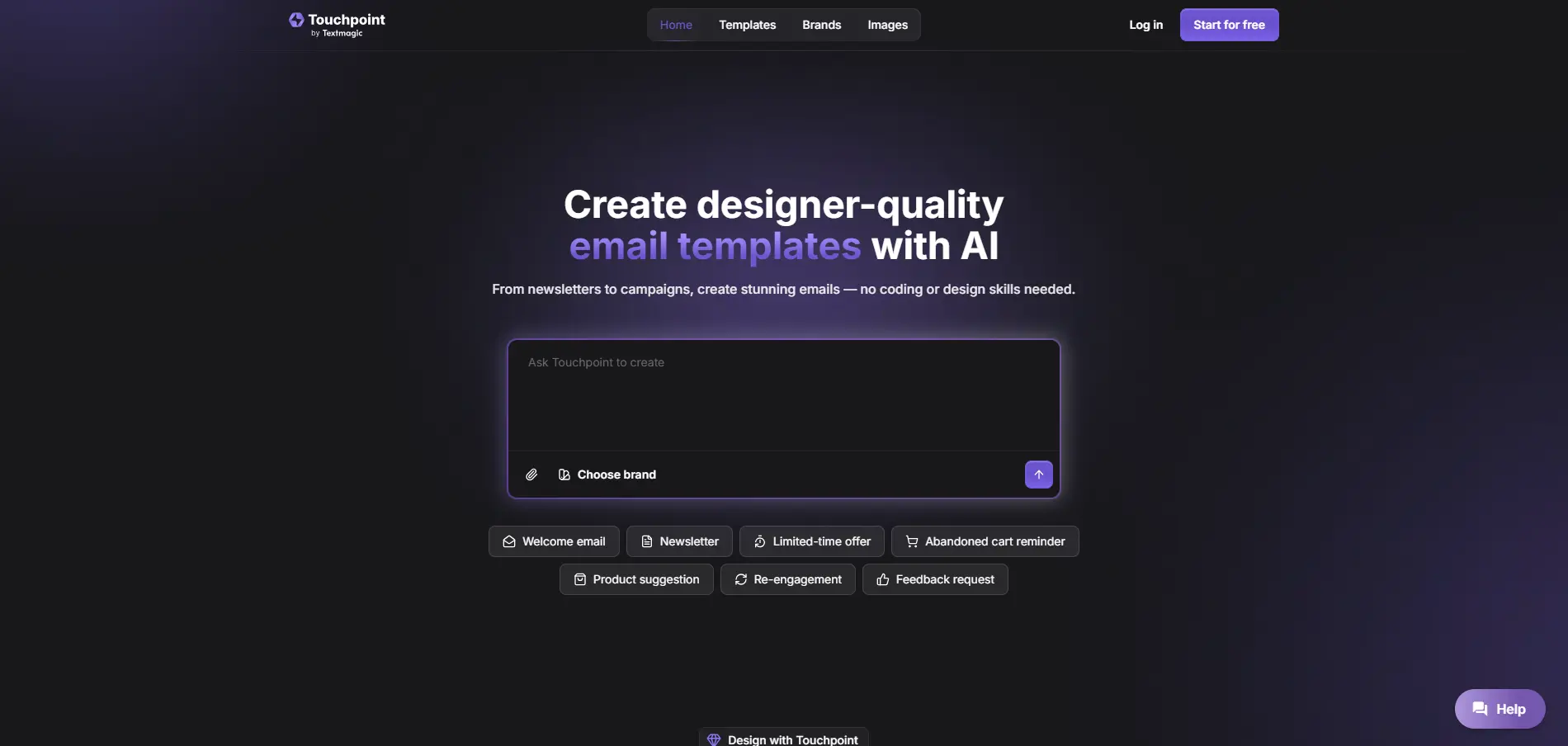
Creating professional emails that actually look like your brand can feel like a full-time job. You've got your logo, your colors, your whole vibe figured out – but somehow your emails still look like they came from 2003. That's where Touchpoint steps in.
This AI-powered email builder does something pretty smart. It visits your website, grabs your brand elements like logos and color schemes, then creates email templates that actually match your business. No coding needed, no design degree required.
If you're tired of wrestling with complicated email builders or paying designers every time you need a new campaign, Touchpoint might be worth checking out. It's built for business owners who want professional emails without the usual headaches.
The best part? You describe what you want, and the AI creates a template that's ready to use. You can still tweak things – change the text, swap images, adjust layouts – but you're starting with something that already looks polished and on-brand.
Let's take a closer look at what Touchpoint actually does and whether it's right for your email marketing needs.
Touchpoint Key Features
Automatic Brand Import: Connect your website and watch Touchpoint pull in your logos, colors, and images automatically. This means every email you create matches your brand perfectly without any manual setup.
AI-Generated Email Templates: Tell Touchpoint what kind of email you need, and it creates a professional HTML template in seconds. You get designer-quality emails without hiring a designer or learning to code.
Customizable Templates: Change text, swap images, and adjust layouts with simple clicks. You stay in control of your message while the tool handles the technical stuff.
Integration with Textmagic: Export your finished templates straight to Textmagic and send campaigns right away. Track how your emails perform without switching between different tools.
Ready-Made Prompts: Browse through proven email layouts and prompts to get started fast. Skip the blank-page problem and create emails that actually convert.
Our Take of Touchpoint
Looking at Touchpoint, it’s clear this tool fills a specific gap for business owners who want professional emails but don’t have design skills. The automatic brand import feature is particularly smart – you just connect your website and it pulls in your colors, logos, and images. That’s a real time-saver compared to manually uploading everything.
The AI template generation works well for standard email needs like newsletters, promotions, and updates. You describe what you want, and you get a clean template that matches your brand. It’s straightforward and gets the job done.
However, there are some limitations to consider. If you’re already using an email service provider other than Textmagic, you’ll need to switch or manage two platforms. That could complicate your workflow. Also, if you need complex designs or have very specific layout requirements, you might hit some walls with what’s possible.
For small business owners who want to improve their email marketing without hiring a designer or learning to code, Touchpoint makes sense. It’s especially good if you’re starting fresh with email marketing or if you’re already considering Textmagic as your email platform. But if you have an established email system you’re happy with, or if you need advanced design flexibility, you’ll want to weigh whether the convenience is worth the switch.
The pricing isn’t publicly listed, which means you’ll need to contact them directly. That’s something to factor into your decision-making process. Overall, Touchpoint works best for businesses that value simplicity and speed over advanced customization options.
Touchpoint's Pricing
The Starter plan costs $20/month and is ideal for individuals and small businesses with basic email needs, offering 200K tokens per month and 1 brand, plus the option to start for free with 100K test tokens.
The Pro plan, at $40/month, is the most popular choice for growing businesses with steady email volume, providing 350K tokens per month and 2 brands, along with 100K free test tokens.
The Business plan is $70/month and suits mid-sized teams sending a large number of emails, including 550K tokens per month, 3 brands, and 100K test tokens.
The Growth plan, priced at $100/month, is designed for large businesses with heavy email use and scaling needs, offering 700K tokens per month, 5 brands, and 100K free test tokens.
Finally, the Enterprise plan is built for large organizations with complex requirements and top-tier support, available by contacting the team directly.
Final Thoughts about Touchpoint
So, is Touchpoint right for you? If you’re spending hours trying to make your emails look professional or paying designers for every campaign, this tool could save you both time and money. It’s particularly useful if you’re just getting started with email marketing or if you’re ready to switch from whatever basic solution you’re using now.
Think about your current email setup. Are your emails representing your brand well? Do they look as good as your website? If not, Touchpoint tackles those problems head-on. The automatic brand import alone could be worth it if you’re tired of inconsistent-looking emails.
Before you decide, consider what matters most to you. If you need super advanced design features or you’re locked into another email provider you love, Touchpoint might not be the perfect fit. But if you want clean, professional emails that match your brand without the technical hassle, it’s definitely worth exploring.
The best way to know if it’ll work for your business is to give it a try. See how it handles your brand, test out the AI template creation, and check if the results match what you’re looking for. Ready to create better emails? Click the button below to get started with Touchpoint.
Touchpoint FAQs