Tutorial Introduction
If you're spending hours turning screen recordings into polished tutorials, you know how frustrating the process can be. Between recording, editing, adding voiceovers, and making everything look professional, creating training videos eats up time you don't have.
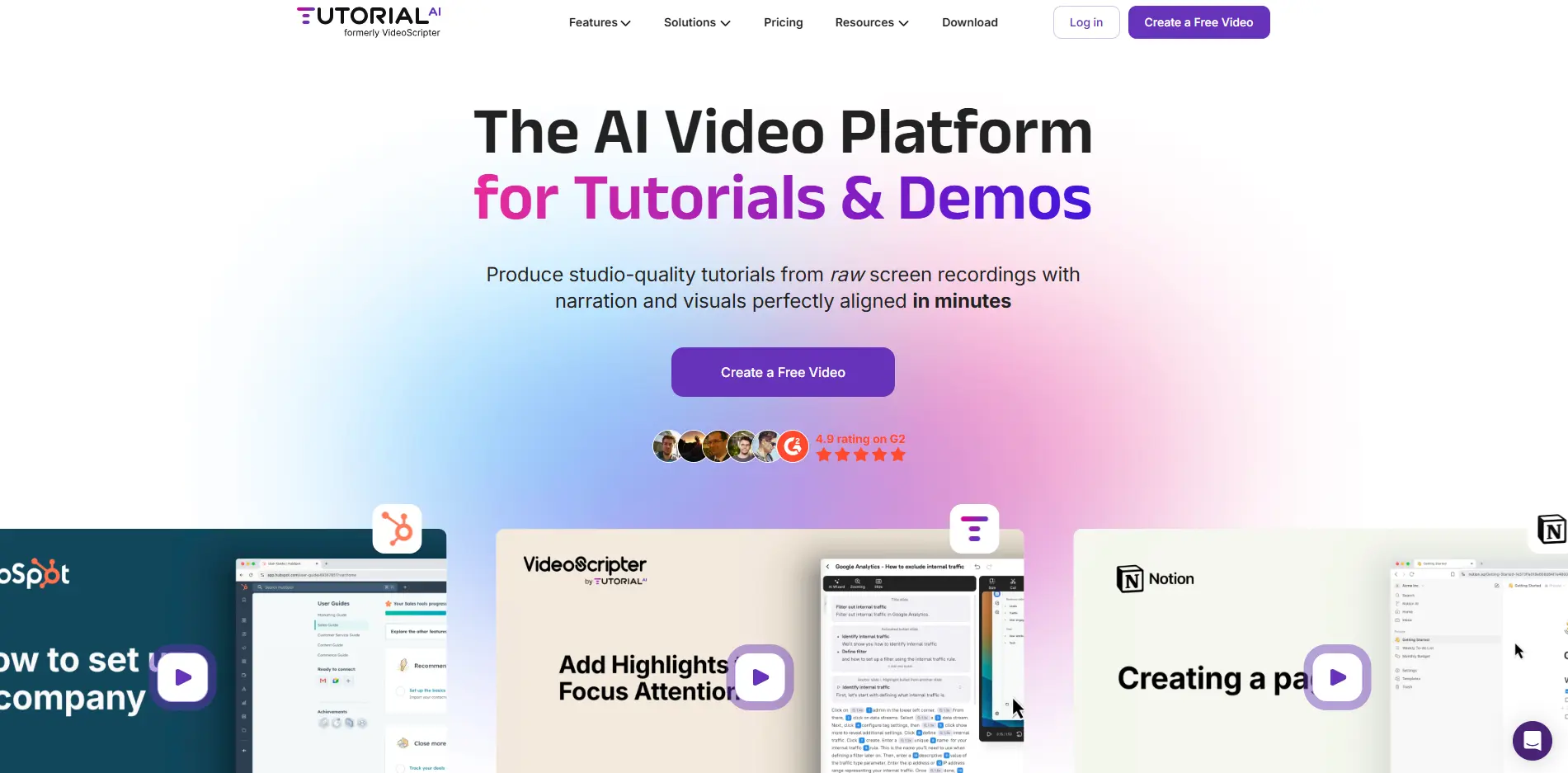
That's where Tutorial AI comes in – it's an AI-powered platform that transforms your raw screen recordings into professional tutorials in just minutes. Instead of wrestling with complicated video editing software or hiring expensive production teams, you can create high-quality training videos, product demos, and how-to guides with a few clicks.
Whether you're training new employees, showing customers how to use your product, or building a knowledge base, this tool promises to make video creation as simple as recording your screen and letting AI do the heavy lifting.
Tutorial Key Features
AI-Generated Voice-Overs: Get studio-quality narration in over 30 languages without hiring voice actors. Your tutorials sound professional and natural, saving you thousands on voice talent while reaching global audiences.
AI Script Generation and Transcription: Turn your rough ideas into polished scripts automatically. The AI writes clear instructions from your recordings, so you spend less time writing and more time creating valuable content.
Document-Style Editing Interface: Edit your videos like you’re working in a word processor. Change voiceovers by typing text instead of wrestling with complicated timelines, making video editing as simple as writing an email.
Automatic Zoom and Cursor Effects: Keep viewers engaged without manual editing work. The AI knows when to zoom in on important clicks or highlight cursor movements, creating professional tutorials that hold attention.
Customizable Backgrounds and Branding: Match every video to your company’s look with custom backgrounds and brand colors. Your tutorials stay consistent with your brand identity, building trust with viewers.
AutoRetime™ Translations: Translate your tutorials into different languages while keeping perfect timing. The AI automatically adjusts video scenes to match translated voiceovers, so you create multilingual content without re-recording.
Cross-Platform Recording: Record on your Mac, Windows PC, iPhone, or iPad. Work from any device you prefer, giving you flexibility to create tutorials wherever you are.
Collaborative Workspaces: Share videos with your team using version control and guest permissions. Everyone stays on the same page, and you can easily embed tutorials into your existing training systems.
Our Take of Tutorial
Tutorial AI could be a solid choice if you’re looking to create professional tutorials without the usual headaches. The AI features really shine here – you can turn a basic screen recording into something polished in just a few minutes, which is perfect when you’re juggling multiple tasks.
What stands out is how simple they’ve made the editing process. Instead of wrestling with complicated video timelines, you edit the voiceover like you’re working in a Word document. This approach makes sense for busy business owners who don’t have time to learn complex video software.
The AI voice-overs in 30+ languages are genuinely impressive. They sound natural enough that your viewers won’t immediately know it’s AI-generated, which helps maintain that professional feel your brand needs. Plus, the automatic zoom and cursor effects handle the little details that make tutorials easier to follow.
Here’s where things get tricky though – there aren’t many user reviews out there yet. This makes it hard to know what real-world problems you might run into. The platform also requires specific recording software on Mac and Windows, which could be annoying if you’re already using something else.
For pricing and ROI, you’d need to weigh the time savings against the cost. If you’re currently spending hours creating tutorials or paying someone else to do it, Tutorial AI could pay for itself pretty quickly. But if you only make occasional videos, there might be simpler options.
The bottom line? Tutorial AI looks promising for businesses that need to create lots of training content or product demos. Just make sure to test it thoroughly during any free trial period since user feedback is still limited.
Tutorial's Pricing
Tutorial.ai offers four pricing tiers designed for different user needs.
The Free plan includes 1 editor seat, Windows and macOS recorder, 3 video projects, and 1080p export quality with a 3-minute monthly limit.
The Solo plan at $29/month (or $18/month billed annually) provides unlimited projects, 10 minutes of monthly usage, AI transcription and script generation, video hosting, and 4K export quality.
The Growth plan at $89/month (or $64/month annually) expands to 30 minutes monthly usage and adds features like 1-click translation, animated slides, advanced AI voices, iPhone/iPad recording, and the ability to highlight important details.
The Enterprise plan offers custom pricing with unlimited usage, multiple workspaces and editors, custom AI voices, voice cloning, brand kits, and priority support with a dedicated customer success team. All paid plans include guest seats (3 for Solo, 5 for Growth, custom for Enterprise) and comprehensive editing features like video zooming, cursor smoothing, motion blur effects, and subtitle downloads in multiple formats.
Final Thoughts about Tutorial
So what’s the real deal with Tutorial AI? If you’re tired of spending hours creating training videos, this tool could change how you work. The AI features handle the tedious stuff – voice-overs, zooming, cursor highlights – so you can focus on what you actually want to teach.
Think about your current video creation process. How many hours do you spend recording, re-recording, editing, and polishing? Now imagine cutting that time by 80% or more. That’s time you could spend growing your business, working with customers, or just getting home earlier.
The lack of user reviews is something to consider, but sometimes being an early adopter pays off. You get to shape how the tool develops and often lock in better pricing before everyone else catches on. Plus, most tools offer free trials, so you can test it risk-free.
Here’s what I’d do: List out all the training videos you need to create in the next month. Calculate how many hours that would take with your current process. Then try Tutorial AI with one of those videos during a trial period. Compare the time spent and quality achieved. The numbers will tell you if it’s worth it for your business.
Ready to see if Tutorial AI can transform your video creation process? Click the button below to get started and discover how much time you could save on your next tutorial.
Tutorial FAQs