Unscreen.com Introduction
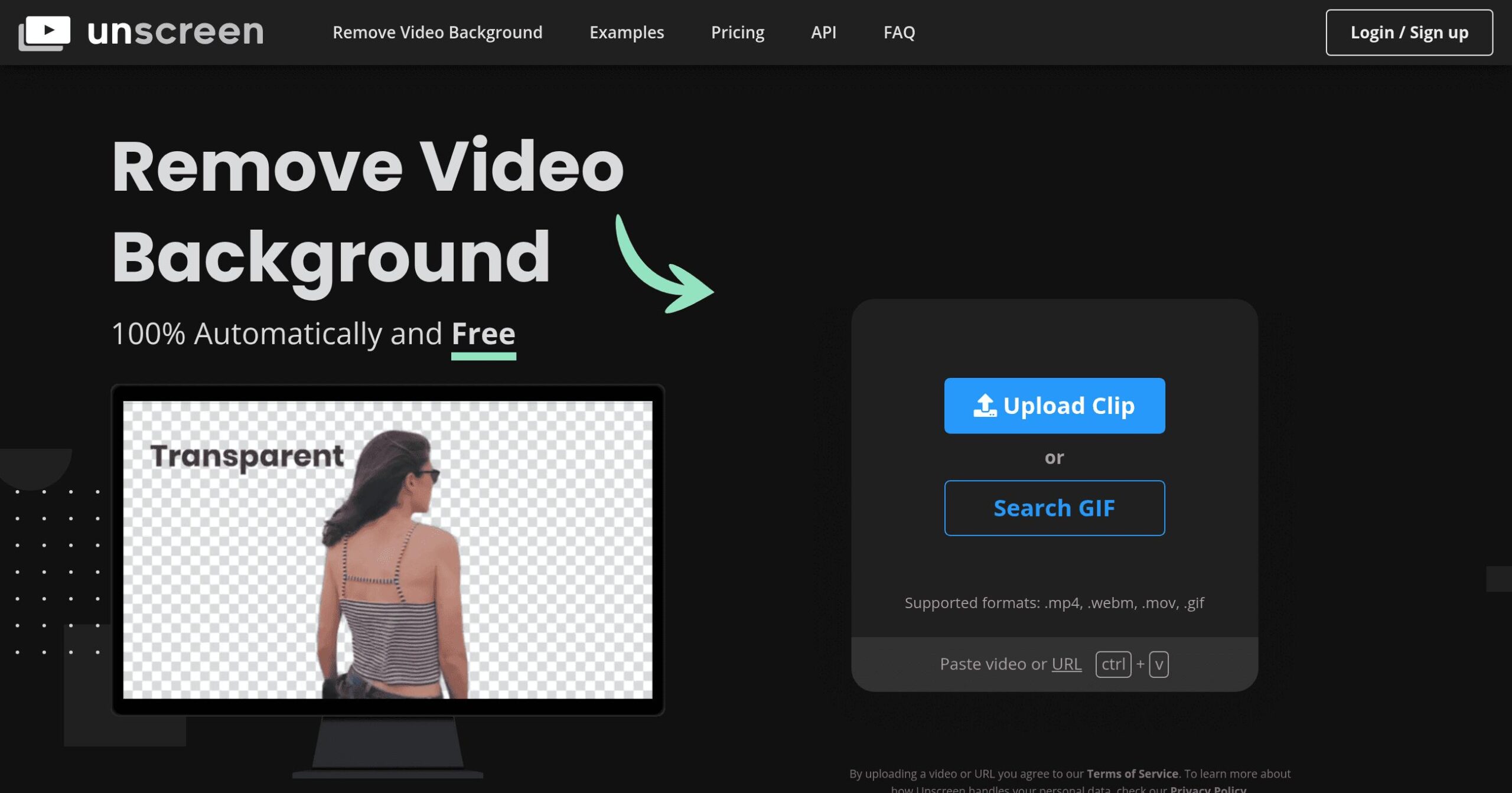
If you've ever tried to remove a background from a video, you know it's usually a huge pain. You either need expensive software, green screen equipment, or hours of manual editing frame by frame. That's where Unscreen.com comes in – it's an AI tool that strips away video backgrounds automatically, no green screen required.
For business owners creating marketing content, social media videos, or product demos, this can save a significant amount of time and money. Instead of hiring a video editor or buying costly equipment, you can upload your video and get a clean, transparent background in minutes. The tool works with regular videos shot on your phone or camera, allowing you to create professional-looking content from anywhere.
Whether you're setting up custom backgrounds for presentations, creating product videos with clean white backgrounds, or crafting eye-catching social content, Unscreen promises to simplify the entire process.
Let's take a closer look at what this tool actually delivers and whether it's worth your investment.
Unscreen.com Key Features
Automatic Background Removal: Remove video backgrounds instantly without green screens or manual editing. This AI-powered feature saves you hours of work and lets you create professional-looking videos with just a few clicks.
Multi-Format Support: Work with MP4, MOV, WebM, OGG, and GIF files all in one place. You won’t need to convert files or switch between different tools, making your workflow smoother and faster.
Pro Version Benefits: Get full HD resolution, watermark-free videos, and process full-length clips without restrictions. This upgrade gives you everything needed for commercial projects and client work.
Adobe Plugin Integration: Connect directly with Premiere Pro and After Effects for seamless editing. You can remove backgrounds without leaving your favorite editing software, keeping your creative flow uninterrupted.
Flexible Processing Options: Choose between subscription plans or pay-as-you-go pricing. This flexibility means you only pay for what you need, whether you’re creating videos daily or just occasionally.
Our Take of Unscreen.com
If you’re looking for a quick way to remove video backgrounds, Unscreen.com could save you time and hassle.
The tool works great for social media content, product demos, and marketing videos where you need clean backgrounds without setting up green screens.
The automated background removal is pretty impressive. You just upload your video, and the AI does the work. For basic projects and short clips, the free version offers a taste of what’s possible, although the 5-second limit and low resolution can be frustrating if you require more.
One thing to watch out for is the pricing structure. Some users have reported confusion about charges, so read the fine print before committing. The pay-as-you-go option is helpful if you only need occasional background removal, but regular users will want to calculate whether a subscription saves money.
For businesses already using Adobe Premiere Pro or After Effects, the plugin integration is a nice touch. It seamlessly integrates into existing workflows without requiring you to learn new software. The API access also opens possibilities for automating video processing at scale.
Overall, Unscreen.com fills a specific need well. If you regularly create videos that need background removal and want to skip the technical setup, it’s worth trying.
Unscreen.com's Pricing
Unscreen Pro offers flexible pricing with two main options: Pay-as-you-go billing charged by the second, or monthly subscription plans that include a set amount of video minutes. All Pro features include Full HD resolution, no watermark, API access and plugins, full-length clips, video file downloads, and audio support.
The subscription plans range across five tiers based on monthly video minute needs, with unused minutes expiring at month end. Subscribers benefit from the lowest per-minute rates and can upgrade, downgrade, or cancel anytime. All subscriptions include a 14-day money-back guarantee if unsatisfied with results.
For one-time or irregular needs, the Pay-as-you-go option charges based on exact video length in seconds. The API is only available with active subscriptions, not with free or Pay-as-you-go options. Payment methods include major credit cards, PayPal, and Apple Pay.
Free users can process clips up to 5 seconds (10 seconds for registered users) with a limit of 20 clips daily for unregistered users or unlimited for registered users. Free clips include watermarks and lower resolution. Specific pricing for subscription tiers and per-second rates are available on their pricing page.
Final Thoughts about Unscreen.com
Video background removal doesn’t have to be complicated or expensive. Unscreen.com proves that with the right AI technology, you can create professional content without the usual headaches.
Whether you’re making product demos, social media clips, or presentation videos, having a tool that handles the technical stuff lets you focus on what matters – your message.
Before jumping into a paid plan, think about your actual needs.
How often do you need background removal?
Are your videos typically short social clips or longer presentations?
The free version gives you enough to test the waters and see if the quality works for your projects. If you’re processing lots of content regularly, run the numbers on subscription versus pay-per-use to find your sweet spot.
For those already working in Adobe Creative Suite, the plugin integration alone might make this worth exploring. Being able to remove backgrounds without breaking your editing flow is a real time-saver. And if you’re building apps or automating content creation, that API access opens up interesting possibilities.
The bottom line is this: if you’re tired of wrestling with green screens or spending hours on manual editing, Unscreen.com offers a practical solution. It’s not perfect, and the pricing requires some thought, but for many businesses, the time saved will more than justify the cost.
Ready to see what AI-powered background removal can do for your videos?
Click the button below to try Unscreen.com and start creating cleaner, more professional content today.
Unscreen.com FAQs