UX Magic Introduction
Ever feel like you're spending way too much time turning ideas into actual designs? You're not alone. Most business owners and teams get stuck in the design phase for weeks, going back and forth with designers, tweaking wireframes, and waiting for mockups. It's frustrating when all you want is to get your product or website live and start making money.
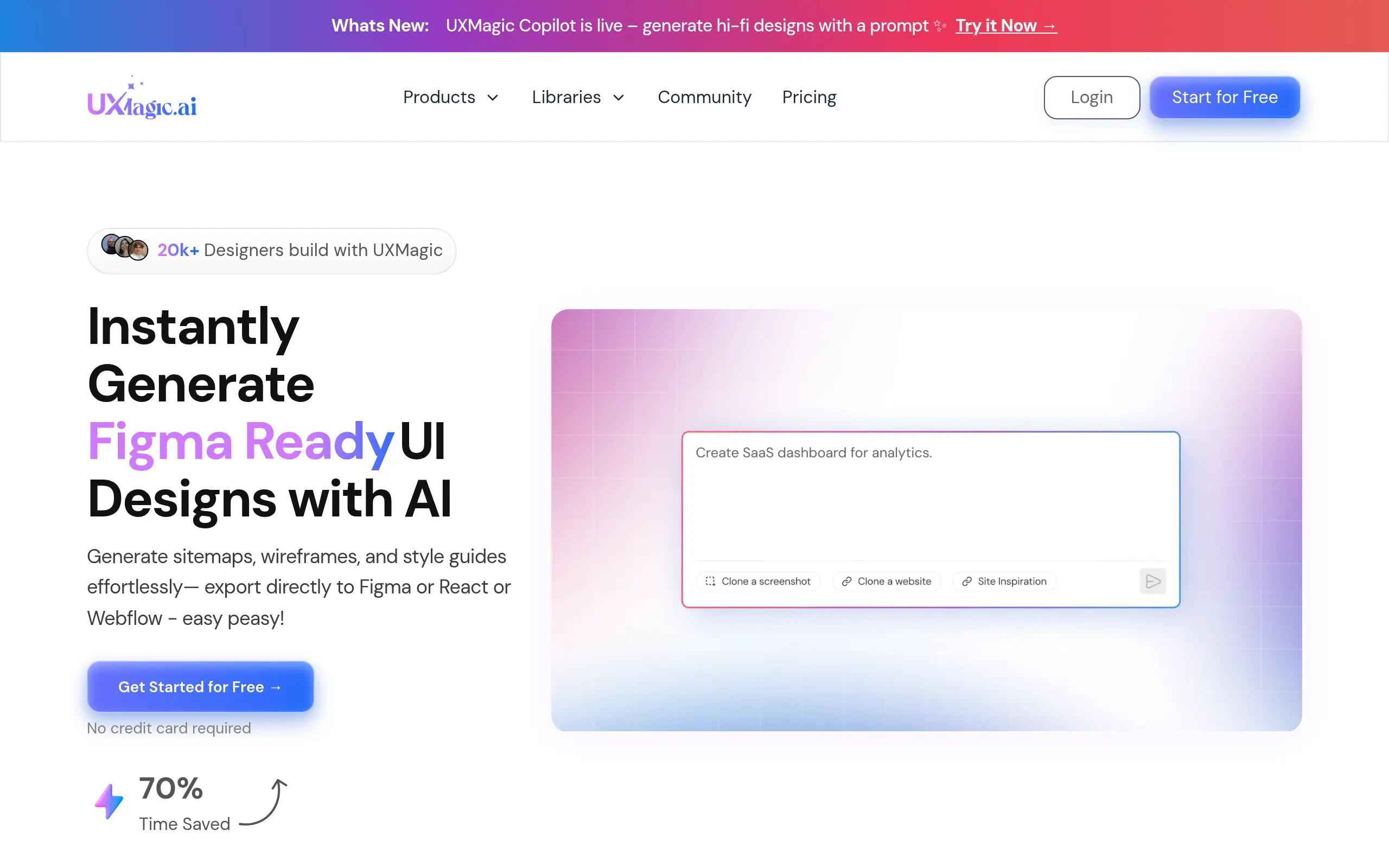
That's where UX Magic comes in. This AI-powered tool claims to turn your simple text descriptions into complete, professional designs in seconds. No more endless design meetings. No more waiting days for wireframes. Just type what you want, and boom – you've got designs ready to export to Figma or turn into actual code.
But does it actually work? Can an AI tool really replace hours of design work with a few text prompts? We tested UX Magic ourselves to see if it lives up to the hype and whether it's worth your money. Here's what we found.
UX Magic Key Features
AI-Powered Design Generation: Turn your ideas into professional wireframes and UI designs with just a few words. Simply describe what you need, and watch as complete, ready-to-use designs appear in seconds.
Comprehensive Asset Creation: Get everything you need for your project in one go – from sitemaps to detailed wireframes and matching style guides. No more juggling between different tools or starting from scratch for each asset.
Multi-Platform Export: Send your designs straight to Figma, React, or HTML with one click. Your team can start building immediately without recreating designs or dealing with compatibility issues.
Community Gallery: Browse through thousands of real designs created by other users for instant inspiration. Find ideas that work and adapt them for your own projects instead of staring at a blank canvas.
Agentic Editing Tools: Fix just the parts you want without redoing your entire design. Change a button here or adjust a section there while keeping everything else exactly as you like it.
Our Take of UX Magic
UX Magic could save you serious time if you’re tired of waiting weeks for design mockups. This tool takes your ideas and turns them into working wireframes in seconds – not days. That’s pretty impressive for teams who need to move fast.
For small businesses without dedicated design teams, this changes the game. You can type what you want, and boom – you’ve got something professional to show clients or developers. No more trying to explain your vision through stick figures on napkins.
The price point makes sense when you consider what you’re saving. Traditional design work costs thousands and takes forever. With UX Magic, you’re looking at a fraction of that cost and getting results immediately. Just be aware you’ll need to buy more credits if you’re running multiple projects – some users ran out mid-project.
The export features are where this really shines. Getting your designs straight into Figma or React code means you can go from idea to development without the usual headaches. That’s a big win for teams trying to launch quickly.
Is it perfect? Not quite. Some designs need tweaking, and there are occasional bugs that eat up credits. But for most small-to-medium businesses, those trade-offs are worth it for the speed you gain.
If you’re comparing this to hiring freelancers or agencies, UX Magic wins on speed and cost almost every time. Just make sure you’ve got enough credits budgeted for your project scope, and you’ll likely find this tool pays for itself pretty quickly.
UX Magic's Pricing
UXMagic.ai offers a Free plan at US $0/month, which provides a basic allowance of projects and credits (sufficient for small-scale use or trial).
For more serious use, there’s a Premium tier — typically around US $18/month, offering higher limits on projects, credits, screens and exports. For users needing full flexibility.
The Ultimate plan — about US $35/month — gives unlimited projects, the highest credit allotment, and expanded export/ export-to-code options.
Final Thoughts about UX Magic
So here’s the bottom line – if you’re still spending weeks waiting for designs while your competitors are already launching, you’re falling behind. UX Magic isn’t just another design tool; it’s your chance to finally keep up with your ideas instead of watching them collect dust.
Think about what you could do with all that extra time. Launch that new product feature you’ve been sitting on. Test multiple landing page versions to see what converts better. Or just stop paying designers thousands for work that takes forever to revise.
The best part? You can try it yourself right now and see if it works for your business. No more wondering if AI design tools are worth it – just type what you want and watch it happen. Your next big project could be live in days instead of months.
Ready to stop waiting and start building? Click the button below to try UX Magic and see how fast you can turn your ideas into reality.
UX Magic FAQs