Gamma App Introduction
You've been there before. It's late, you've got a presentation due tomorrow, and you're staring at a blank slide wondering why this always takes so long.
Between picking fonts, fixing alignment, and trying to make things look halfway decent, what should take an hour somehow eats up your whole evening. And that's just presentations.
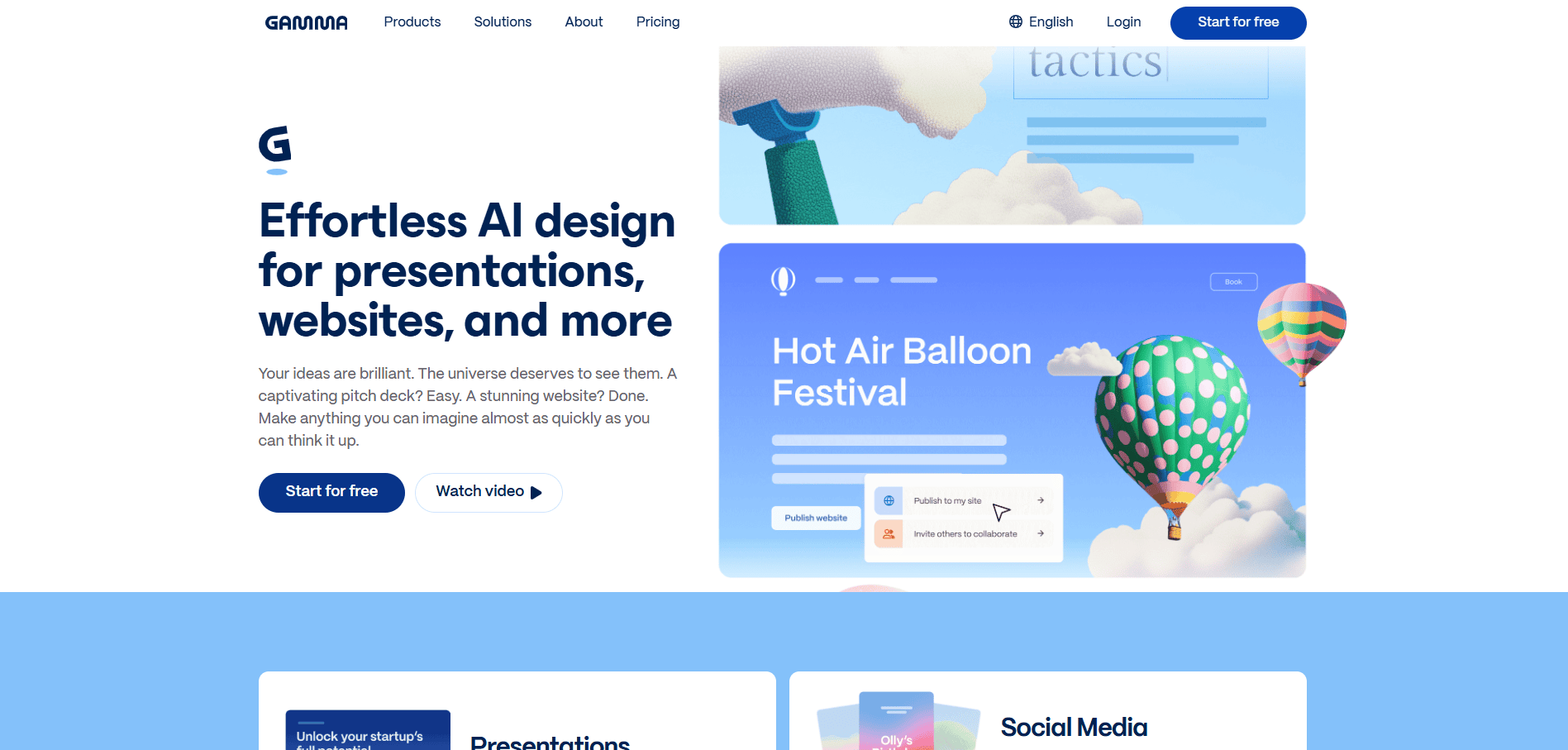
Throw in website pages, social posts, and internal docs, and suddenly you're spending more time on formatting than on your actual business. That's the exact frustration Gamma App says it can fix. It's an AI tool that takes your ideas and turns them into polished presentations, websites, documents, and social content in seconds.
No design skills needed. No wrestling with templates. Since launching in 2022, over 50 million people have given it a shot, which tells you something about how badly people want a faster way to create content that looks good.
But does it actually deliver? We put Gamma through its paces to find out what works, what falls short, and whether it's worth your time and money.
Gamma App Key Features
AI-Generated Presentations: Turn a simple topic or outline into a full slide deck in seconds. You’ll skip hours of formatting and design work, so you can focus on what you’re actually saying instead of how it looks.
Website Creation: Build shareable, hosted websites without writing a single line of code. Great for landing pages, portfolios, or project showcases when you don’t have a web designer on your team.
Document Generation: Create structured, visual documents that look polished right out of the gate. Whether it’s a proposal, a report, or an internal brief, you’ll get something that’s ready to share fast.
Social Media Content: Generate posts that are already sized and styled for each platform. No more fiddling with dimensions or wondering if your graphic fits Instagram vs. LinkedIn.
API Integration: Connect Gamma to your other tools and automate content creation on the fly. If you’re building workflows or need to produce content at scale, this keeps things running without extra manual steps.
Graphics Creation: Get custom, on-brand graphics like infographics and illustrations made by AI. You won’t need a separate design tool or a freelancer just to get a visual that matches your brand.
Real-Time Collaboration: Work on presentations, docs, or websites with your team at the same time. Everyone sees changes as they happen, so there’s no back-and-forth with file versions.
Our Take of Gamma App
If you’re a small business owner who needs to create presentations, documents, or even simple websites but don’t have a designer on staff, Gamma is worth a look. It’s fast, it’s easy to use, and it can get you from a blank screen to a polished deck in seconds. That’s a real time saver when you’ve got a pitch meeting tomorrow and nothing ready today.
That said, you’ll want to go in with realistic expectations. The content it spits out can feel a bit generic. You’ll probably need to spend some time tweaking things to make them sound like you and your brand. It’s a great starting point, but it’s not a finish line. Think of it as a first draft machine, not a done-for-you solution.
The collaboration features are nice if you’ve got a small team working on content together. And the fact that it can produce different types of content, from slide decks to social posts to hosted web pages, means you’re getting a lot of flexibility from one tool.
There are some downsides to keep in mind. If you need to export your presentations to PowerPoint, you might run into formatting issues, especially with more complex layouts. And if you like having full control over every design detail, you might feel limited by what Gamma lets you customize. A few users have reported frustrating experiences with customer support too, which is something to factor in if you’re someone who relies on help when things go sideways.
Compared to other AI presentation tools out there, Gamma stands out for speed and simplicity. But it trades some depth and customization for that ease of use. If your priority is getting something professional-looking out the door quickly, it delivers. If your priority is pixel-perfect design control or deeply researched content, you’ll likely need to supplement what Gamma gives you with your own edits and expertise.
Gamma App's Pricing
Gamma offers several pricing tiers designed for different levels of use.
The Free plan, priced at $0, is ideal for simple projects and getting started, allowing users to create up to 10 cards per prompt, providing 400 credits upon signup, and supporting basic presentations, documents, websites, social content, and images, along with import options from PDF and PPTX and export options to PDF, PPTX, PNG, and Google Slides.
The Plus plan costs $9 per seat per month (billed annually at $108) and builds on the Free features by increasing limits to 20 cards per prompt and 1,000 monthly credits, while also removing Gamma branding and unlocking advanced AI image models.
The Pro plan, at $18 per seat per month (or $216 annually), includes everything in Plus and expands capabilities further with up to 60 cards per prompt, 4,000 monthly credits, premium AI image models, custom branding and fonts, detailed analytics, advanced sharing features, support for up to 10 custom domains, API access, and workspace templates.
Finally, the Ultra plan, priced at $90 per seat per month (or $1,080 annually), is designed for heavy users, offering up to 75 cards per prompt, 20,000 monthly credits, access to the most advanced AI models for text, image, and video, the ability to publish up to 100 custom domains, and early access to new features.
Gamma also offers plans tailored for teams and organizations that need stronger collaboration, control, and scalability.
The Team plan costs $20 per seat per month (billed annually at $240) with a minimum of 2 seats, and includes everything in the Pro plan while adding features designed for group use. These include up to 60 cards per prompt, 6,000 monthly credits per seat, centralized billing, a custom company theme, shared folders with admin controls, and advanced data controls.
For larger organizations, the Business plan is priced at $40 per seat per month (or $480 annually) with a minimum of 10 seats, and builds on the Team plan by offering up to 75 cards per prompt, 10,000 monthly credits per seat, SSO authentication, SOC 2 documentation upon request, access to the most advanced AI models, and enhanced advanced data controls for greater security and compliance.
Final Thoughts about Gamma App
So here’s the bottom line. Gamma isn’t going to replace your brain or your brand voice.
But it can take a huge chunk of the busywork off your plate. If you’re tired of spending hours on formatting when you could be spending that time on strategy, sales, or just getting home at a reasonable hour, it’s worth giving a shot.
The best way to know if it fits your workflow is to try it yourself. Play around with it. Build a quick deck or a landing page.
See if the output matches what you need or if it gets you close enough that a few tweaks finish the job.
Over 50 million people have already taken that step, and there’s a reason they keep coming back. If you’re ready to stop staring at blank slides and start moving faster, click the button below to give Gamma a try.
Gamma App FAQs