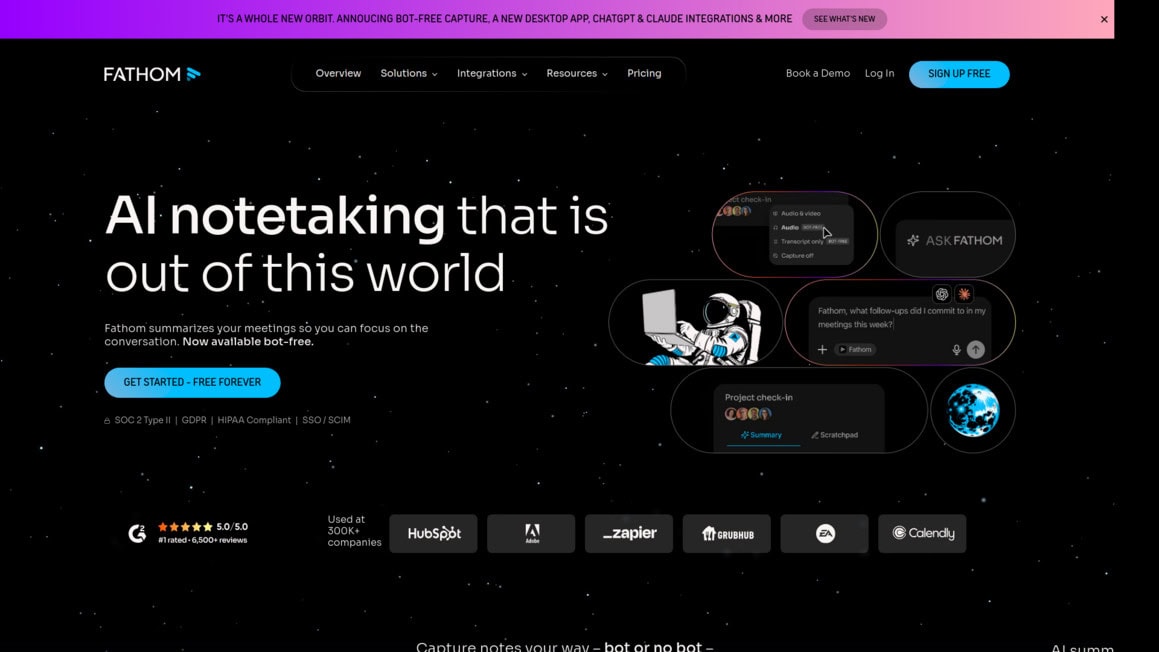
Fathom AI Introduction
If you've ever walked out of a meeting and thought “wait, what did we actually agree on?” you're not alone. It happens all the time.
You're so focused on the conversation that you forget to write things down. Or maybe you're scribbling notes so fast that you miss half of what's being said. Either way, something falls through the cracks. And when your team runs on virtual meetings day after day, those lost details start to add up.
Missed action items, forgotten decisions, and that awkward moment when someone asks “who was supposed to handle that?” Fathom AI is built to fix exactly this problem.
It's an AI meeting assistant that records, transcribes, and summarizes your video calls on Zoom, Google Meet, and Microsoft Teams.
The best part? It has a free plan that doesn't cut you off after a handful of meetings.
We've taken a close look at what Fathom does well, where it falls short, and whether it's the right fit for your team. Here's what we found.
Fathom AI Key Features
Automatic Transcription and Summarization: Get accurate transcripts and clear summaries of your meetings without lifting a finger. You’ll walk away from every call with organized notes, key discussion points, and action items — so you can stay focused on the actual conversation.
Bot-Free Capture: Record your meetings without an awkward bot joining the call. Fathom works quietly in the background, so your meetings feel natural and nobody gets distracted by a random attendee popping in.
Custom Dictionaries: Teach Fathom the specific words, acronyms, and terms your team uses every day. This means your transcripts come out accurate — even when you’re throwing around industry jargon that most tools would butcher.
CRM and App Integrations: Sync your meeting notes straight to tools like Slack, Salesforce, HubSpot, Notion, Asana, and Zapier. No more copy-pasting notes into five different apps after every call — it all flows where it needs to go automatically.
Ask Fathom: Chat with your past meetings like you’re texting a coworker who remembers everything. Need to find that one pricing detail from last Tuesday’s call? Just ask, and Fathom pulls up the exact answer in seconds.
Our Take of Fathom AI
If you’re a small or medium business owner who spends a good chunk of your week in virtual meetings, Fathom AI is worth a serious look. The free plan alone is pretty hard to beat. You get unlimited recording and transcription at no cost, which is something most competitors don’t offer. That’s a big deal if you’re watching your budget but still want accurate meeting notes without having to scribble things down yourself.
The transcription accuracy is solid based on what users are reporting, and the summaries it generates do a good job of pulling out the key points and action items from your calls. It works with Zoom, Google Meet, and Microsoft Teams, which covers the big three platforms most teams are already using. And if your team runs on tools like Slack, Salesforce, HubSpot, or Notion, Fathom connects with all of those so your meeting notes can flow right into your existing setup without extra steps.
One thing we appreciate is the bot-free recording option. Nobody loves seeing an unfamiliar bot pop into their meeting, so this is a nice touch that keeps things feeling natural for everyone on the call. The custom dictionary feature is handy too if your business uses specific terms or acronyms that a standard transcription tool might fumble.
Now, it’s not perfect. There’s no mobile app right now, which could be frustrating if you’re someone who takes meetings on your phone or wants to review notes while you’re away from your desk. And some users have flagged occasional issues where recordings didn’t capture properly, which is concerning if you’re relying on it for an important call. The platform support is limited to those three major video meeting tools, so if your team uses something else, Fathom won’t work for you.
All things considered, Fathom AI delivers a lot of value for what it costs, especially on the free tier. For teams that live in Zoom, Google Meet, or Teams and want to stop losing track of what was said in meetings, it’s a strong option. Just keep those limitations in mind before going all in.
Fathom AI's Pricing
Fathom offers a Free plan at $0 forever, which includes unlimited recordings, transcriptions, AI call summaries, clips, playlists, search across calls, and a choice of bot-free or bot capture type.
The Premium plan for individuals costs $16 per month billed annually or $20 month-to-month and adds advanced call summaries, AI-generated action items, a conversational meeting assistant, and a custom meeting bot.
The Team plan costs $15 per user per month billed annually or $19 month-to-month with a two-user minimum and includes everything in Premium plus global search across shared calls, team playlists, collaboration tools like comments, folders, and keyword alerts, customized transcription vocabulary, and single sign-on.
The Business plan costs $25 per user per month billed annually or $34 month-to-month with a two-user minimum and adds CRM field sync, deal view summarizing insights, coaching metrics and AI scorecards, custom data retention policies, and professional services.
All paid plans come with a 90-day guarantee and a free trial. Fathom also offers special programs including free seats for qualified VC and accelerator portfolio companies, 10 free seats for nonprofits, and a switching offer for teams migrating from Gong or similar tools that includes free access through the remainder of an existing contract plus data migration.
Final Thoughts about Fathom AI
So here’s the bottom line. If your team spends hours each week on video calls and you’re tired of losing track of what was said, Fathom AI is a smart pick. The free plan alone gives you more than most paid tools offer, and the transcription quality is legit. It’s not flawless — the lack of a mobile app and the occasional recording hiccup are real drawbacks you should keep in mind. But for what it does well, it does really well. And when you think about all the time you’ve wasted trying to remember what was decided in last week’s call, giving Fathom a shot just makes sense. The worst that happens is you try it for free and decide it’s not for you. No risk there. If you’re ready to stop losing important details and start getting more out of every meeting, click the button below to give Fathom AI a try.
Fathom AI FAQs