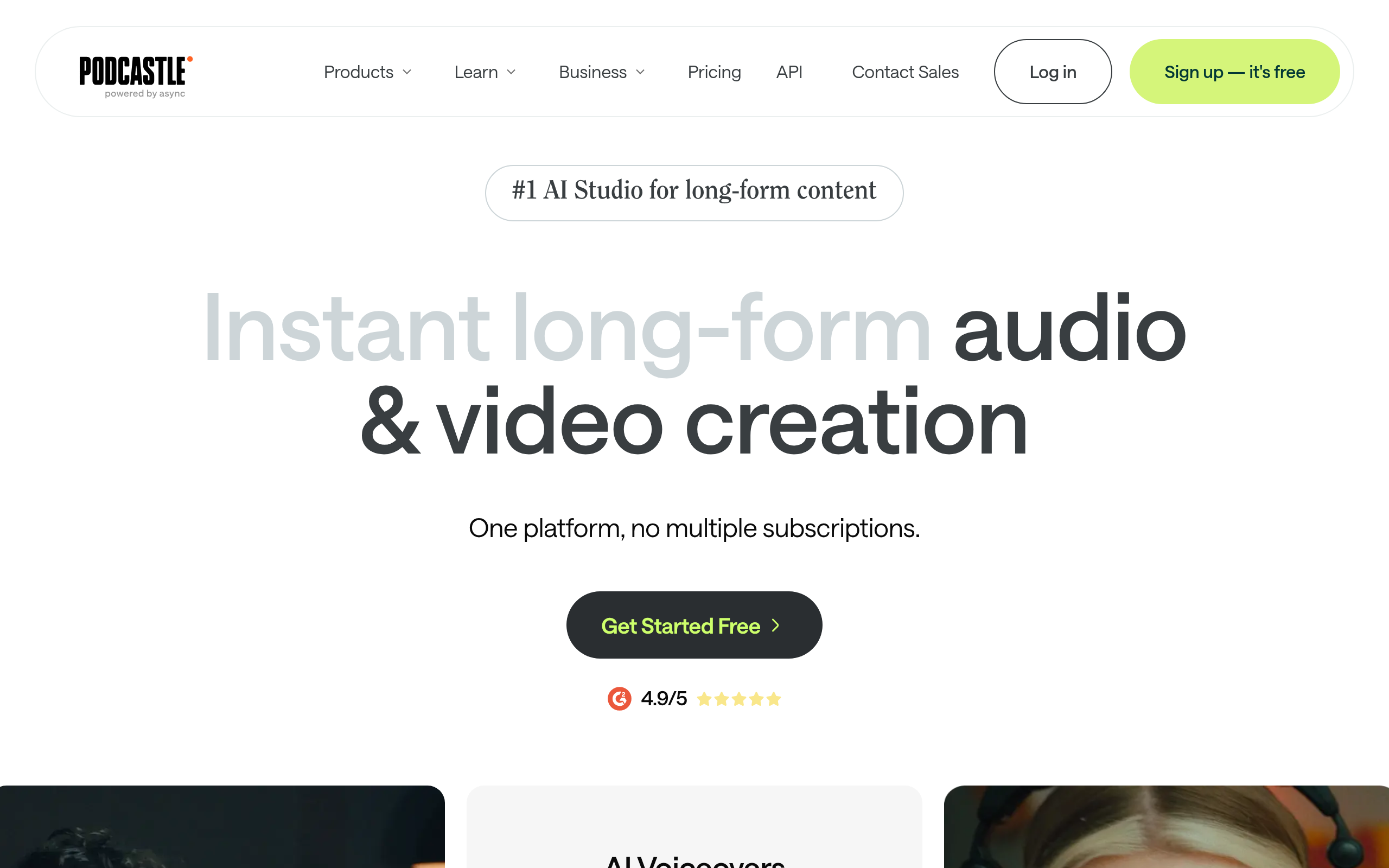
Podcastle Introduction
Creating professional-quality podcasts and videos used to mean expensive equipment and hours of editing. You'd sit there removing every “um” and “uh” by hand, fighting with background noise, and wondering if your content would ever sound as polished as the pros. If you're running a business and trying to build your brand through content, you know how much time this eats up.
Podcastle promises to change that. This AI-powered platform takes the headache out of audio and video production with features that do the heavy lifting for you. Think automatic filler word removal, one-click noise reduction, and the ability to create voiceovers just by typing text. It's built for people who want professional results without spending days in post-production.
Whether you're starting your first podcast, creating training videos for your team, or producing content to grow your business, Podcastle aims to make the whole process simpler. But does it actually deliver on these promises? Let's find out if this tool can really save you time and help you create content that connects with your audience.
Podcastle Key Features
Audio Editor: Split, trim, and add fade effects to your audio tracks with precision. This gives you complete control over your content, letting you polish every second of your podcast or video soundtrack.
Video Editor: Create professional videos with 4K support and multi-camera editing. The drag-and-drop timeline makes it simple to arrange your clips, so you can focus on telling your story instead of fighting with complicated software.
AI Voiceovers: Type your script and get realistic voice narration instantly. Choose from dozens of natural-sounding voices to add professional narration without hiring voice actors or recording yourself.
Magic Dust AI: Clean up your audio with one click by removing background noise and improving sound quality. This means your recordings sound studio-quality even if you recorded in a noisy coffee shop or home office.
Filler Word Removal: Automatically find and delete those “ums” and “ahs” that sneak into recordings. Your content sounds more polished and professional without hours of manual editing.
Transcription: Convert your audio into text automatically. This makes it easy to create show notes, blog posts, or captions from your recordings, helping you reach more people with your content.
Our Take of Podcastle
If you’re looking to create podcasts or videos without the technical hassle, Podcastle might catch your eye. It’s got the basics covered – recording, editing, and those AI voices that everyone’s talking about. The Magic Dust feature that cleans up audio is pretty neat, and removing all those “ums” and “ahs” automatically? That’ll save you time for sure.
But here’s what you need to know before jumping in. Some folks have run into glitches where tools stop working and you have to refresh the page. Not a huge deal, but it can interrupt your flow. The bigger concern? Customer support seems to be hit or miss, and there have been complaints about surprise charges on credit cards.
For your business, this could work well if you’re creating regular content and want something simpler than professional software. The interface won’t make your head spin, which is great if you’re not super tech-savvy. Just be extra careful when signing up – read those subscription terms closely and maybe set a reminder to check your billing statements.
Bottom line: Podcastle has solid features that could speed up your content creation, but the technical hiccups and support issues mean you might want to start with their free version first. Test it out, see if it fits your workflow, and keep an eye on those billing details. There are other options out there if this one doesn’t pan out, so don’t feel locked in.
Podcastle's Pricing
The Essentials plan offers core tools for basic content generation and editing at $11.99 per month or $143.90 billed yearly, with a free trial available. It includes everything needed for audio content creation such as AI Audio Enhance, Silence Removal, Noise Reduction, and Text-based Editing. The plan provides 2 hours of audio recording, 2 hours of video recording, multi-track audio and video editing, 2 hours of transcription and subtitles, 10,000 characters of text-to-speech, high-resolution audio and video downloads, and 5 GB of cloud storage, helping users save $96 annually.
The Pro plan, the most popular option, expands to advanced AI-powered editing and full studio features for $23.99 per month or $287.90 billed yearly, also with a free trial. It includes everything in Essentials plus AI Video Tools such as AI Video Enhance, Cinematic Blur, Eye Contact, and Background Remover. Users enjoy unlimited audio recording, 20 hours of video recording, multi-track editing, 25 hours of transcription and subtitles, 500,000 characters of text-to-speech, high-res downloads, and 120 GB of cloud storage, saving $192 per year.
The Business plan, designed for teams, includes collaborative tools and advanced features at $39.99 per month or $479.90 billed yearly, with a free trial available. It offers everything in Pro plus Producer Mode and a Brand Kit, along with unlimited audio recording, 50 hours of video recording, multi-track editing, 100 hours of transcription and subtitles, 2 million characters of text-to-speech, high-res downloads, and 1 TB of cloud storage, saving $300 annually.
The Basic plan is a free option ideal for exploring podcast creation, limited to one creator, with recording time restrictions. It provides just the essentials to get started.
Finally, the Enterprise plan delivers an enhanced solution for large organizations, offering custom pricing based on specific needs. It includes bespoke usage limits, a dedicated production support manager, SOC 2 certified enterprise security, and much more, ensuring a scalable and secure environment for professional production teams.
Final Thoughts about Podcastle
Creating content for your business doesn’t have to be a full-time job. With tools like Podcastle, you can record, edit, and publish without getting lost in complex software. The AI features are real time-savers, especially if you’re juggling content creation with running your business.
Before you commit, think about what matters most for your content goals. Do you need those AI voices? Will automatic editing speed up your workflow? Take advantage of any free trial to test things out. Run a real project through it and see if it fits how you work.
If technical glitches would drive you crazy or you need rock-solid customer support, you might want to explore other options too. Compare a few tools, read recent reviews, and pick what works best for your situation. Your time is valuable, so choose something that actually makes life easier, not harder.
Ready to give Podcastle a try? Click the button below to get started and see if it’s the right fit for your content creation needs.
Podcastle FAQs