Kapwing Introduction
You've got a video idea in your head, but the thought of downloading expensive software and spending hours learning complicated editing tools makes you want to give up before you even start.
Maybe you're a small business owner who needs social media content yesterday, or you're part of a team that's tired of emailing video files back and forth. Either way, you just want something simple that works. That's where Kapwing comes in.
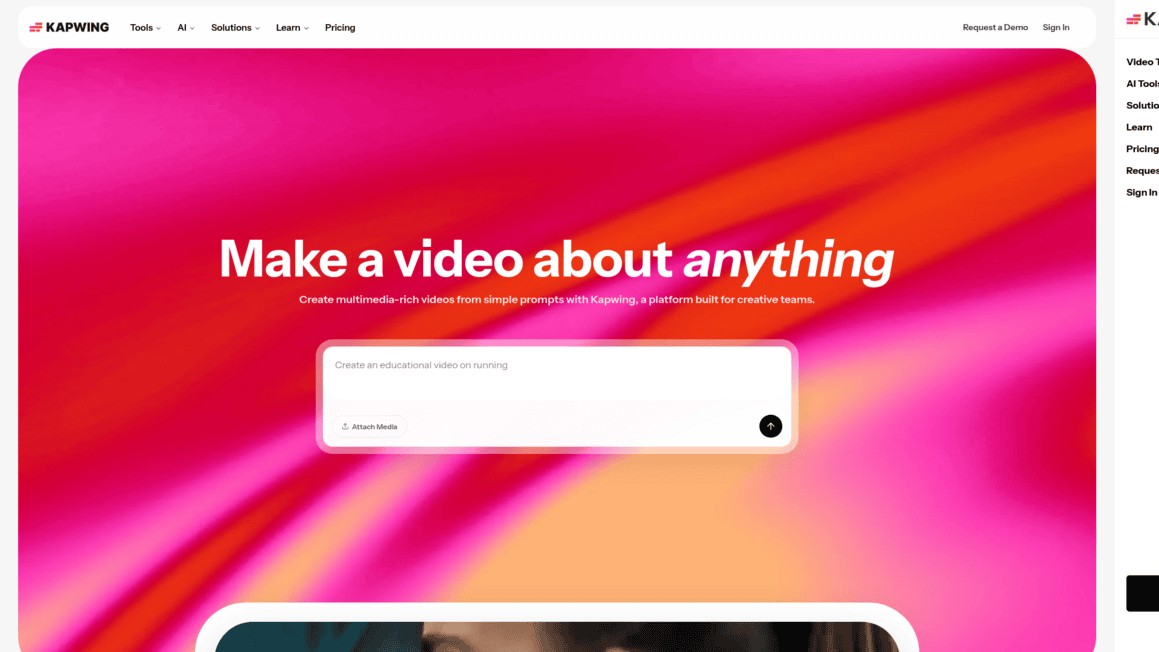
It's a browser-based video editor that lets you create, edit, and collaborate on video content without installing a single thing on your computer.
But is it actually good enough to handle your workload, or will you hit a wall when things get serious? We put Kapwing through its paces to find out if it's worth your time and money.
Kapwing Key Features
Video Editor: Edit your videos right in your browser with a simple drag-and-drop timeline. You can trim, split, and combine clips without downloading any software to your computer.
Meme Generator: Make memes in seconds using ready-made templates. Just pick a template, add your text, and share it with your audience — no design skills needed.
Subtitle Maker: Add subtitles to your videos automatically. The tool listens to your audio and creates captions for you, and you can translate them into other languages to reach more people.
Audio Editor: Clean up your audio tracks without switching to another app. Remove background noise, level out volume differences, and record voiceovers all in one place.
AI-Powered Tools: Let AI handle the tedious stuff like removing backgrounds, generating subtitles, and cutting out awkward silences. You’ll save hours of editing time on every project.
Real-Time Collaboration: Invite your team members to work on the same project at the same time. Everyone can edit, leave comments, and give feedback in one shared workspace — no more emailing files back and forth.
Our Take of Kapwing
If you’re a small or medium business owner who needs to make videos but doesn’t want to deal with complicated software, Kapwing is worth a look. It runs right in your browser, so you don’t have to download anything or worry about whether your computer can handle it. The AI tools, like auto-generated subtitles and background removal, can save you a lot of time on repetitive tasks. And if you’ve got a team, the collaboration features let everyone work on the same project at once, which is pretty handy.
That said, it’s not perfect. If you’re working with longer videos or complex projects, you might run into some lag, glitches, or export problems. That can be frustrating when you’re on a deadline. The free version is limited too. You’ll get watermarks on your exports and not much storage, so most serious users will need to upgrade to a paid plan. Some folks have also had a tough time getting help from customer support when things go wrong.
Compared to desktop editors like Premiere Pro or DaVinci Resolve, Kapwing doesn’t have the same depth of advanced features. But that’s kind of the point. It’s built for people who want something simple and fast, not a full production studio. If your content needs are straightforward, like social media clips, quick tutorials, or team presentations, it handles those well. Just know its limits before you commit, especially if you’re planning to produce a high volume of content on tight timelines.
Kapwing's Pricing
Kapwing offers four pricing tiers.
The Free plan costs nothing and includes 10 credits, exports with a watermark, videos up to 1 minute long, 720p resolution, 2GB upload limit, and up to 10 minutes of auto-subtitling.
The Pro plan is priced at $16 per member per month when billed annually or $24 per month billed monthly, and includes 1,000 credits per month, no watermark, 6GB file uploads, 4K resolution, exports up to 2 hours, unlimited projects, Brand Kit, custom fonts, collaborative workspace, and up to 1,000 minutes of auto-subtitling per month.
The Business plan costs $50 per member per month billed annually or $64 per month billed monthly, providing 4,000 credits per month, everything in Pro plus custom voice clones, lip sync, the ability to purchase additional credits, and up to 4,000 minutes of auto-subtitling per month.
The Enterprise plan offers custom credit amounts, custom billing, a dedicated account manager, priority support, onboarding and training, and SAML single sign-on, with pricing available by contacting their sales team. All prices are listed in USD with no additional fees or taxes beyond the stated rates. Subscriptions auto-renew until cancelled, and no free trial is offered for paid plans since the free tier allows users to test all tools before upgrading.
Final Thoughts about Kapwing
So here’s the bottom line. If you’re spending too much time fighting with video software or waiting on team members to email files back and forth, Kapwing could save you a lot of headaches. It’s not going to replace a full professional editing suite, and it doesn’t pretend to. But for quick social media content, team projects, and getting videos out the door without a steep learning curve, it does what it says it’ll do. Think about what you actually need from a video editor.
If your list includes simple, fast, collaborative, and no downloads, Kapwing checks those boxes. If your list includes Hollywood-level effects and frame-by-frame color work, you’ll want to look elsewhere. The best way to know if it fits your workflow is to just try it yourself. Click the button below to give Kapwing a spin and see if it’s the right fit for how you create content.
Kapwing FAQs