Notion Introduction
If you're tired of juggling five different apps just to keep your team on the same page, you're not alone. Between your notes in one place, your projects in another, and your docs scattered across who-knows-where, it's easy to feel like you're spending more time switching tabs than actually getting work done.
That's exactly the problem Notion set out to solve. It's a single workspace that pulls together your notes, projects, databases, and team knowledge into one spot. Sounds great on paper, right? But does it actually deliver? In this review, we'll break down what Notion does well, where it falls short, and whether it's the right fit for your business. Let's get into it.
Notion Key Features
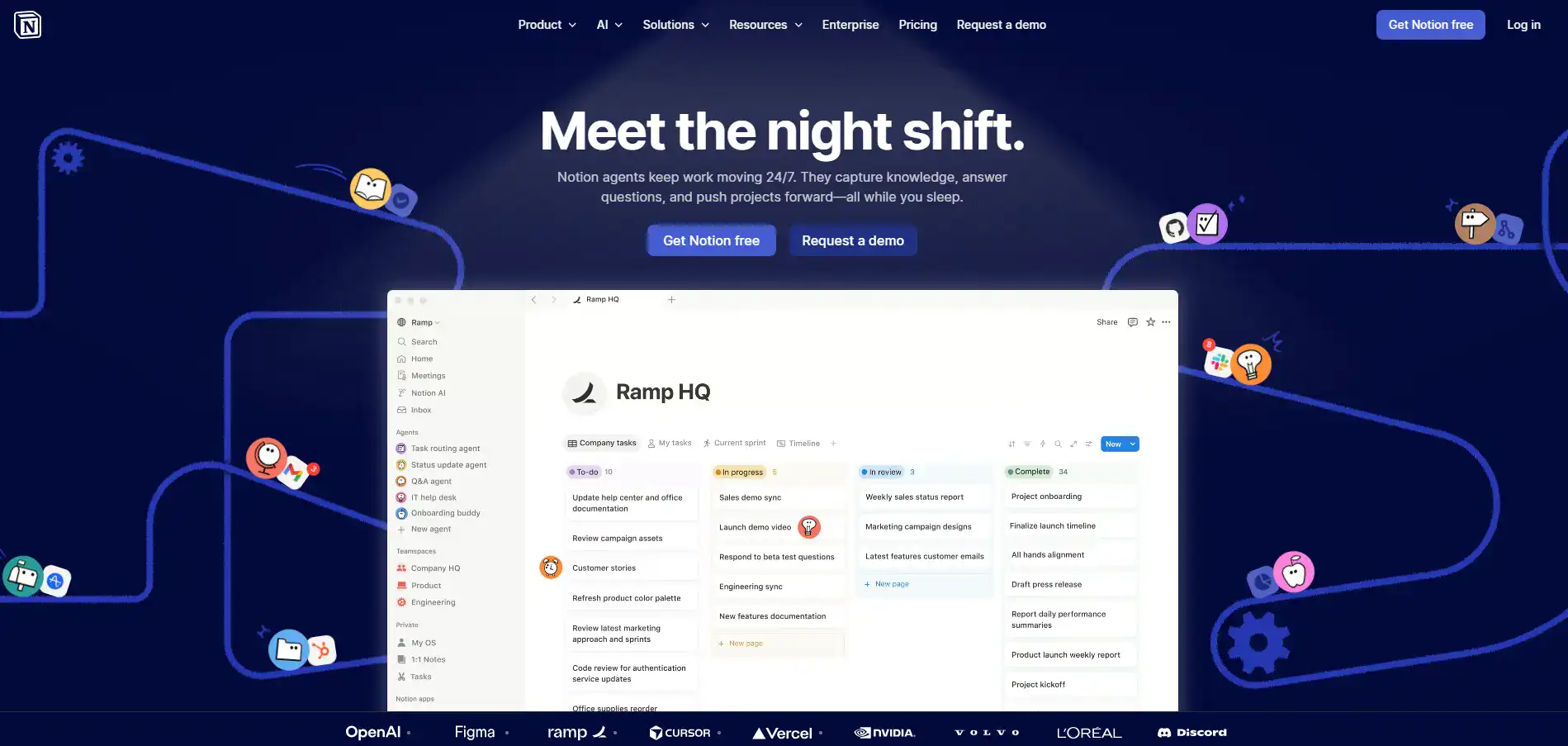
Custom Agents: Set up AI-powered helpers that handle your repetitive work for you. They can answer team questions, assign tasks, and pull together reports from your existing docs — so you spend less time on busywork.
AI Meeting Notes: Get automatic transcriptions and summaries of your meetings without lifting a finger. You’ll walk away with clean, organized notes every time — no more scrambling to remember what was said.
Enterprise Search: Find anything across all your content in seconds. Instead of digging through folders and files, just ask a question and get the answer you need right away.
Docs: Write and edit documents with a simple editor that handles rich media and lets your whole team work together in real time. It’s like Google Docs, but built right into your workspace.
Knowledge Base: Keep all your team’s info in one spot where everyone can find it. No more hunting through Slack messages or lost files — everything’s organized and easy to update.
Projects: Track tasks, timelines, and progress all in one place. You won’t need a separate project management tool when Notion handles it alongside your notes and docs.
Integrations: Connect Notion to the other apps you already use. Your workflows stay smooth because everything talks to each other — no more jumping between a dozen different tools.
Our Take of Notion
Notion’s a solid pick if you’re a small-to-medium business owner who’s tired of juggling five different apps for notes, projects, and team docs. It pulls everything into one place, and that alone can save you time and money on subscriptions. The AI features are a nice bonus — things like meeting transcription and custom agents that handle repetitive work for you.
That said, there are a few things to keep in mind. The AI isn’t quite as sharp as standalone tools like ChatGPT or Claude when it comes to raw quality of output. It’s good enough for most day-to-day tasks, but if you need top-tier AI writing or analysis, you might still want a dedicated tool for that. Pricing can also get tricky. For a solo user or small team, it’s reasonable. But as your team grows, those AI add-on costs start to stack up. You’ll want to do the math and make sure you’re actually getting enough value from the AI features before committing. There’s also a learning curve.
Notion gives you a ton of flexibility, which is great once you’ve got it set up. But getting to that point takes some patience. It’s not as plug-and-play as simpler tools. If you want one workspace that handles most of your productivity needs and you’re willing to spend some time setting it up the way you like, Notion’s worth a serious look. Just go in with realistic expectations about the AI side of things and keep an eye on costs as your team scales.
Notion's Pricing
The Free plan is ideal for individuals who want to stay organized in their personal projects and daily life, offering core features at no cost. It includes a trial of Notion AI, basic forms and sites, access to Notion Calendar, and Notion Mail with Gmail syncing. Users can also create and manage databases with subtasks, dependencies, and custom properties, making it a solid starting point for personal productivity.
The Plus plan, priced at $12 per member per month, is designed for small teams and professionals who need more collaboration tools. It builds on the Free plan by adding custom forms and sites, unlimited charts, unlimited collaborative blocks, and unlimited file uploads. It also introduces basic integrations, allowing teams to connect their workflows more efficiently.
The Business plan, recommended for growing teams, costs $24 per member per month and focuses on streamlining teamwork at scale. It includes everything in Plus, along with advanced features such as Notion Agent, AI Meeting Notes, and Enterprise Search (in beta). It also enhances security and control with SAML SSO, granular database permissions, private teamspaces, domain verification, and premium integrations.
The Enterprise plan offers custom pricing and is built for large organizations that require advanced scalability, security, and administrative control. It includes all Business features plus zero data retention with LLM providers, SCIM user provisioning, advanced security and audit logs, domain management, and integrations for compliance tools like DLP and SIEM. Organizations also benefit from a dedicated customer success manager and enhanced support.
Additionally, Notion offers Custom Agents—AI-powered tools that can automate repetitive tasks for teams. These are free to try and then cost $10 per 1,000 monthly Notion credits, providing a flexible way to extend automation as needed.
Final Thoughts about Notion
So here’s the bottom line. Notion isn’t perfect, but it’s one of the best options out there if you want to stop bouncing between a dozen different apps just to get your work done. It brings your notes, projects, docs, and team knowledge under one roof, and the AI features are getting better all the time.
If you’re a solo worker or running a small team, it’s a no-brainer to at least give it a shot. If you’ve got a bigger crew, just do the math on pricing before you go all in. The learning curve is real, but once you get things set up the way you want, it clicks. And when it clicks, you’ll wonder how you ever worked without it. Think about what’s eating up your time right now. If the answer is switching between tools, losing track of docs, or sitting through meetings with no clear notes afterward, Notion might be exactly what you need.
The best way to know is to try it yourself. If you’re ready to see what Notion can do for your workflow, click the button below to get started.
Notion FAQs