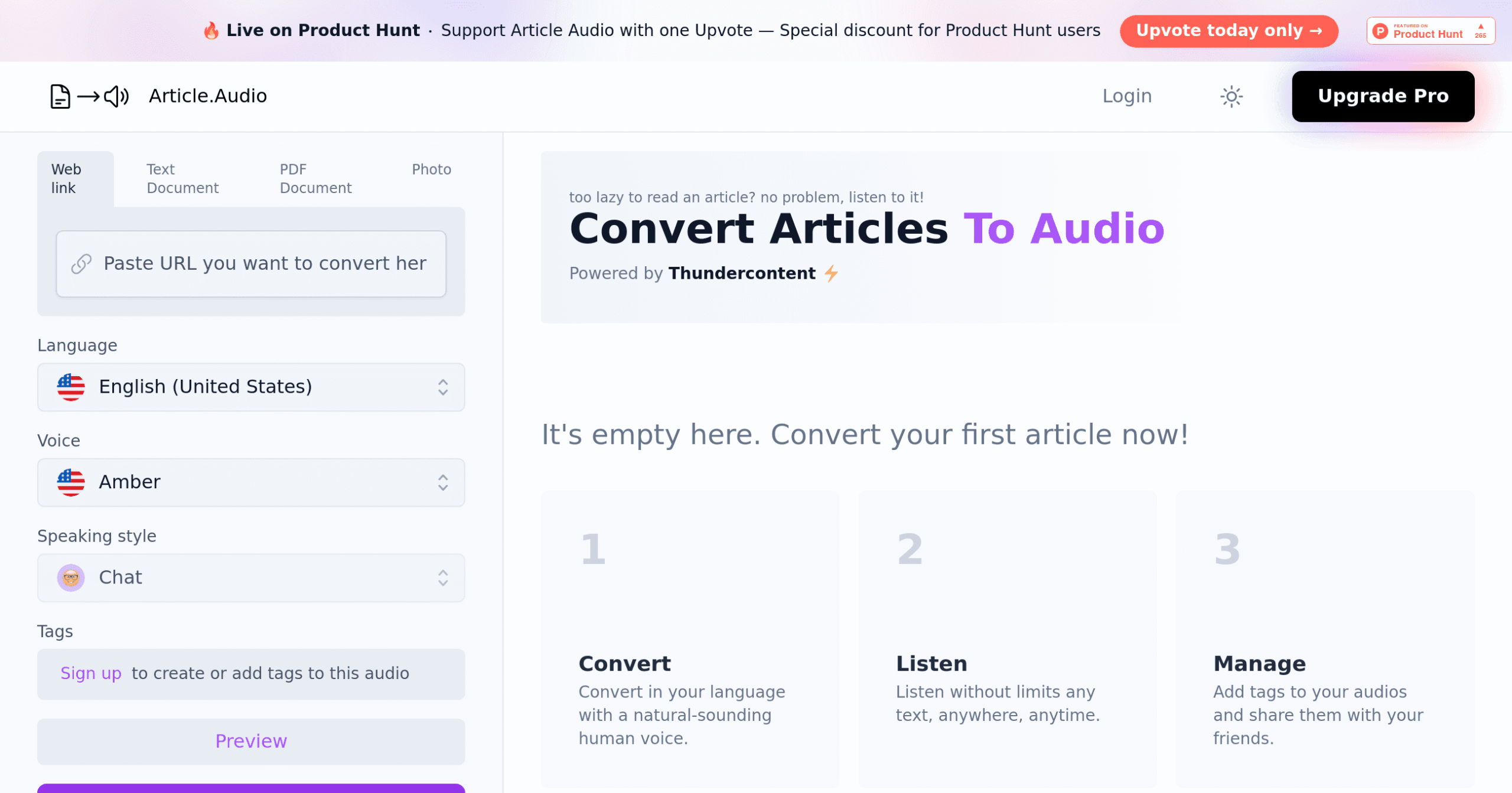
Article.Audio Introduction
Ever feel like you're drowning in articles but can't find time to read them all? You're not alone. Between running your business, checking emails, and trying to stay on top of industry news, finding time to sit down and read feels impossible. That's where Article.Audio comes in – a tool that turns your must-read content into something you can listen to while driving, working out, or tackling your endless to-do list.
Think of it as having someone read your articles to you, except this someone speaks over 140 languages and never gets tired. Whether you're dealing with PDFs, web articles, or even photos of text, this AI-powered tool transforms them into natural-sounding audio files you can play anywhere. For business owners who need to stay informed but can't afford to stop moving, it might just be the solution you've been looking for.
Article.Audio Key Features
Multi-Format Conversion: Convert web links, PDFs, text documents, and photos into audio files you can listen to anywhere. This means you can turn that important report into a podcast for your commute or catch up on industry articles while working out.
140+ Language Support: Create audio content in over 140 languages, opening doors to international markets and diverse customer bases. Whether you’re serving Spanish-speaking clients or expanding into Asian markets, your content speaks their language.
270+ Natural Voices: Choose from more than 270 voices with 31 different speaking styles to match your brand’s personality. Find the perfect voice that sounds like a trusted advisor, not a robot reading a script.
Simple Dashboard: Upload and convert files with just a few clicks through an intuitive interface that connects with Google and other platforms you already use. No tech degree needed – if you can send an email, you can create audio content.
Audio Organization Tools: Tag and manage all your audio files in one place, making it easy to find that converted contract or training manual when you need it. Think of it as your personal audio library that’s always organized and ready to go.
Our Take of Article.Audio
Article Audio caught our attention as a practical solution for turning written content into audio files. If you’re running a small business and looking for ways to make your content more accessible, this tool offers some real benefits worth considering.
The standout feature is its support for over 140 languages with 270 different voices. This opens doors for businesses trying to reach international customers or serve diverse local communities. You can take your blog posts, PDFs, or web content and transform them into podcasts or audio content that people can listen to during their commute or workout.
For busy entrepreneurs who need to consume lots of industry content, this becomes a time-saver. You can upload competitor articles, industry reports, or market research and listen while handling other tasks. The quality of the AI voices has come a long way, and while they won’t replace professional narrators, they’re clear enough for everyday business use.
The pricing structure might give you pause though. With only 10 free conversions per month, you’ll likely need to upgrade if you plan to use it regularly. For businesses producing weekly content or monitoring multiple sources, that free tier disappears fast. You’ll want to calculate whether the paid plans fit your budget and usage patterns.
One thing to keep in mind is that this tool requires a stable internet connection. If you’re working from areas with spotty connectivity or traveling frequently, this could interrupt your workflow. There’s no offline mode, so plan accordingly.
For content creators and marketers, Article.Audio presents an opportunity to repurpose existing content without starting from scratch. Your written blog posts can become podcast episodes, and your PDF guides can turn into audio courses. This multiplication of content formats from a single source saves time and resources while potentially reaching new audience segments who prefer audio content.
Article.Audio's Pricing
Article Audio offers a freemium pricing model.
The free tier allows users to convert articles to audio with basic features. For advanced functionality, users can upgrade to Article.Audio Pro, which unlocks all features including access to over 140 languages, 600+ natural-sounding voices, multiple speaking styles, and the ability to add tags and manage audio files.
Specific pricing details for the Pro version are not displayed on this page but can be accessed by starting the sign-up process.
Final Thoughts about Article.Audio
Article Audio solves a real problem for busy entrepreneurs who need to stay informed but can’t find time to sit and read. If you’re constantly feeling behind on industry news or struggling to get through important documents, this tool could change how you consume content. The ability to turn any written material into audio means you can finally tackle that reading list while commuting, exercising, or doing routine tasks.
Before jumping in, think about your actual needs. How much content do you convert monthly? Will the free tier cover you, or should you budget for a paid plan? Consider starting with the free version to test different voices and languages that match your audience. Try converting a few of your existing blog posts or reports to see if the audio quality meets your standards.
The real value comes when you start thinking creatively about content repurposing. That white paper gathering dust could become a podcast series. Your FAQ section might work better as audio snippets for customers on the go. The possibilities expand when you stop thinking of content as just written words.
Take a moment to list the types of content you create or consume regularly. Which ones would benefit from audio conversion? How could this help you reach customers who prefer listening over reading? Sometimes the best business decisions come from trying something new and seeing where it leads.
Ready to turn your written content into something people can listen to anywhere? Click the button below to try Article.Audio and see if it fits your business needs.
Article.Audio FAQs