Hocha Introduction
Finding the right AI tool to create professional images can feel like searching for a needle in a haystack. You're tired of paying designers hundreds of dollars for simple headshots, or spending hours trying to learn complicated software just to make basic illustrations. Maybe you've tried other AI image generators, but they're either too expensive, too complex, or produce results that look… well, like they were made by a robot.
If you're running a business or creating content regularly, you know how much time and money goes into visual content. Professional headshots for your team, product images for your website, illustrations for your blog posts – it all adds up fast. And let's be honest, not everyone has the budget for a full-time designer or the skills to create these images themselves.
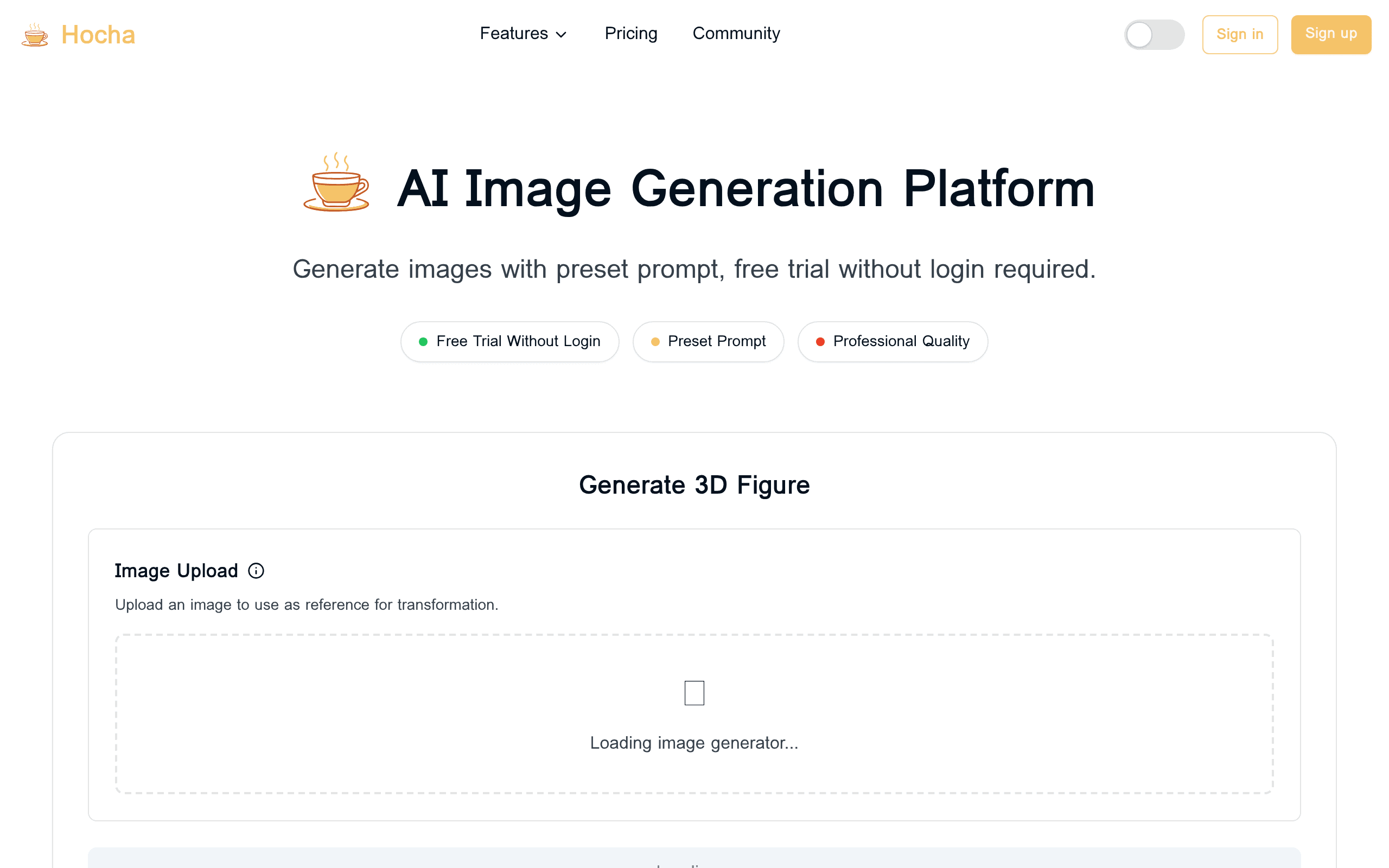
That's where Hocha comes in. This AI-powered image generator promises to turn your basic photos into professional-quality visuals in seconds. From 3D figures to polished headshots, Hocha claims to handle it all without requiring any design experience. But does it actually deliver on these promises? And more importantly, is it worth your time and money?
I've spent the past few weeks putting Hocha through its paces, testing every feature and comparing it to other popular AI image tools. In this review, I'll break down exactly what Hocha can (and can't) do, who it's best suited for, and whether it's worth adding to your toolkit. Let's see if this tool lives up to the hype or falls short like so many others.
Hocha Key Features
3D Figure Generator: Transform your regular photos into stunning 3D figures with just one click. Upload any JPEG, PNG, GIF, or WEBP file up to 7MB and watch as your images come to life in three dimensions, perfect for presentations, marketing materials, or creative projects.
AI Headshot Generator: Get professional headshots without booking a photographer. Choose from multiple style variations and studio backgrounds to create LinkedIn-ready photos, business cards, and portfolio images that make you look your best.
AI Illustration Generator: Turn single images into complete character sets with different poses. Keep your art style consistent across all variations, making it simple to create comic strips, storyboards, or marketing campaigns with the same character.
AI Image Editor: Fine-tune and polish your images with advanced AI models that give you precise control. Make professional edits without learning complicated software, saving hours on photo enhancement tasks.
Spanish Vocabulary Poster Generator: Create custom language learning materials based on any theme you choose. Generate educational posters with Spanish words and English translations that help students learn faster and remember better.
Our Take of Hocha
If you’re running a small-to-medium business and need visual content regularly, Hocha hits a sweet spot between accessibility and functionality. The fact that you can jump right in without creating an account and get 10 free credits makes it easy to test whether it’ll work for your needs. That’s refreshing when so many tools force you through lengthy sign-up processes before you can even see if they’re worth your time.
The variety of tools packed into one platform is where Hocha really shines. Instead of subscribing to separate services for headshots, 3D figures, and illustrations, you’re getting everything under one roof. For businesses juggling multiple visual content needs, this consolidation could save both time and money. The speed is genuinely impressive too – getting professional-looking results in seconds rather than minutes or hours means you can iterate quickly and meet those last-minute deadlines.
However, those 10 free credits will disappear fast if you’re doing any serious testing. You’ll probably burn through them in one sitting trying out different features, which means you’ll need to commit to a paid plan pretty quickly to get a real feel for the platform. The lack of information about integrations is another concern – if you’re using specific design tools or content management systems, you might find yourself manually downloading and uploading files more often than you’d like.
For businesses that need consistent, professional visual content and don’t want to deal with complex software or lengthy generation times, Hocha makes sense. The commercial licensing on paid plans removes any worry about using the images in your marketing materials. But if you only need occasional images or require specific integrations with your existing tools, you might want to explore other options or at least test thoroughly within those 10 free credits before committing.
Hocha's Pricing
Hocha.ai offers a free tier with 10 credits for personal use, allowing users to test all generation features. For occasional users, a one-time bundle provides 100 credits for $10 with commercial rights and priority processing.
Basic at $12/month (billed annually) with 150 monthly credits,
Pro at $19.5/month (billed annually) offering 400 monthly credits.
Max at $80/month (billed annually) providing 800 monthly credits.
All paid plans include commercial use rights, priority processing, email support, and full access to generation features. The Max tier adds priority email support and early access to new features.
Monthly billing options are available at higher rates, with the annual plans offering 20-50% savings depending on the tier selected.
Final Thoughts about Hocha
So here’s the bottom line – if you’re spending too much time or money on visual content, Hocha could be exactly what you need. With its mix of 3D figures, headshots, illustrations, and editing tools all in one place, it’s built for people who want professional results without the professional price tag.
The best part? You can test it right now without signing up for anything. Those 10 free credits give you enough room to try each feature and see if it fits your workflow. Sure, you’ll probably want more credits once you see what it can do, but at least you’ll know exactly what you’re getting into before spending a dime.
Think about how much time you could save next week if you didn’t have to hunt down a designer for that new headshot or struggle through complicated software for a simple illustration. Whether you’re updating your LinkedIn profile, creating content for your blog, or building marketing materials for your business, Hocha puts those capabilities right at your fingertips.
Ready to give it a shot? Click the button below to grab your free credits and start creating professional images in seconds. You’ve got nothing to lose and potentially hours of time (and hundreds of dollars) to save.
Hocha FAQs