Malloy Introduction
Creating videos for your business feels like climbing a mountain, right? You know you need them – social media demands it, customers expect it, and your competitors are already doing it. But between the expensive software, the steep learning curve, and the hours it takes to make something decent, most of us just keep pushing video creation to next week's to-do list.
What if you could whip up professional animations in minutes instead of hours? That's exactly what Malloy promises. This AI-powered platform wants to turn you into a video creator without the headaches. No experience needed, no expensive courses required – just type what you want and watch it come to life.
For business owners who break into a cold sweat thinking about video editing timelines and budgets, Malloy might be the shortcut you've been looking for. But does it actually deliver on that promise? Let's dig into what this tool can really do for your business.
Malloy Key Features
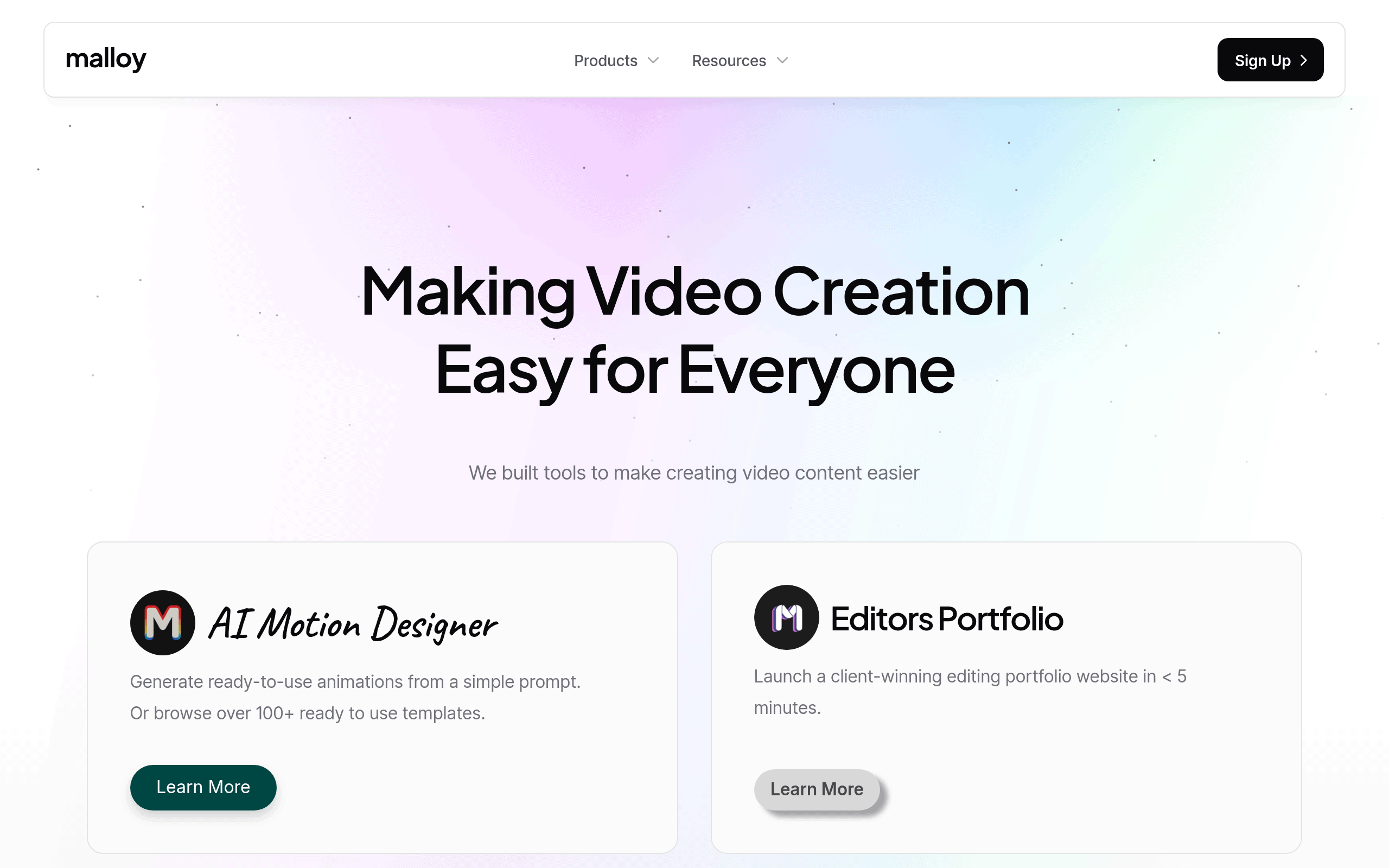
AI Motion Designer: Create professional animations in seconds with just a simple text prompt. No design experience needed – the AI does the heavy lifting so you can focus on your message instead of learning complex software.
100+ Ready Templates: Skip the blank canvas and start with templates that already look great. Pick one that fits your style, tweak it to match your brand, and you’re done – saving hours of design time.
Editor’s Portfolio Builder: Build a professional portfolio website in under five minutes that actually wins clients. Show off your best work without spending days coding or hiring a web designer.
Beginner-Friendly Interface: Start creating videos right away without watching hours of tutorials. The simple layout means you’ll spend less time figuring things out and more time getting your content out there.
Quick Animation Generation: Turn your ideas into polished animations faster than making a cup of coffee. Perfect for social media posts, ads, or presentations when you need something professional yesterday.
Our Take of Malloy
If you’re running a business and need quick video content without the learning curve, Malloy could work for you. It’s built for speed – you can get animations made with just a few prompts and have a portfolio site up in minutes. That’s pretty solid if you’re short on time or don’t have video editing experience.
Here’s what stands out: the AI Motion Designer actually delivers usable animations, not just rough drafts you’ll need to fix later. And with over 100 templates ready to go, you can find something that fits your needs without starting from scratch. For business owners who just need to get content out there, this saves real time.
But let’s be clear about the limits. If you’re after precise control over every detail or need advanced effects, you’ll hit walls here. The platform trades flexibility for simplicity. You’re working within their framework, which means your videos might look similar to others using the same templates.
The portfolio builder is smart for freelance editors who need a professional presence fast. Five minutes to launch is no exaggeration based on what we’ve seen. Though again, customization options are basic compared to building your own site.
For small businesses without video teams, Malloy makes sense. It gets you from idea to finished video faster than traditional software. Just know that as your needs grow more complex, you might outgrow what it offers. There’s no mention of integrations with other business tools either, so check if it fits your current workflow before committing.
Malloy's Pricing
Malloy offers two main tools with distinct pricing structures.
The AI Motion Designer allows users to generate ready-to-use animations from simple prompts or choose from over 100 templates.
The Editor’s Portfolio tool enables video editors to create professional portfolio websites in under 5 minutes. Specific pricing details for each tool are not listed on this page, but interested users can access more information by clicking the Learn More links for each product. Both tools are designed to streamline video creation workflows for content creators and professionals.
Final Thoughts about Malloy
Video creation doesn’t have to be the roadblock that stops your business from growing online. Malloy strips away the complexity and gets you creating content that actually connects with your audience. Sure, it won’t replace a full video production team, but that’s not really the point. It’s about getting your message out there without spending weeks learning software or thousands on outsourcing.
Think about what you could do with those extra hours you’d save. More time talking to customers, improving your product, or just taking a breather from the constant content demands. The real question isn’t whether you need video content – you do. It’s whether you want to keep putting it off or start creating today.
Ready to see if Malloy fits your workflow? Give it a shot and find out how quickly you can go from idea to finished video. Click the button below to try it yourself.
Malloy FAQs