Magnific AI (formerly Freepik) Introduction
You've spent hours creating the perfect image, but when you try to make it bigger, it turns into a blurry mess. Or maybe you've got AI-generated artwork that looks great as a thumbnail but falls apart at full size. It's frustrating, right?
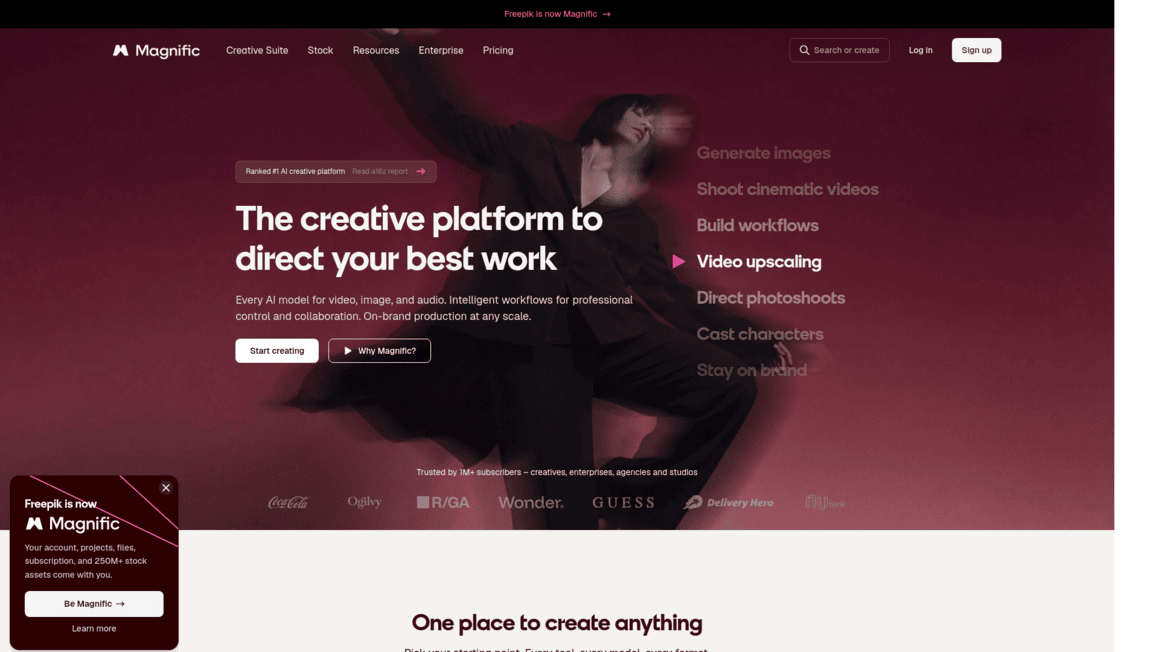
Traditional upscaling tools just stretch pixels and hope for the best. That's where Magnific AI comes in. It's an AI-powered image enhancement tool that doesn't just make your images larger — it actually adds realistic detail, texture, and structure as it scales up.
Think of it less like zooming in and more like rebuilding your image at a higher quality. Whether you're a digital artist, photographer, or business owner who needs sharp visuals for marketing, this tool promises to solve that age-old problem of resolution loss. But does it actually deliver? We put it through its paces to find out if it's worth your money and time.
Magnific AI (formerly Freepik) Key Features
Creative Upscaling: Go beyond basic image enlargement by adding realistic textures, structures, and lighting to your photos. Your images won’t just get bigger — they’ll actually look better with new details that weren’t there before.
Customizable Parameters: Fine-tune your results with control sliders like “Creativity,” “Prompt Strength,” and “Resolution Boost.” You get to decide exactly how much the AI changes your image, so you stay in the driver’s seat.
Custom Text Prompts: Guide the AI with simple text descriptions to tell it what style or details you want. It’s like giving the tool a quick creative brief so it knows what direction to take your image.
Dedicated Modes: Pick from specialized settings for Anime, Art, Photography, and Architecture projects. Each mode is built to handle the specific needs of that style, so you get results that actually make sense for your work.
Inpainting & Image Regeneration: Fix missing parts or rebuild low-quality areas in your images without starting from scratch. Great for saving photos that have damage or gaps you’d normally need a designer to repair.
Batch Enhancement: Process multiple images at once instead of doing them one at a time. If you’ve got a big folder of photos that need upgrading, this saves you a ton of time.
Built-in Preview: See how your image will look after processing before you commit. This way you’re not wasting credits on results you don’t love — you can tweak settings and check again before finalizing.
Our Take of Magnific AI (formerly Freepik)
If you’re a small or medium business owner who regularly needs high-quality images for marketing, social media, or product pages, Magnific AI is worth a serious look.
It’s not your typical upscaler that just makes images bigger. It actually adds detail, texture, and structure that can make your visuals look more polished and professional. That’s a real advantage when you’re trying to make a strong impression with your brand’s visual content.
The dedicated modes for different styles like photography and art mean you can get results that actually fit your project without a ton of trial and error.
The interface is straightforward, so you don’t need to be a designer to figure it out. That said, there are some things to keep in mind. The credit system can be frustrating if you don’t use the tool consistently, since unused credits don’t roll over month to month. If your image needs are sporadic, you might end up paying for credits you never use.
Processing times can also slow down during busy periods, which isn’t ideal if you’re working on a deadline. And while the results can be impressive, they’re not always consistent, especially if you don’t give the tool clear direction through prompts. For businesses that need frequent, high-quality image work, the subscription could pay for itself pretty quickly.
But if you only need an image enhanced once in a while, you’ll want to do the math and make sure the cost lines up with how much you’ll actually use it. It’s a strong tool in its category, but it’s not a fit for everyone’s budget or workflow.
Magnific AI (formerly Freepik)'s Pricing
The pricing plans start with the Essential tier, designed for hobbyists, which costs €4.50 per month billed annually and includes 96,000 credits per year. It provides access to all image, video, and audio models, along with tools like shared workflow spaces, pro editing features, music and sound generation, and a commercial AI license. Users also get Magnific upscalers, early access to new features, and a large library of over 250 million assets, with credits valid for a full year and the option to top up anytime.
The Premium plan, aimed at individuals working with higher-quality assets, is priced at €10.50 per month annually and increases the allowance to 240,000 credits per year. It includes everything in Essential, plus access to premium stock assets, while maintaining the same creative tools, AI capabilities, and feature access across image, video, and audio workflows.
For more advanced creative needs, the Premium+ plan costs €25.50 per month annually and offers 600,000 credits per year, along with unlimited usage on selected models. It expands on previous tiers by adding enhanced benefits like music rights in the commercial license and both Magnific and Topaz upscalers, making it suitable for users who need more flexibility and higher output without strict limits.
At the top end, the Pro plan is built for professionals scaling content production, priced at €161.25 per month annually with 4,000,000 credits per year. This plan includes unlimited usage with discounted credit rates, full access to all tools and models, advanced upscaling options, and the most comprehensive feature set, supporting large-scale creative workflows with maximum efficiency and flexibility.
Final Thoughts about Magnific AI (formerly Freepik)
So here’s the bottom line. Magnific AI is a solid tool if you’re regularly working with images and you’re tired of blurry, stretched-out results.
It does something most upscalers can’t — it actually rebuilds your image with new detail instead of just making pixels bigger.
That’s a big deal for anyone who cares about how their brand looks online. But it’s not magic. You’ll get the best results when you take time to learn the sliders, write clear prompts, and pick the right mode for your project.
If you only need image work once in a blue moon, the credit system might not make sense for your budget. But if sharp visuals are a regular part of your workflow, this could save you real time and money compared to hiring out that work.
The best way to know if it fits your needs is to try it yourself. Click the button below to check out Magnific AI and see what it can do with your images.
Magnific AI (formerly Freepik) FAQs