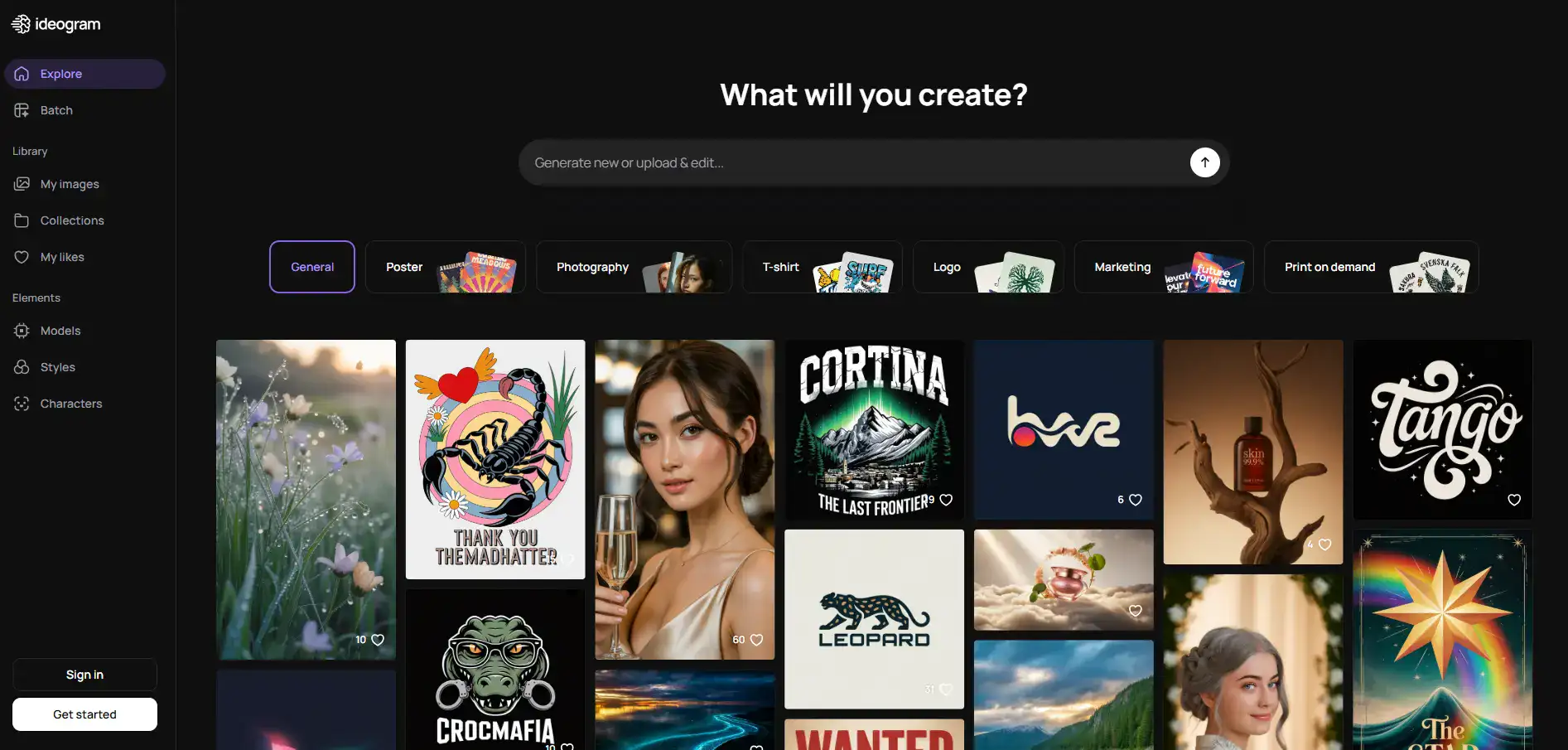
Ideogram Introduction
If you've ever tried to get an AI image generator to put text on a design, you know the pain. The letters come out jumbled, misspelled, or looking like they were written by a toddler. It's frustrating, especially when you need a quick social media graphic, a logo mockup, or a poster for your business.
You end up spending more time fixing the text in another tool than you saved by using AI in the first place. That's where Ideogram comes in. It's an AI image generator that actually gets text right — we're talking about 95% accuracy on the typography front. Since its launch in 2023, it's built a reputation as the go-to option for anyone who needs clean, readable words baked right into their AI-generated images. But is it the right fit for your business? Let's break it down.
Ideogram Key Features
Text Rendering Accuracy: Get images with text that actually looks right — about 95% accuracy. This means your logos, posters, and social media graphics won’t have those embarrassing misspelled or garbled words that plague most AI image tools.
Reference Image Integration: Upload up to three images as visual guides so the AI matches your preferred colors, textures, and layouts. Great for keeping your brand look consistent across different pieces of content.
Character Consistency: Keep the same character looking like themselves across different scenes, poses, and outfits. This is a big deal if you’re building a mascot or running a campaign that needs the same face showing up in multiple designs.
Layerize Editing Tool: Fix text in your generated images without starting the whole thing over from scratch. If there’s a typo or you need to swap out a word, you can edit just that part and keep everything else intact.
Custom Model Training: Train the AI on your own brand assets — your logos, fonts, color palettes — so every image it creates already feels like it belongs to your brand. No more tweaking outputs to match your style guide.
Ideogram Studio: Work with layers and make non-destructive edits, just like you would in a traditional design tool. You can go back and change things at any step without losing your previous work.
Magic Fill Editing: Select a specific part of your image and change just that section. Need to swap a background or adjust one element? You don’t have to regenerate the whole design — just fix what needs fixing.
Our Take of Ideogram
If you’re a small business owner who needs images with readable text on them, Ideogram is worth a serious look. It’s one of the few AI image tools that actually gets text right — we’re talking about 95% accuracy for things like logos, posters, and social media graphics. That’s a big deal when you’ve been burned by other tools that turn your brand name into gibberish.
The free plan lets you try it out with up to 10 images a day, which is nice for testing before you commit any money. And the interface is pretty straightforward, so you don’t need to be a designer to figure it out.
That said, there are some things to keep in mind. The credit system can sneak up on you if you’re generating a lot of images. You’ll want to keep an eye on how fast you’re burning through credits, especially during busy seasons. The free tier also puts watermarks on your images, so you’ll need a paid plan for anything client-facing.
If you work with a team, you might feel limited here. Collaboration features aren’t really built out yet, so passing projects back and forth could get clunky. And if you’re looking for wild artistic styles or heavy experimentation, tools like Midjourney might give you more range on that front.
For the business owner who mostly needs clean, professional-looking graphics with accurate text — think marketing materials, brand assets, social posts — Ideogram does that job well. It’s not trying to be everything for everyone, and that focused approach is what makes it useful for the right person.
Ideogram's Pricing
Ideogram offers a Free plan that includes 10 priority generations and 100 standard generations per day, with basic editing tools and access to the community gallery.
The Basic plan costs $8 per month when billed monthly or $7 per month when billed annually, providing 400 priority generations per month, unlimited standard generations, and features like the magic prompt tool and private generation options.
The Plus plan is $20 per month billed monthly or $16 per month billed annually, offering 1000 priority generations per month, unlimited standard generations, unlimited image uploads for editing, and API access.
The Pro plan costs $60 per month billed monthly or $48 per month billed annually, including 3000 priority generations per month, unlimited standard generations, unlimited image uploads, API access, and all Plus features.
All paid plans include benefits like no watermarks, the ability to generate private images, and access to the full suite of editing tools. An Enterprise tier is also available for teams needing custom solutions.
Final Thoughts about Ideogram
So here’s the bottom line. If you’re tired of AI image tools butchering your text, Ideogram is one of the best options out there right now. It’s not perfect — no tool is — but it does the one thing most AI generators can’t: it puts readable words on your images without making you want to pull your hair out.
Before you commit to a paid plan, take advantage of that free tier. Generate a few images with your brand name, your tagline, or whatever text you use most. See how it handles your specific needs. That’s the fastest way to know if it’s right for you.
Think about what you actually need from an AI image tool. If it’s clean graphics with accurate text for your marketing, this is a strong pick. If you’re chasing wild artistic experimentation, you might want to look elsewhere. Know your priorities, and the decision gets easy.
Ready to see if Ideogram can handle your text the way other AI tools can’t? Click the button below to give it a try.
Ideogram FAQs