Recraft.ai Introduction
If you've ever spent hours trying to create professional-looking graphics for your business without a design background, you know how frustrating it can be. You need images for social media, vectors for your logo, mockups for your products, and somehow it all needs to look polished.
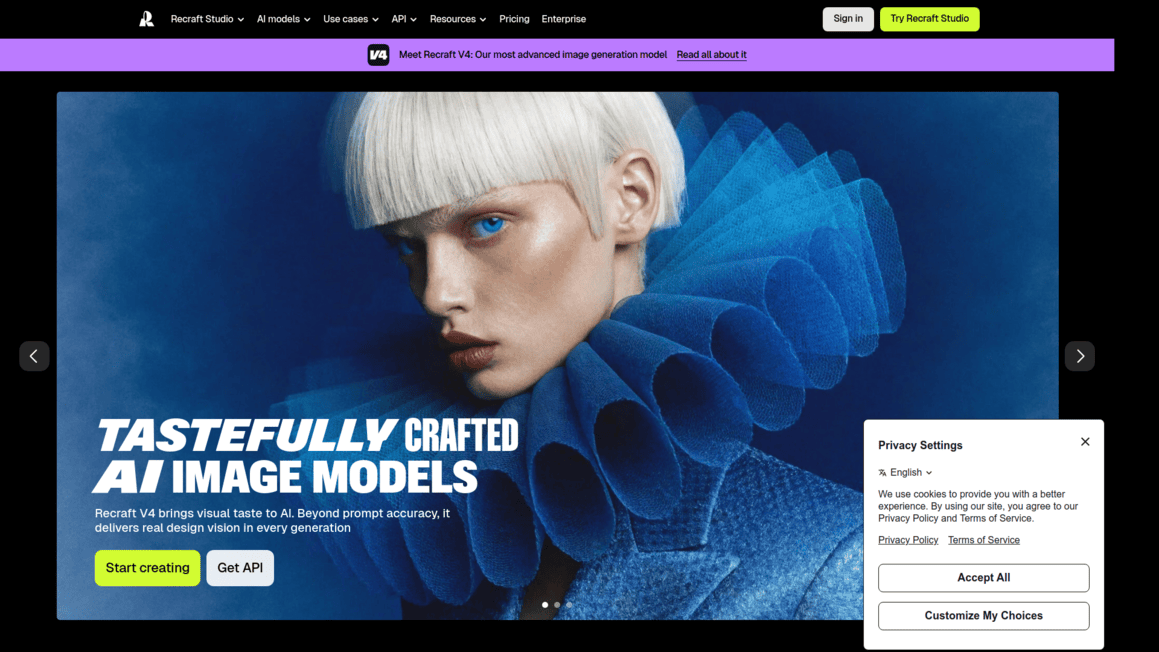
Hiring a designer for every little asset gets expensive fast, and most AI image tools spit out stuff that looks, well, obviously AI-generated. That's where Recraft.ai comes in. It's a browser-based platform built specifically for people who need high-quality visuals without the steep learning curve of traditional design software.
Whether you're putting together marketing materials, building out brand assets, or just need a quick mockup to show a client, Recraft promises to get you there faster. But does it actually deliver? We put it through its paces to find out if it's worth your time and money.
Recraft.ai Key Features
AI Image Generator: Turn text descriptions into high-quality images in seconds. Great for when you need social media graphics, blog visuals, or marketing materials without hiring a designer or spending hours in Photoshop.
AI Vector Generator: Create scalable vector graphics from simple text prompts. Perfect for logos, icons, and illustrations that need to look sharp at any size — from a business card to a billboard.
Mockup Generator: See your designs on real-world products like T-shirts, packaging, and more. This helps you (and your clients) visualize how a design will actually look before going to print.
Image Upscaler: Make small or low-resolution images bigger without making them blurry. Super helpful when you need to use an image for a large format but only have a small version available.
Background Remover: Strip away backgrounds from any image with one click. This saves you tons of time when you’re creating product photos, headshots, or layered designs.
Image Vectorizer: Convert regular images into vector files you can scale and edit freely. No more tracing images by hand when you need a clean, resizable version of a graphic.
AI Eraser: Remove unwanted objects or elements from your images without leaving a trace. Think of it like a magic eraser that fills in the gap naturally — no Photoshop skills needed.
Our Take of Recraft.ai
If you’re a small-to-medium business owner who needs solid visual content without hiring a full design team, Recraft.ai is worth a look. It’s browser-based, so there’s nothing to install, and most users say it’s pretty easy to pick up even if you’re not a designer by trade. The vector generation feature is a standout — not many AI tools do vectors well, and this one handles logos and icons in a way that actually feels useful for real business needs like signage, packaging, or social media assets.
That said, it’s not perfect. The credit system can feel tight if you’re doing a lot of generating, and you might end up paying more than you expected. Some users have reported that detailed prompts don’t always produce what they asked for, which can be frustrating when you have a specific vision in mind. And if you’re working on something complex with multiple layers or intricate details, this probably isn’t the tool that’ll get you there — at least not yet.
Compared to other AI image tools on the market, Recraft holds its own for straightforward design tasks and quick turnarounds. It’s not going to replace a seasoned graphic designer for high-level projects, but for everyday marketing visuals and branding assets, it does a respectable job. Just go in knowing its limits, and you’ll likely find it saves you time and money on the basics.
Recraft.ai's Pricing
The Free plan is designed for users who want to explore AI features at a basic level for personal use, offering 30 credits per day along with limited capabilities such as three generations per style daily, three image uploads, and up to two images per generation. It includes basic editing tools, access to a style library with custom style creation, and uses Recraft models only, but all generated images are public, with no commercial rights or parallel generation available.
The Basic plan, priced at $10 per month (billed annually at $120), is aimed at individual creators who need more flexibility and power. It provides 1,000 credits per month and includes everything in the Free plan, plus access to more advanced models like Nano Banana, Seedream, GPT Image, and Flux. Users gain commercial rights, private image generation, unlimited uploads, advanced editing tools, unlimited style usage, and the ability to generate up to four images at once with up to five parallel generations.
The Pro plan, recommended for professional creators, costs $16 per month (billed annually at $192) and includes 2,000 credits monthly. It builds on the Basic plan by adding video generation capabilities using models like Kling, Grok Imagine Video, Veo, Sora, and Seedance, along with full control over video generation settings. It also offers priority image generation and allows up to ten parallel generations for both images and videos.
Finally, the Teams plan is designed for collaborative workflows and costs $18 per month per seat (billed annually at $211), providing 2,000 credits per month per user. It includes everything in the Pro plan, along with features tailored for teams such as a shared workspace, shared custom styles, centralized account management and billing, premium 24/7 support, and Single Sign-On (SSO) for easier access and security.
Final Thoughts about Recraft.ai
So here’s the bottom line. If you’re spending too much time and money on basic design tasks, Recraft.ai is a solid option to check out. It won’t replace a professional designer for big, complex projects, but for the day-to-day stuff like social posts, logos, mockups, and quick edits, it gets the job done faster than most alternatives.
The vector feature alone sets it apart from a lot of other AI tools out there. Just keep the credit system in mind and start with a smaller plan to see if it fits your workflow before going all in. The best way to know if it’s right for you is to try it yourself. Click the button below to give Recraft.ai a spin and see how it works for your business.
Recraft.ai FAQs