Krea Introduction
If you've ever spent hours tweaking a design, waiting for renders, or struggling to get your visual content just right, you know how frustrating the creative process can be.
It's even worse when you're running a business and every minute counts.
You need visuals that look professional, but you don't have time to learn complex software or wait around for results. That's where Krea comes in.
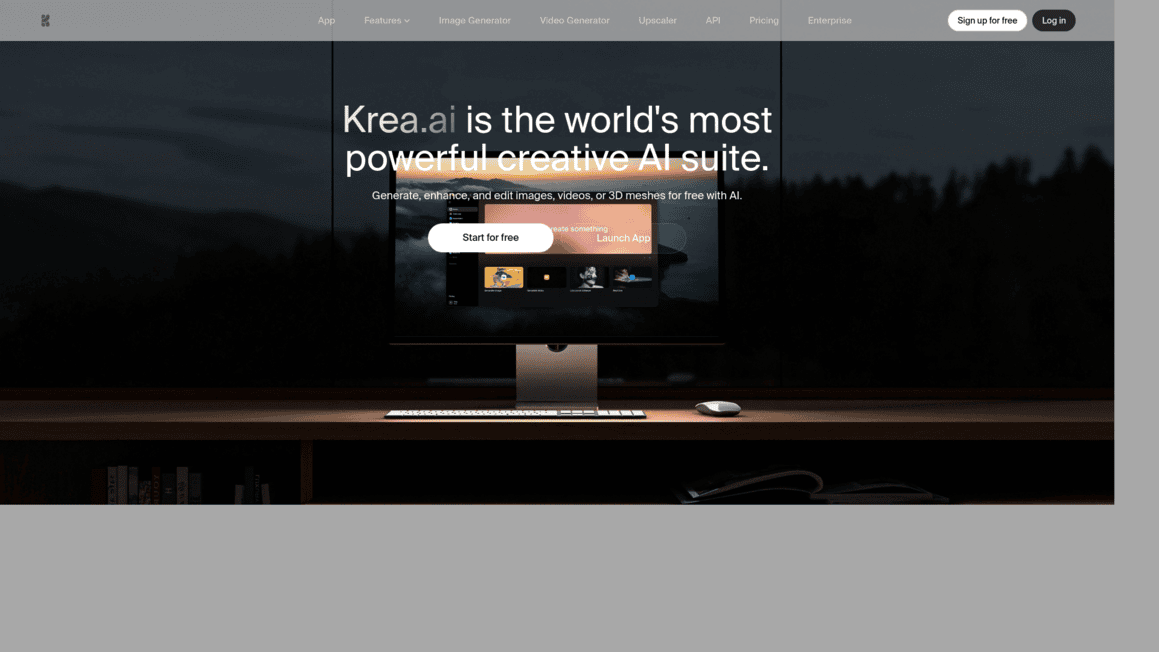
It's an AI-powered creative suite that lets you generate, edit, and animate images and videos in real time. Whether you're a designer, a marketer, or a business owner trying to keep up with content demands, Krea promises to speed things up without sacrificing quality.
But does it actually deliver? We spent time testing it out so you don't have to guess. Here's what we found.
Krea Key Features
Real-Time Image Generation: Create images instantly as you type your prompts or tweak settings. This means you can try dozens of ideas in minutes instead of waiting around for each result to load.
Video Generation: Turn text prompts or still images into video clips with camera movements you control. Great for creating social media content, product demos, or brand videos without hiring a full production team.
Enhancer: Upscale your images to higher resolutions, sharpen blurry details, fix lighting, and clean up noise. You get polished, professional-looking visuals without starting over from scratch.
Edit: Use a canvas-based tool to add or remove elements, blend images together, expand scenes, and change camera angles. It’s like having a photo editor that responds to simple requests instead of requiring you to learn complex software.
Training: Upload your own images and train custom models that match your brand’s look. This lets you produce consistent, on-brand visuals anytime you need them without repeating instructions every single time.
Our Take of Krea
If you’re a small or mid-sized business owner who needs quality visuals fast but doesn’t have a design background, Krea is worth a serious look.
The real-time generation feature alone sets it apart from a lot of other AI image tools out there. You can tweak prompts and see results instantly, which saves a ton of time when you’re trying to get something just right for a social post, ad, or landing page.
The fact that you get access to multiple AI models from different providers, all in one place, means you’re not locked into one style or one set of limitations.
That’s a nice perk. The editing and enhancing tools add extra value too, since you can upscale, adjust lighting, or expand images without jumping to another app.
On the flip side, you’ll want to get comfortable writing clear, detailed prompts. If your prompts are vague, your results will be hit or miss.
Some users have flagged inconsistencies with human figures specifically, so if your content relies heavily on realistic people, you might need to do some extra tweaking.
Project organization could be better too, which might frustrate you if you’re juggling a bunch of campaigns at once. One thing to keep in mind is that integration details with other tools aren’t super clear from what’s publicly available, so if you rely on a specific tech stack, it’s worth testing compatibility before committing.
Overall, Krea brings a lot to the table for the price of entry, especially if speed and creative flexibility matter most to you. Just go in knowing there’s a bit of a learning curve with prompts, and you’ll likely need to do some quality checks on outputs before they’re ready for prime time.
Krea's Pricing
The pricing on Krea AI is structured around monthly subscriptions based on “compute units,” starting with a free plan that gives you 100 compute units per day and limited access to core features like real-time image generation, basic models, and limited upscaling and LoRA training.
Paid plans begin with the Basic tier at $9 per month, which includes 5,000 compute units monthly and unlocks commercial usage, full access to image, 3D, and lipsync models, LoRA fine-tuning, 4K upscaling, and some video features.
The Pro plan, priced at $35 per month, increases usage to 20,000 compute units and adds full access to all video models, workflow automation tools, and discounts on additional compute units.
For heavier users, the Max plan at $105 per month provides 60,000 compute units along with unlimited LoRA training, unlimited concurrency, relaxed generations, and upscaling up to 22K resolution.
For teams, the Business plan starts at around $200 per month with 80,000 compute units and includes collaboration tools, up to 50 seats, advanced permissions, and shared workflows, while Enterprise pricing is custom and adds features like priority support, analytics APIs, and tailored compute packages for large-scale use.
Final Thoughts about Krea
So here’s the bottom line. If you’re tired of spending hours on visuals that should take minutes, Krea’s worth your time. It’s not perfect — you’ll need to get comfortable with prompts, and you might hit some bumps with human figures or project organization. But the speed, flexibility, and access to multiple AI models in one spot make it a solid choice for anyone who needs professional-looking content without the professional-level learning curve. Think about what’s eating up your creative time right now. If it’s waiting on renders, starting from scratch every time you need a new asset, or bouncing between five different apps just to get one image right, Krea could save you a lot of headaches. The best way to know if it fits your workflow is to try it yourself. If you’re ready to see what Krea can do for your business, click the button below to get started.
Krea FAQs